By Ctrl Editorial Team · May 12, 2026 · 9 min read
How AI Can Help Prioritize Your Day Without Taking Over Your Work
A practical guide to using AI to sort scattered work, identify real priorities, and protect focus across Slack, Gmail, meetings, and tasks.
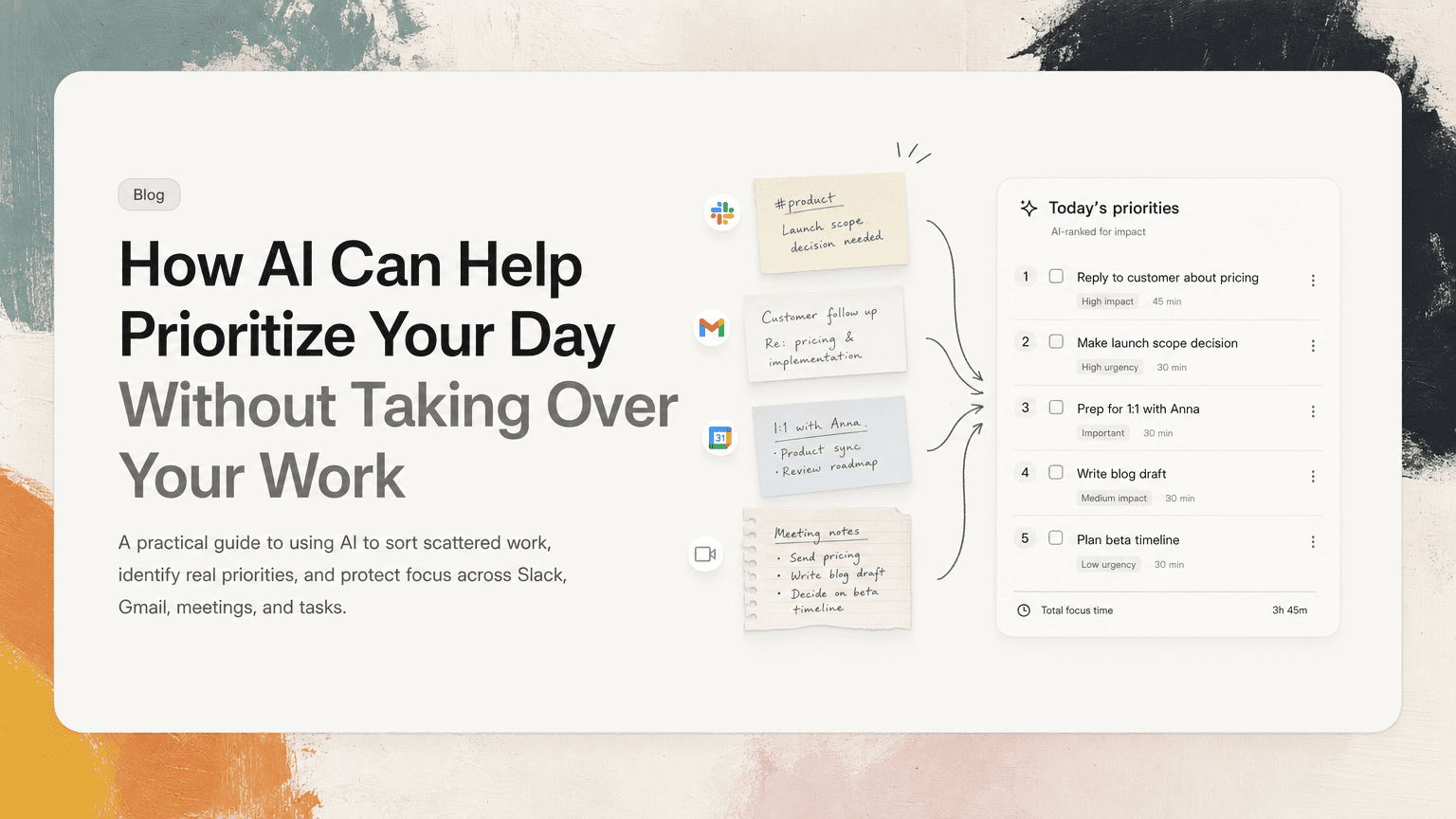
Most people do not start the day with one clean list of work.
They start with Slack messages from yesterday, a few Gmail threads that need replies, meetings that created follow-ups, a calendar that already looks crowded, and tasks remembered while making coffee. The problem is not that people are lazy or bad at planning. The problem is that the inputs are scattered, noisy, and uneven.
AI can help prioritize your day, but not by magically knowing what matters. It helps when it does three practical things well:
- Finds work hidden across your tools
- Turns vague inputs into concrete next actions
- Ranks those actions against time, urgency, and context
Used well, AI becomes less like a motivational coach and more like a good operator: it gathers the facts, reduces duplication, and gives you a sharper starting point.
Why daily prioritization breaks down
Daily planning sounds simple: look at your list, pick what matters, do the work.
In reality, your list is usually incomplete.
A product manager might have:
- A Slack thread where engineering asked for a decision on launch scope
- A Gmail reply from a customer that needs a follow-up before noon
- Meeting notes that mention “send pricing options” but no assigned task
- A calendar full of calls with only two real focus blocks
- A task list containing old items that no longer matter
If they prioritize only from the task list, they miss important work. If they scan every tool manually, they burn the first hour of the day just rebuilding the picture.
That is where AI is useful. Not as a replacement for judgment, but as a way to assemble the raw material your judgment needs.
The first job: collect the real inputs
Before AI can prioritize anything, it needs access to the places where your work begins.
For most knowledge workers, that means:
- Slack or Teams messages
- Gmail or Outlook threads
- Google Calendar events
- Meeting transcripts or notes
- Shared docs and project notes
- Existing tasks or tickets
The goal is not to summarize your entire digital life. The goal is to identify signals that imply action.
For example:
- “Can you send the revised deck before the partner call?”
- “Let’s follow up with Maya after legal reviews this.”
- “We need a decision on whether this ships in v1.”
- “I’ll own the onboarding copy, but can someone check the activation flow?”
These are easy to miss because they are embedded in conversation. AI is good at scanning this kind of text and extracting likely action items. That gives you a more accurate inventory before you start ranking anything.
A useful morning workflow is:
- Scan new messages and emails since yesterday afternoon
- Extract anything that looks like a commitment, blocker, decision, or follow-up
- Compare those items against your existing tasks
- Remove duplicates or stale items
- Build a short list of candidates for today
This is much more useful than asking AI, “What should I do today?” without giving it the right context.
The second job: turn noise into next actions
Prioritization fails when tasks are vague.
“Launch plan” is not a task. “Follow up” is not enough. “Customer issue” does not tell you what to do next.
AI can help by converting scattered notes into specific next actions. For example:
| Raw input | Better next action |
|---|---|
| “Need to align on onboarding before Thursday” | “Draft onboarding questions for Thursday alignment meeting” |
| “Customer is confused about billing limits” | “Reply to customer with billing limit explanation and ask if they want a setup call” |
| “Engineering needs a call on the API issue” | “Schedule 30-minute API issue review with engineering” |
| “We should decide if this is in scope” | “Make recommendation on launch scope and post in project Slack thread” |
This matters because you cannot prioritize unclear work. You end up picking the easiest item instead of the most important one.
A good next action should answer:
- What exactly needs to happen?
- Who is involved?
- Where should it happen?
- Is there a deadline or dependency?
- What context is needed to do it well?
AI can draft this structure quickly, especially when the source material is a Slack thread, email chain, or meeting note. You still need to review it, but you are reviewing a proposed action instead of staring at a pile of fragments.
The third job: separate urgency from importance
A lot of daily planning is just reacting to recency.
The newest Slack message feels important because it is visible. The email marked urgent feels important because someone used strong language. The meeting in 20 minutes feels important because it is on the calendar.
AI can help you slow that reaction down by sorting work into clearer categories.
Try grouping your day into four buckets:
1. Time-sensitive commitments
These are items with real deadlines today.
Examples:
- Send a customer reply before their afternoon call
- Review a doc before a scheduled meeting
- Make a decision before engineering starts implementation
- Prepare notes for a board or leadership meeting
These should usually be considered first because time creates consequences.
2. Work that unblocks other people
Some tasks may not be due today, but they are blocking someone else.
Examples:
- Approving copy so marketing can publish
- Clarifying requirements so engineering can proceed
- Responding to a finance question so a vendor can be paid
- Giving feedback on a design direction
AI can spot these by looking for language like “blocked,” “waiting on,” “need your input,” or “can’t move forward until.”
3. High-leverage focus work
This is the work that moves important goals forward but rarely screams for attention.
Examples:
- Writing a product strategy memo
- Reviewing churn patterns
- Designing a hiring process
- Debugging a recurring operational issue
- Preparing a roadmap recommendation
AI can help protect this work by showing how much of your calendar is already consumed and where focus blocks might fit.
4. Low-value maintenance
These are real tasks, but they should not dominate the best hours of your day.
Examples:
- Cleaning up old labels
- Updating a non-urgent doc
- Replying to FYI threads
- Rescheduling a meeting with no deadline
- Reading long updates that do not require action
A useful AI assistant should make this category visible, not pretend every task has equal weight.
A practical AI-assisted morning planning routine
Here is a simple workflow you can run in 10 to 15 minutes.
Step 1: Gather yesterday’s loose ends
Ask AI to review messages, email, and meeting notes from the previous afternoon through this morning.
You are looking for:
- Promises you made
- Questions directed at you
- Decisions waiting on you
- Follow-ups from meetings
- Deadlines mentioned in passing
The output should be a rough task inventory, not a polished plan.
Step 2: Deduplicate the list
The same action often appears in multiple places.
A customer escalation may show up in Gmail, then Slack, then meeting notes. Without deduplication, your list looks bigger than it is and your attention gets pulled in circles.
Ask AI to merge repeated items and keep the strongest source context attached. For example:
- Original customer email
- Internal Slack discussion
- Decision from yesterday’s meeting
This gives you one task with the context needed to complete it.
Step 3: Add calendar reality
A priority list that ignores your calendar is fiction.
If you have six hours of meetings, you do not have six hours for deep work. Ask AI to account for:
- Meetings that require preparation
- Meetings that will likely create follow-ups
- Available focus blocks
- Deadlines before or after meetings
- Energy-intensive work versus quick replies
A good plan might say:
- Before 10:00: send customer reply and review launch doc
- 10:00–12:00: meetings
- 12:30–1:15: make API scope decision
- 2:00–3:30: focus block for strategy memo
- End of day: clear non-urgent replies
This is more useful than a ranked list with no sense of time.
Step 4: Pick a top three
AI can propose priorities, but you should make the final call.
A strong top three usually includes:
- One time-sensitive commitment
- One item that unblocks others
- One meaningful piece of focus work
This prevents your day from becoming only urgent replies or only abstract deep work.
For example:
- Reply to the enterprise customer with the revised rollout plan before noon
- Decide whether analytics events are required for the launch milestone
- Draft the first version of the Q3 product priorities memo
That is a day with shape.
What AI should not decide for you
AI can rank, cluster, summarize, and suggest. But it should not quietly decide what matters without your review.
You still know things it may not:
- Which customer relationship is sensitive
- Which project has political risk
- Which deadline is flexible despite sounding urgent
- Which Slack request can be ignored
- Which work supports your actual goals
The best use of AI is to reduce the sorting burden so you can apply human judgment faster.
Think of it this way: AI should prepare the desk, not run the company.
Keep the source context attached
One common problem with traditional task lists is that they separate the task from the conversation that created it.
You see: “Follow up with Sam.”
But follow up about what? Which thread? What did Sam ask for? Was there a deadline? Did someone else weigh in?
Prioritization gets easier when every task keeps its source context. If a task came from Gmail, you should be able to get back to the email. If it came from a meeting, you should see the decision or note that created it. If it came from Slack, the relevant thread should still be nearby.
This is where tools like CTRL are different from a generic todo app: they connect to the places work already happens and help turn scattered communication into clear next actions with context attached.
A simple prompt pattern that works
If you are using AI manually, avoid broad prompts like:
“Prioritize my day.”
Instead, use a structured prompt:
Review my Slack messages, Gmail threads, calendar, and meeting notes since yesterday at 3pm.

Find tasks, decisions, follow-ups, and blockers that involve me.
Deduplicate repeated items.
For each item, include:
- the next action
- source context
- deadline, if any
- who is waiting on it
- estimated effort

Then suggest a top three for today based on urgency, importance, blockers, and my calendar availability.
Even if your setup is not fully automated, this structure forces the right thinking.
The real benefit: fewer priority resets
The value of AI-assisted prioritization is not a prettier list. It is fewer resets during the day.
When priorities are unclear, every new message can hijack your plan. You keep reopening Slack, checking Gmail, scanning your calendar, and wondering if you are missing something. That context switching is expensive because it makes you rebuild the picture over and over.
When the day starts with a clearer map, you can respond to new inputs without losing the plot.
You know what must happen today. You know who is blocked. You know where your focus block belongs. You know which tasks can wait.
CTRL is built around that idea: not another place to manually maintain work, but an assistant that reads the tools where work already starts and helps you decide what deserves attention now.
AI will not make prioritization effortless. But it can make it less chaotic. And for most busy people, that is the practical win: starting the day with a smaller, clearer set of decisions instead of a pile of disconnected signals.


Make today life changing
Move from conversation to actions in seconds
Download the ^ctrl desktop app