By Ctrl Editorial Team · May 15, 2026 · 9 min read
A Founder’s System for Keeping Action Items From Disappearing
A practical system for founders to capture, clarify, and prioritize action items before they vanish across Slack, email, and meetings.
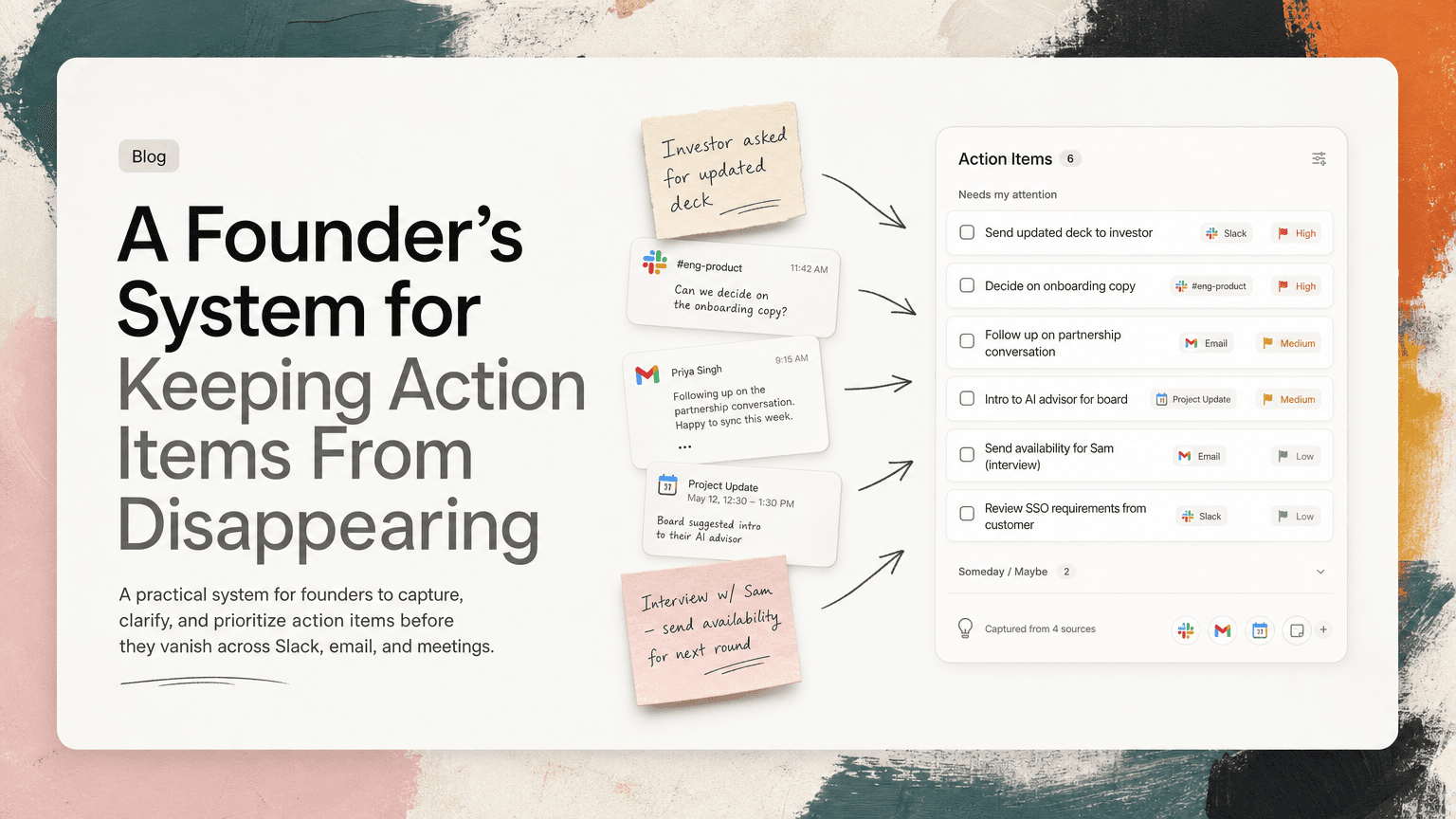
Founders do not usually lose action items because they are careless.
They lose them because the work arrives sideways.
A customer mentions a follow-up in Gmail. An engineer asks for a decision in Slack. A candidate sends availability after an interview. A board member suggests an intro during a call. A teammate says, “Can you take a look?” in the middle of a thread about something else.
None of this looks like a task manager. But all of it creates work.
The problem is not that founders need a more beautiful todo list. The problem is that action items are born in too many places, often before they are clearly worded as tasks. By the time you sit down to plan your day, the real list is scattered across Slack, email, meetings, notes, and memory.
The fix is to build a simple operating system for action items: capture them where they appear, clarify them quickly, attach the context, and decide what matters now.
Why founders lose action items
Most lost tasks fall into one of five buckets.
1. The task was implied, not stated
Founders hear implied work all day:
- “The investor asked if we can send an updated deck.”
- “The customer sounded blocked on SSO.”
- “Legal is waiting on your answer.”
- “We should probably follow up with that candidate.”
Nobody says, “Create a task called send updated deck by Thursday.” But the responsibility lands somewhere, often with you.
2. The task lives inside a conversation
Slack threads are especially dangerous because they feel current until they disappear below newer messages. The task may be three replies deep in a thread, attached to a decision, or hidden behind a casual “sounds good.”
Example:
“Let’s ship the simpler onboarding version this week. Can you tell design we’re cutting the extra step?”
That is not just a message. It contains a decision, a coordination task, and a deadline.
3. The task depends on context you cannot easily find later
A vague todo like “follow up with Sarah” is nearly useless if you do not remember:
- which Sarah
- what the follow-up is about
- where the conversation happened
- what was promised
- whether there is a deadline
This is why founders often avoid their own task lists. The list is full of reminders that require detective work.
4. The same task appears in multiple places
A customer asks in email. Your support lead mentions it in Slack. It comes up again in a meeting. Now you have three references to one piece of work.
Without deduplication, you either do it twice, ignore it because it feels noisy, or spend time figuring out whether the items are actually different.
5. Urgency distorts the day
Founders are surrounded by loud signals. Slack pings feel urgent. Investor emails feel important. Customer problems feel existential. Internal team blockers need quick answers.
If you do not have a way to separate “needs attention now” from “should not be forgotten,” your day becomes a reaction queue.
The founder action-item loop
A reliable system has four stages:
- Capture
- Clarify
- Attach context
- Prioritize
If one stage is missing, action items leak.
1. Capture where the work starts
Do not rely on memory as a bridge between tools.
The worst version of task capture looks like this:
- read Slack message
- think “I need to do that”
- switch to a todo app later
- forget the exact wording
- create a vague task, or create nothing
The better version is to capture as close to the source as possible.
When a task appears in Slack, capture it from Slack. When it appears in Gmail, capture it from the email. When it appears in a meeting, capture it from the notes or transcript while the context is still fresh.
A useful capture habit is to look for verbs and owners.
In messages, highlight phrases like:
- “Can you send…”
- “Please review…”
- “We need to decide…”
- “I’ll follow up…”
- “Let’s make sure…”
- “Before Friday…”
Not every phrase becomes your task. But these phrases tell you where work is being created.
A simple capture rule
Use this rule: if you would be embarrassed to have forgotten it tomorrow, capture it today.
This keeps the threshold practical. You do not need to capture every thought, only the commitments, decisions, blockers, and follow-ups that would cost you time or trust if they disappeared.
2. Turn vague reminders into next actions
Founders often write tasks that are too broad:
- “Fundraising”
- “Enterprise customer”
- “Onboarding”
- “Hiring”
- “Board update”
These are not action items. They are territories.
A next action should be specific enough that you can start it without rethinking the whole situation.
Weak vs. useful action items
Weak:
- “Follow up with customer”
Useful:
- “Email Dana at Acme with the revised SSO timeline and ask whether Friday works for implementation review”
Weak:
- “Product decision”
Useful:
- “Decide whether to remove the optional onboarding step from this week’s release and reply in the #product thread”
Weak:
- “Investor deck”
Useful:
- “Send updated March deck to Priya, including new retention slide from finance”
The difference is not polish. The difference is execution speed. A clear task reduces the amount of thinking required later.
Use the “who, what, where, when” test
For each important action item, ask:
- Who is responsible?
- What is the next visible action?
- Where did the request or decision come from?
- When does it matter?
If you cannot answer those questions, the task is not ready to trust.
3. Keep the source attached
A task without context creates a second task: find the context.
That is why source-linked action items are so valuable. If a task came from a Slack thread, keep the thread attached. If it came from Gmail, keep the email attached. If it came from a meeting, keep the relevant notes attached.
This matters most for founder work because founder tasks are rarely isolated. They carry nuance:
- the customer’s exact objection
- the investor’s phrasing
- the teammate’s concern
- the decision that led to the follow-up
- the deadline implied by a launch, renewal, or hiring process
A good action item should let you jump back into the original situation without reconstructing it from memory.
Example
Bad task:
- “Reply to Alex”
Better task:
- “Reply to Alex about whether we can support annual invoicing for the pilot”
- Source: Gmail thread with Alex
- Context: Alex asked if procurement can receive an annual invoice before signing
- Due: before Thursday’s procurement meeting
This is the difference between a reminder and a usable work object.
4. Deduplicate before you prioritize
Founders often have the same commitment repeated across channels.
Example:
- Gmail: customer asks for SOC 2 timeline
- Slack: sales lead asks, “Can we get an answer for Acme?”
- Meeting notes: “Follow up on SOC 2 timeline for Acme”
That is one action item, not three.
Before you decide what matters today, collapse duplicates. Otherwise your list will feel larger than it is, and you may mistake repeated mentions for separate work.
A practical deduplication check:
- Are these about the same outcome?
- Do they have the same owner?
- Would completing one satisfy the others?
- Is one item just extra context for another?
If yes, merge them into a single action item and attach the related sources.
This makes prioritization calmer. You are no longer ranking noise. You are ranking actual work.
5. Prioritize by consequence, not volume
Once your action items are captured and clarified, decide what gets attention first.
A founder’s list should not be sorted only by recency. The newest message is not always the most important work.
Use four priority questions:
What is blocking someone else?
If an engineer needs a product call before continuing, your decision may unlock a full day of work. If a candidate is waiting on interview feedback, delay may hurt the process. If finance needs your approval to send a contract, the task has leverage.
What has an external deadline?
Customer renewals, investor follow-ups, legal reviews, hiring windows, and launch commitments often have real timing pressure. Make those visible.
What reduces future chaos?
Some tasks are not urgent, but they prevent repeated interruptions. Writing a clear decision in Slack, sending a status update, or documenting a plan can reduce ten follow-up pings.
What can only you do?
Founders accumulate work that others could handle. If the action item does not require your judgment, relationship, or authority, consider delegating it instead of prioritizing it.
A daily routine that actually works
You do not need a complicated productivity ritual. You need a short review that catches scattered work before the day takes over.
Try this 15-minute routine:
Morning: collect and choose
- Review new action items from Slack, Gmail, calendar, meetings, and notes.
- Merge duplicates.
- Rewrite vague items into next actions.
- Pick the three to five items that matter most today.
- Mark anything you are intentionally not doing today.
That last step is important. A founder’s task list will always contain more than can fit in a day. The goal is not to finish everything. The goal is to avoid accidental neglect.
Midday: handle new commitments
Before lunch or after your busiest meeting block, scan for new commitments:
- Did you say “I’ll send that” in a meeting?
- Did someone ask for a decision in Slack?
- Did an email create a follow-up?
- Did you delegate something that needs a check-in later?
Capture only what matters. Do not reorganize your whole system.
End of day: close loops
Spend five minutes answering:
- What did I promise today?
- What is still waiting on me?
- What should be moved to tomorrow?
- What can be delegated or deleted?
This prevents tomorrow from starting with yesterday’s fog.
Where AI helps without taking over
AI is useful here when it reduces the manual work of finding and shaping action items. It should not decide your company’s priorities for you, and it should not create a giant list of low-quality guesses.
The helpful role is narrower and more practical:
- detect possible tasks across Slack, Gmail, meetings, and notes
- turn messy communication into clearer next actions
- keep the original source attached
- deduplicate repeated asks
- surface what may need attention now
This is where CTRL fits: it connects to the places work already happens and helps turn scattered communication into clear action items, with context attached. That makes the founder’s review faster and less dependent on memory.
The real goal: fewer dropped commitments
A founder does not need a perfect productivity system. Perfect systems usually collapse under real work.
You need a system that makes commitments visible before they become problems.
If an action item appears in Slack, email, a meeting, or a note, it should not depend on you remembering it later. It should be captured, clarified, connected to its context, and prioritized against everything else asking for your attention.
That is how founders stop losing action items: not by trying harder to remember, but by designing a workflow where important work has fewer places to hide.


Make today life changing
Move from conversation to actions in seconds
Download the ^ctrl desktop app