By Ctrl Editorial Team · May 14, 2026 · 8 min read
Slack Is Where Work Starts. Your Task Manager Is Where It Should Land.
Slack creates work faster than most teams can capture it. Here’s how to turn messages into clear, prioritized next actions.
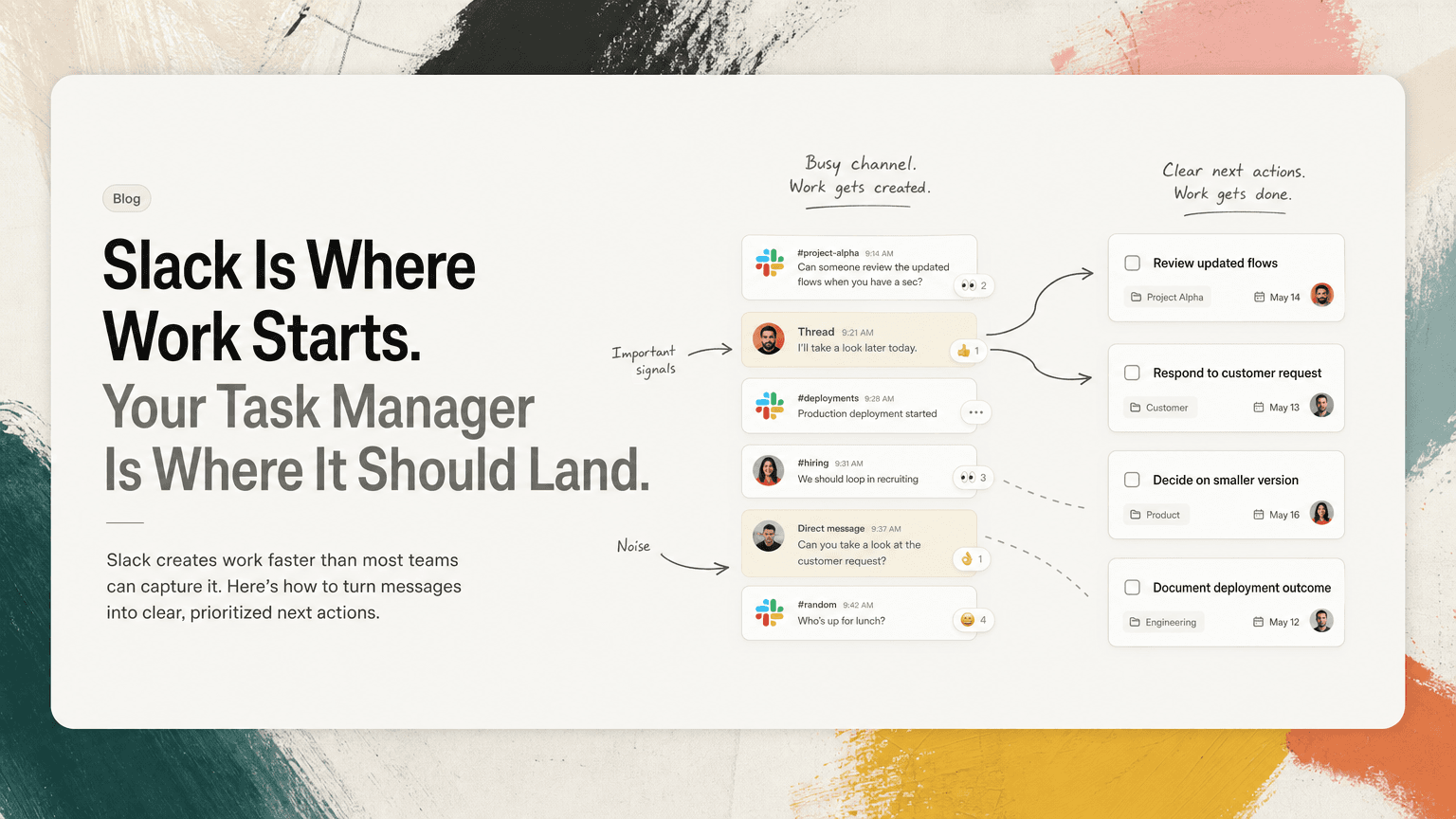
Slack is not a task manager, but it often behaves like one.
A customer asks for an update in a channel. An engineer drops a follow-up in a thread. Your manager says, “Can you take a look?” Someone reacts with 👀 and assumes that means ownership. A decision happens in a project channel, then the action item is buried under a deployment alert, a hiring discussion, and three unrelated pings.
The problem is not that Slack is bad. Slack is excellent at what it is built for: fast communication, lightweight coordination, and making work visible in the moment.
The problem is that tasks are created inside conversations, while task managers usually sit somewhere else.
That gap is where work gets lost.
The real difference between Slack and a task manager
Slack is a stream. A task manager is a system.
A stream is good for immediacy:
- “Can someone review this?”
- “We need to reply to the customer by Friday.”
- “Decision: ship the smaller version first.”
- “I found a bug in the onboarding flow.”
A system is good for execution:
- Who owns this?
- What exactly needs to happen next?
- When is it due?
- What is blocked?
- What context matters later?
Most teams need both. Trouble starts when a stream is expected to do the job of a system.
Slack can show you that something happened. It does not reliably preserve what should happen next. It can show urgency through pings, channels, and unread badges. It does not automatically tell you whether that urgency matters more than the task you already planned to do.
Task managers solve a different problem. They organize commitments. But they only work if the work gets captured there in the first place.
Why Slack becomes the accidental source of truth
Slack becomes the place where work starts because it is where people already are.
If a product manager needs input from engineering, Slack is faster than opening a ticket. If a founder needs a customer follow-up, Slack is faster than assigning a task. If a customer-facing teammate sees a recurring issue, Slack is faster than creating a structured request.
That speed is useful. It is also dangerous.
When work starts in Slack, it often has three missing pieces.
1. Ownership is implied, not assigned
Someone writes:
“We should update the pricing FAQ before launch.”
Who is “we”? The person who noticed it? The product owner? Marketing? Support?
In a conversation, this can feel clear. A day later, it is less clear. A week later, it becomes a “Wait, I thought you had that” moment.
A task manager forces ownership. Slack often suggests it.
2. The next action is vague
Slack messages often describe a problem, not the next step.
“The demo recording is outdated.”
That could mean:
- record a new demo
- ask design for updated screens
- remove the recording from the website
- add a temporary note to the sales deck
- file a bug because the feature no longer works that way
A useful task is not just a copied message. It is a clear next action.
“Update demo recording” is better than “Demo recording outdated.”
“Decide whether to re-record or remove the demo by Thursday” may be better still.
3. Context decays quickly
Slack context is fragile. The reason for a task may live five messages earlier, in a thread, or in a different channel entirely.
You may capture “Follow up with Alex” in your task manager, then later wonder:
- Which Alex?
- About what?
- Was this urgent?
- Did we already resolve it?
- Was there a decision in the thread?
This is why copying tasks out of Slack manually is not enough. You also need the context that makes the task executable.
The hidden cost of using Slack as a task manager
Using Slack as a task manager feels efficient until you count the rework.
You scan channels in the morning to remember what you owe people. You search your own name. You click into threads. You star messages. You save messages. You DM yourself. You leave messages unread as a reminder, then accidentally mark them read.
None of these habits are wrong. They are coping mechanisms.
The cost shows up as context switching.
You start the day intending to finish a roadmap update. Before writing the first paragraph, you check Slack for anything urgent. A customer escalation appears. Then a design question. Then a thread about tomorrow’s meeting. You jump into Gmail to find the customer history. Then Calendar to check timing. Then back to Slack to respond. Then your task manager to see what you meant to do.
By the time you return to the roadmap, your brain is carrying six open loops.
The problem is not just interruption. It is unresolved commitment.
Every “Can you…?” in Slack creates a small question: is this mine, is it important, and when will I handle it?
If your system does not answer those questions, your attention will keep trying to.
What a better workflow looks like
The goal is not to stop work from starting in Slack. That is unrealistic for most teams.
The goal is to build a clean handoff from conversation to execution.
Here is a practical workflow.
Step 1: Separate signals from noise
Not every Slack message is a task.
A good task candidate usually includes one of these patterns:
- a direct request: “Can you send the updated numbers?”
- a commitment: “I’ll follow up after the meeting.”
- a decision with execution attached: “Let’s launch with the shorter onboarding flow.”
- a blocker: “We can’t ship until legal reviews the copy.”
- a deadline: “Need this before the customer call tomorrow.”
A bad task candidate is just ambient information:
- “FYI, the customer mentioned this again.”
- “Interesting thread.”
- “Might be worth thinking about.”
The skill is not capturing everything. It is capturing commitments.
Step 2: Rewrite messages as next actions
A Slack message is usually not phrased for execution. Rewrite it.
Instead of:
“Customer is confused about workspace permissions.”
Create:
“Review workspace permissions docs and propose one clarification for support.”
Instead of:
“We should clean up onboarding analytics.”
Create:
“Identify the top three broken or unused onboarding events.”
Instead of:
“Need to get back to Maya.”
Create:
“Reply to Maya with launch timing and confirm whether Friday works.”
The test is simple: could you start the task without rereading the entire Slack thread?
If not, the task is still too vague.
Step 3: Keep the source attached
When you turn Slack work into a task, preserve the link back to the original context.
This matters because the task title is rarely enough. The thread may include:
- why the work matters
- who asked for it
- what decision was made
- what options were rejected
- what deadline was implied
- who needs to be informed when it is done
A good task should answer “what do I do?” A good source link should answer “why am I doing this, and what happened before?”
Without the source, you end up searching Slack later. That search often turns into another round of context switching.
Step 4: Deduplicate repeated work
Slack makes repetition look like importance.
The same action item may appear in a channel, a thread, a DM, a meeting note, and an email. If you capture all of them separately, your task list becomes inflated and confusing.
For example:
- Slack: “Can we update the enterprise one-pager?”
- Meeting notes: “Refresh enterprise sales collateral.”
- Gmail: “Please send the latest enterprise PDF.”
- Task manager: “Update enterprise deck.”
These may be one piece of work, not four.
Before adding a new task, ask:
- Is this a new commitment or another mention of an existing one?
- Does it change the scope?
- Does it add a deadline?
- Does it add context that should be attached to the existing task?
Deduplication is not administrative polish. It prevents you from overestimating how much work exists and underestimating what actually matters.
Step 5: Prioritize outside the Slack stream
Slack is a poor prioritization environment because the newest message often feels the most important.
But “latest” is not the same as “highest leverage.”
At the start of the day, look across your captured commitments and sort them into three groups:
Must move today
These are time-sensitive or unblock someone else.
Examples:
- reply to a customer before their renewal call
- review a pull request blocking a release
- send launch notes before the company meeting
Should move today
These matter, but they are less urgent.
Examples:
- outline next week’s roadmap update
- clean up the onboarding metrics dashboard
- draft a follow-up for a partner conversation
Not today
These are real, but they should not steal attention now.
Examples:
- revisit notification settings
- explore a new analytics view
- improve an internal template
This exercise works best outside Slack because Slack rewards response. Prioritization requires distance.
Where AI can help without taking over
The tedious part is not deciding what matters. You should still make that call.
The tedious part is finding all the candidate tasks across Slack, Gmail, meetings, and notes; translating scattered messages into clear actions; noticing duplicates; and keeping the useful context attached.
That is the gap tools like CTRL are designed for: reading the places where work already happens and turning scattered communication into clear next actions. The point is not to replace judgment. It is to give your judgment a cleaner input.
You still decide what to do. You just spend less of your day excavating the work from threads, inboxes, and meeting notes.
A simple rule for Slack and task managers
Use Slack for conversation.
Use your task system for commitments.
That means:
- A request in Slack should become a task if someone needs to act on it.
- A decision in Slack should become a task if execution follows from it.
- A follow-up in Slack should not rely on memory, unread status, or a star.
- A task should include enough context that you do not need to rediscover the conversation later.
Slack is where work often starts. That is fine.
Just do not let it be where work disappears.


Make today life changing
Move from conversation to actions in seconds
Download the ^ctrl desktop app