By Ctrl Editorial Team · June 4, 2026 · 9 min read
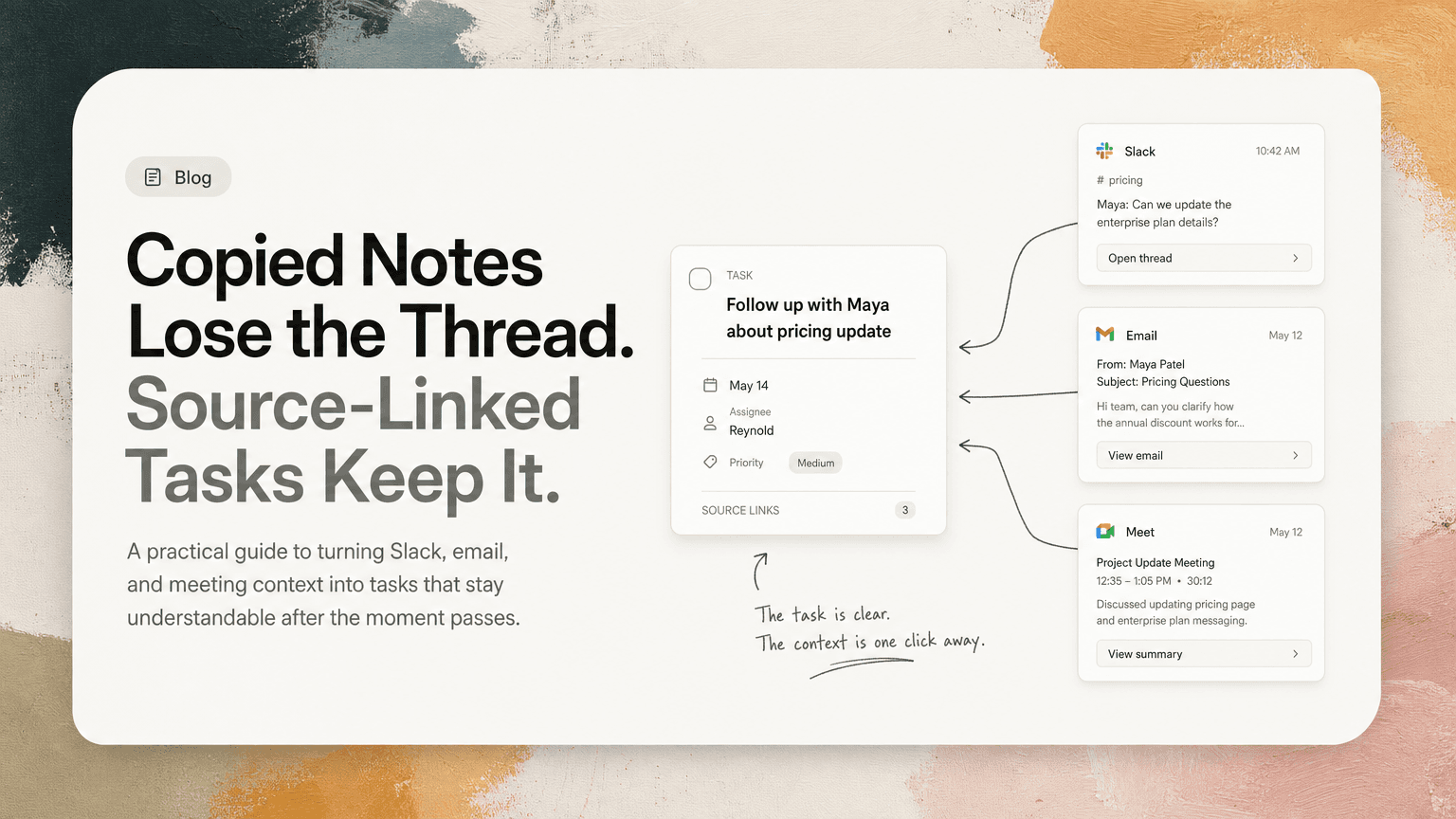
Copied Notes Lose the Thread. Source-Linked Tasks Keep It.
A practical guide to turning Slack, email, and meeting context into tasks that stay understandable after the moment passes.
Most teams do not lose work because no one wrote anything down.
They lose work because the thing they wrote down gets separated from the conversation that made it important.
A Slack thread becomes “follow up with Maya.” A customer email becomes “check billing issue.” A meeting note becomes “revisit onboarding flow.” Those tasks look fine for a few hours. Then the details fade. Which Maya? Follow up about what? What did the customer actually ask for? What was decided in the meeting, and what was only discussed?
Copied notes feel productive because they create a visible artifact. But once copied into a task list, doc, or personal notes app, they often lose the source that explains the work.
Source-linked tasks solve a different problem: not just capturing the action, but preserving the reason, evidence, and decision trail behind it.
The problem with copied notes
Copied notes are usually a compression of a messy work moment.
That compression is useful, but it is also risky. A person takes a Slack message, meeting transcript, or email exchange and turns it into a short line item:
- “Send pricing update”
- “Talk to engineering about webhook retry behavior”
- “Follow up on Q3 plan”
- “Fix onboarding copy”
The issue is not that these are bad tasks. The issue is that they are incomplete.
A copied task often drops four things:
- The original wording — what someone actually said or asked.
- The surrounding context — the messages before and after the action item.
- The decision state — whether something was agreed, proposed, blocked, or still open.
- The source of urgency — why this matters now instead of later.
When that context disappears, the task becomes dependent on memory. And memory is a poor system for modern work, especially when your day moves between Slack, Gmail, meetings, docs, and task tools.
What a source-linked task is
A source-linked task is a task that points back to the place where the work originated.
It is not just “write better task titles.” It is a different structure:
Clear next action + attached source context
For example:
Copied note:
“Follow up with finance about invoice.”
Source-linked task:
“Ask finance whether Acme’s March invoice should be reissued with updated billing details.”
Linked source: the Gmail thread where Acme requested the change and finance asked for confirmation.
The second version is better for two reasons. First, the task itself is clearer. Second, if the assignee needs details, they can return to the original email thread instead of asking someone to reconstruct it.
Source-linked does not mean the task needs to include every detail. It means the task keeps a reliable path back to the source of truth.
Why source links matter after the first day
A copied note is usually most useful right after it is created. That is when the person who wrote it still remembers the conversation.
The decay starts quickly.
A task captured after a Tuesday meeting may not be touched until Thursday. By then, the owner has handled dozens of Slack threads, customer emails, product questions, and internal decisions. The task still exists, but the context has gone cold.
This is where copied notes create hidden follow-up work:
- “What was this referring to?”
- “Did we decide to do this or just discuss it?”
- “Who asked for this?”
- “Is this still relevant after yesterday’s thread?”
- “Where is the customer example?”
A source-linked task reduces that recovery work. The person can open the original Slack thread, email, meeting note, or calendar-linked discussion and get back to the reason for the task.
That matters most for work that crosses people or time zones. If an operator captures an action from a founder’s Slack message, or a PM turns a customer escalation into an engineering task, the next person should not need a verbal handoff to understand the work.
Source-linked tasks help separate actions from references
Many teams blur the line between notes and tasks.
Notes answer: “What happened?”
Tasks answer: “What needs to happen next?”
Copied notes often sit in the middle. They are not detailed enough to be a useful record, and not specific enough to be a useful action.
Source-linked tasks let you keep those jobs separate:
- The task states the next action.
- The source provides the background.
- The owner knows what they are responsible for.
- The team can inspect the original context if needed.
For example, after a product review meeting, a note might say:
Users are confused by the workspace invite step. Team discussed whether to move invite prompts later in onboarding.
A copied task might become:
Improve invite step.
A stronger source-linked task would be:
Draft two alternative onboarding flows that move workspace invites after the first successful project setup.
Linked source: the meeting note where the confusion was discussed, including the decision not to remove invites entirely.
The task is now executable. The meeting note remains available for nuance.
Source links reduce duplicate work
Repeated action items are common because the same work appears in multiple places.
A customer mentions a bug in Gmail. Someone posts about it in Slack. It comes up again in a meeting. Three people copy some version of it into their notes:
- “Look into export bug”
- “Investigate CSV issue”
- “Customer report: broken download”
These may be the same task, but they do not look identical once copied and rewritten.
When tasks retain source context, it becomes easier to see that several notes point to the same underlying work. The Slack thread, customer email, and meeting discussion may all refer to one issue: CSV exports fail when date filters are applied.
The practical move is to merge the work into one clear task:
Investigate CSV export failure when date filters are applied; confirm whether Acme and Northstar reports are the same issue.
Then keep links to the relevant sources:
- customer email from Acme
- Slack thread from support
- meeting note from product triage
This prevents the team from treating repeated mentions as separate commitments. It also preserves the signal that the issue came up more than once.
Better source-linked tasks follow a simple format
A source-linked task still needs to be well written. A bad task with a link is still a bad task.
Use this format:
1. Start with a verb
Make the action obvious.
Weak:
Customer onboarding issue
Better:
Review customer onboarding drop-off after workspace invite step
Strong verbs include:
- review
- draft
- confirm
- send
- decide
- schedule
- investigate
- update
- compare
- summarize
2. Name the object of the work
Avoid vague nouns like “this,” “it,” “thing,” or “issue.”
Weak:
Follow up on this
Better:
Follow up with Dana about the revised launch timeline for the billing page
The task should make sense even before someone opens the source link.
3. Include the decision or open question
Many tasks come from unresolved ambiguity. Capture the ambiguity directly.
Weak:
Talk to design about settings
Better:
Confirm whether the new notification settings should ship behind a feature flag
This helps the owner know whether they are gathering input, making a decision, or executing a decision already made.
4. Keep the source close
The source should be one click away when possible: the Slack thread, Gmail conversation, meeting note, or shared document where the task came from.
Do not paste the entire conversation into the task unless necessary. The point is not to create a giant task description. The point is to preserve the trail.
When copied notes are still useful
Copied notes are not always bad. They are useful when you need a lightweight personal reminder or when the source context truly does not matter.
For example:
- “Buy batteries for office remote”
- “Send lunch preference form”
- “Book room for Tuesday planning session”
These do not need a long trail. The cost of opening source context would be higher than the value.
But for cross-functional work, customer-related work, product decisions, and anything involving tradeoffs, source links matter. The more a task depends on why, who, or what was decided, the more dangerous it is to rely on a copied note alone.
A practical workflow for source-linked tasks
You do not need to rebuild your entire task system. Start with the places where work most often gets lost.
Slack threads
When a Slack message implies work, do not copy only the last sentence. Capture the action and keep the thread attached.
Example:
Send Sam the final API rate limit numbers before Friday’s partner call.
Source: Slack thread where the partner call, current uncertainty, and requested numbers were discussed.
Gmail follow-ups
For email, include who needs the response and what question must be answered.
Example:
Reply to Jordan with the updated security questionnaire answers for data retention and SSO.
Source: Gmail thread containing the questionnaire and prior answers.
Meetings
After meetings, extract decisions and next actions separately. Do not let a meeting note become the task list.
Example:
Draft migration plan for moving enterprise customers to the new permissions model.
Source: meeting notes where the team decided to migrate enterprise customers first and defer self-serve accounts.
Daily prioritization
When choosing what to do today, prioritize tasks with enough context to act on. If a task is unclear and has no source, it may need clarification before it deserves a slot on your day.
A useful daily review question is:
Can I understand why this task matters without asking someone to restate the conversation?
If the answer is no, improve the task or reconnect it to its source.
Where AI can help
The hard part is not knowing that source context is useful. The hard part is maintaining it while work is moving quickly.
That is where an intelligent work assistant can help. CTRL connects to tools like Slack, Gmail, Google Calendar, meetings, and shared notes, then helps turn scattered communication into clear next actions while keeping useful context attached to the work it affects.
The point is not to replace judgment. You still decide what matters. The value is in reducing the manual copying, rewriting, deduplicating, and context hunting that makes task systems go stale.
The real test of a task
A task is not good because it exists in a task manager.
It is good if the right person can open it later and know:
- what to do
- why it matters
- where it came from
- what decision or request shaped it
- what source to inspect if the details are unclear
Copied notes often preserve the appearance of work. Source-linked tasks preserve the work itself.
The next time you turn a Slack thread, email, or meeting note into a task, do not just ask, “Did I capture the action?”
Ask, “Will this still make sense when the conversation is no longer fresh?”


Make today life changing
Move from conversation to actions in seconds
Download the ^ctrl desktop app