By Ctrl Editorial Team · June 10, 2026 · 9 min read
Email Is Still a Work Queue, Even If You Don’t Treat It Like One
Important work hides in email because decisions, requests, and follow-ups arrive without becoming clear next actions.
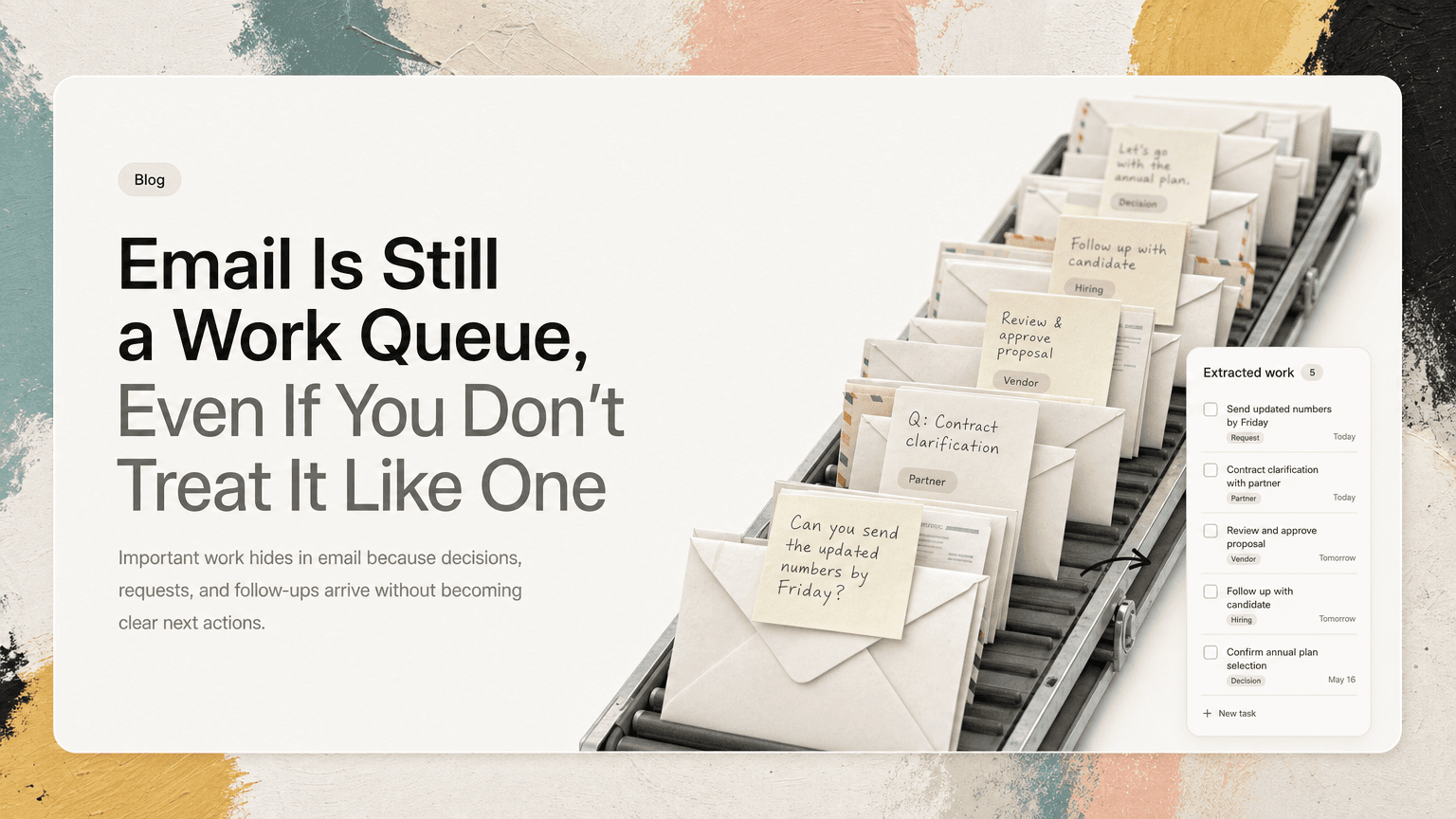
Email has a strange place in modern work.
Everyone complains about it. Everyone checks it. Most teams have moved fast conversations into Slack, decisions into meetings, plans into docs, and tasks into project tools. And yet email still carries a large amount of important work.
The problem is not that email is useless. The problem is that email looks like communication, while often functioning as a work queue.
A customer asks for a follow-up. A partner sends a contract question. A candidate needs a scheduling reply. A teammate forwards a thread with “can you take a look?” A vendor buries an approval request three paragraphs down. None of these necessarily become tasks. They remain messages.
That is how email hides work: not by making it invisible, but by making it look like something you already processed.
The inbox is not designed around commitments
Email is organized around messages, not obligations.
That distinction matters.
A message can contain many different kinds of work:
- A direct request: “Can you send the updated numbers by Friday?”
- A soft ask: “Would be great to get your thoughts before we share this.”
- A decision: “Let’s go with the annual plan.”
- A dependency: “We’re waiting on legal before we can proceed.”
- A follow-up trigger: “If we don’t hear back by Wednesday, let’s check in.”
- A hidden task inside context: “The deck looks good, except slide 6 needs the new positioning.”
Your inbox treats all of these as the same thing: an email.
That is why “inbox zero” can feel productive without producing much clarity. You can archive, label, star, snooze, and reply, but still fail to extract the actual commitment. The message moved. The work did not.
Why important email work gets missed
Email hides work in a few predictable ways. Once you know the patterns, you can catch more of it.
1. The task is implied, not stated
Many email tasks are not written as clean assignments.
A clear task sounds like:
Please send the revised pricing sheet to Maya by 3pm Thursday.
But real email often sounds like:
Maya asked whether we have the revised pricing sheet yet. I think she needs it before their finance review later this week.
That second message contains work, but it asks you to infer the action:
- Find or update the pricing sheet
- Send it to Maya
- Do it before the finance review
If you are scanning quickly between meetings, that may register as “pricing context” rather than “I owe Maya something.”
2. The request is buried in a long thread
Email threads accumulate history. The latest message is rarely the whole story.
A thread may start with a broad discussion, move through several opinions, include a forwarded note, and end with one line that matters:
Sounds good. Can someone confirm the launch date with support before we respond?
If you read the thread on your phone or between Slack pings, you may remember the discussion but miss the action. The longer the thread, the easier it is for the task to hide inside context.
3. The sender assumes ownership is obvious
Email often relies on social context.
A founder forwards a customer complaint to three people and writes:
We should fix this before renewal.
Who owns the follow-up? Product? Customer success? Engineering? The person who received the email first? The person who replied last?
When ownership is unclear, work does not disappear immediately. It lingers. Everyone has seen it. No one has claimed it.
This is especially common for operators, product managers, and customer-facing teams who sit between functions. They receive the signal, understand the importance, and still need to translate it into accountable work.
4. Replies create a false sense of completion
Replying to an email can feel like finishing the work.
Sometimes it is. Often it is only one step.
Example:
Thanks, I’ll check with finance and get back to you.
That reply creates a new obligation: check with finance and respond. But unless that follow-up becomes a task, the email may feel handled because you answered it.
This is one of the most common ways follow-ups vanish. The act of replying reduces anxiety, but it does not guarantee execution.
5. Snoozing delays the message, not the work
Snooze is useful, but it can become a substitute for deciding what needs to happen.
If you snooze an email until Monday, what are you expecting Monday-you to know?
- Do you need to reply?
- Do you need to review an attachment?
- Are you waiting on someone else?
- Is there a deadline?
- Has the context changed since the thread began?
Snoozing preserves the email. It does not always preserve the reason the email mattered.
A practical way to extract work from email
You do not need a more elaborate inbox system. You need a better habit for turning email into clear next actions.
The goal is simple: every important email should leave behind either no action, a clear action, or a deliberate waiting state.
Here is a practical workflow.
Step 1: Read for obligations, not just information
When processing email, ask one question before you archive or move on:
Does this create, change, or unblock work?
If the answer is no, archive it.
If the answer is yes, identify what kind of obligation it creates:
- Do: You need to take an action.
- Decide: You need to make or confirm a decision.
- Delegate: Someone else needs to own it.
- Wait: You are blocked until someone responds.
- Remember: The context may matter later, but there is no current action.
This small classification prevents the inbox from becoming a vague pile of “things I should probably look at again.”
Example
Email:
The customer is asking whether the new SSO behavior will be live before their rollout. Can we confirm by Wednesday?
Classification:
- Type: Decide / Do
- Next action: Confirm SSO rollout timing with engineering
- Deadline: Wednesday
- Context: Customer rollout depends on answer
The email is not just a message. It is a commitment with a reason attached.
Step 2: Rewrite vague asks into next actions
A useful task should be concrete enough that you know what to do when you see it later.
Bad task:
SSO customer email
Better task:
Confirm with engineering whether SSO behavior will be live before customer rollout; reply by Wednesday
The better version includes:
- The action
- The stakeholder
- The deadline
- The reason
This matters because task lists are often reviewed under pressure. At 4:30pm, between a meeting and a Slack thread, you do not want to re-parse an old email to understand what “SSO customer email” means.
Step 3: Keep the source attached
A task without context creates more work later.
If an email generated the task, keep a link or reference to the source thread. That way, when it is time to act, you can quickly answer:
- Who asked for this?
- What did they already say?
- What deadline or expectation was implied?
- Who else was included?
- What decision led to this task?
This is especially important for forwarded threads. A copied sentence may not capture the full situation. The source email often contains constraints, tone, stakeholders, and prior decisions that affect the work.
Step 4: Separate “waiting” from “done”
A lot of email work gets lost because waiting states are poorly tracked.
If you reply with “I’ll check and get back to you,” the work is not done.
If you ask finance for an answer, the work is not done.
If a vendor says they will send a revised agreement, the work is not done.
Create a clear waiting item:
Waiting for finance to confirm discount approval for Acme renewal; follow up Friday if no response
This prevents you from relying on memory or re-reading sent mail to figure out what is still open.
A good waiting item includes:
- Who you are waiting on
- What you need from them
- Why it matters
- When to follow up
Step 5: Deduplicate repeated asks
Email work often overlaps with Slack, meetings, and project tools.
A customer request may first appear in Gmail, get discussed in Slack, show up in a meeting, and then become a line in a shared doc. If you capture each appearance separately, you create duplicate tasks. If you capture none, you lose the work.
The trick is to consolidate repeated signals into one action.
For example:
- Gmail: Customer asks about SSO timeline
- Slack: Sales asks whether they can promise it this month
- Meeting: Product says engineering needs to confirm rollout risk
One clear task might be:
Confirm SSO rollout timeline and risk with engineering; update sales and customer before Wednesday
The task should represent the work, not every place the work was mentioned.
Step 6: Prioritize by consequence, not inbox order
Email encourages you to work from newest to oldest. That is rarely the right priority order.
Instead, ask:
- What has an external deadline?
- What is blocking another person or team?
- What affects a customer, candidate, partner, or revenue conversation?
- What will become more expensive if delayed?
- What can be answered quickly without creating more follow-up?
This helps separate noisy email from consequential work.
A two-minute reply may be worth doing immediately if it unblocks someone. A long thread may be worth ignoring until later if it has no decision, deadline, or owner.
A simple email triage routine
You can use this routine once or twice a day instead of reacting all day.
First pass: clear obvious non-work
Archive newsletters, notifications, FYIs, and messages that do not require action.
Do not overthink this pass. The goal is to reduce noise.
Second pass: extract commitments
For each remaining email, write down the next action or waiting state.
Use a consistent format:
Verb + object + stakeholder + deadline/context
Examples:
- Send revised onboarding plan to Priya before Thursday kickoff
- Ask legal whether vendor DPA changes are acceptable by Friday
- Waiting for Sam to confirm Q3 budget owner; follow up Monday
- Review candidate feedback and send decision to recruiting today
Third pass: choose what matters today
Do not let every extracted task become today’s work.
Pick the few that matter based on urgency, consequence, and dependency. Some email tasks should be scheduled. Some should be delegated. Some should sit in waiting. Some should be deleted because they are not actually important.
The point is not to make email bigger. The point is to stop letting email quietly decide your day.
Where AI can help without taking over
The hard part is not understanding one email. The hard part is doing this consistently across Gmail, Slack, meetings, and notes while your day keeps moving.
This is where an intelligent work assistant can help. CTRL connects to the tools where work already happens and turns scattered communication into clear next actions, with useful context attached. For email specifically, the value is not “writing more emails.” It is catching the follow-ups, repeated asks, and implied commitments that otherwise rely on memory.
You still decide what matters. The assistant helps make the hidden work visible enough to decide.
The real risk is not a messy inbox
A messy inbox is annoying. But the deeper risk is a misleading sense of control.
You can have labels, filters, folders, stars, and snoozes, and still miss the most important work if requests never become actions. You can reply quickly and still forget the follow-up. You can archive a thread and still owe someone a decision.
Email will probably keep being part of work for a long time. The practical move is not to pretend it is going away. It is to treat it honestly.
Email is not just a place where messages arrive. It is one of the places where work begins.
The sooner you extract the action, owner, deadline, and context, the less you have to rely on memory later.


Make today life changing
Move from conversation to actions in seconds
Download the ^ctrl desktop app