By Ctrl Editorial Team · June 8, 2026 · 8 min read
Manual Task Capture Turns Work Into Memory Work
Manual task capture fails because it depends on memory, timing, and clean handoffs. Here’s a better way to catch work where it starts.
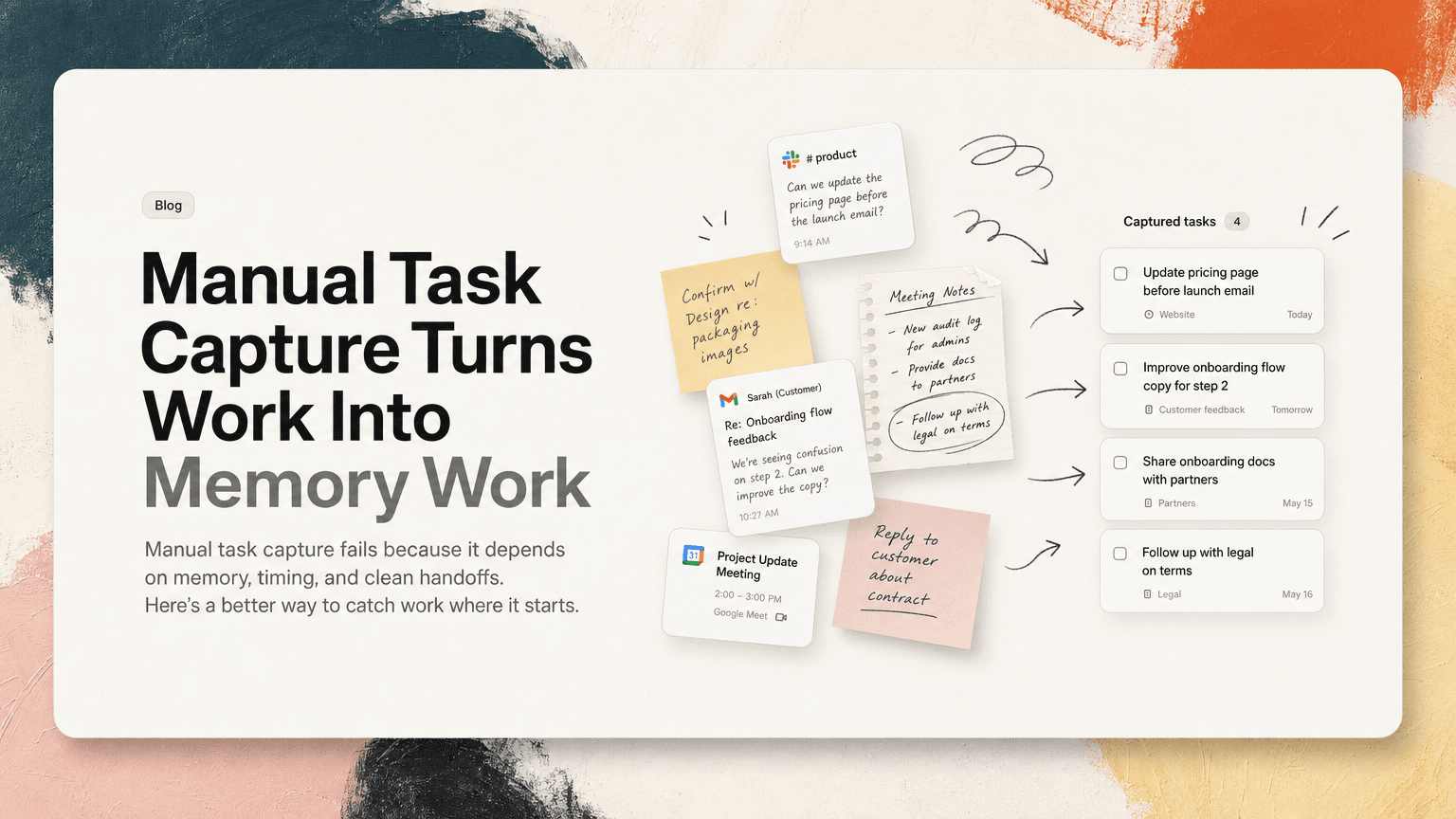
Manual task capture sounds responsible.
You see a request in Slack, you add it to your task list. You promise a follow-up in a meeting, you write it down. You read an email that needs a reply, you flag it or forward it to yourself. In theory, every commitment gets moved into a trusted system.
In practice, that system depends on you noticing every piece of work, interpreting it correctly, writing it down at the right moment, and keeping enough context attached to act on it later.
That is a lot to ask from someone who is also trying to do the work.
Manual task capture does not usually fail because people are careless. It fails because modern work arrives in too many places, at too many speeds, with too much implied context.
The real problem is not forgetting. It is translation.
Most task advice treats the problem as a memory issue: “Write it down so you don’t forget.”
That helps, but it misses the harder part. The real work is translating messy communication into clear next actions.
A Slack message rarely arrives as a neat task:
“Can we make sure the pricing page reflects the new packaging before the launch email goes out?”
That could turn into several different tasks:
- Confirm the final packaging language
- Update the pricing page
- Check the launch email copy for consistency
- Coordinate timing with whoever owns the email
- Tell the requester when it is done
A meeting comment can be even less direct:
“Let’s not ship this until support has the macro ready.”
That might mean:
- Create a support macro
- Review it with the support lead
- Add a launch blocker to the release checklist
- Update the rollout plan
Manual capture asks you to do that translation while you are also reading, listening, replying, making decisions, and switching tools.
That is why captured tasks often look vague later:
- “Update pricing?”
- “Follow up with Sam”
- “Support macro”
- “Check launch stuff”
The task exists, but the meaning has leaked out.
Manual capture breaks at the edges of attention
Most people can capture tasks when work is calm. The breakdown happens during the normal, busy edges of a day.
During fast Slack conversations
A thread starts with a bug report, turns into a customer-impact discussion, then ends with someone asking you to confirm whether the fix should ship today.
You read it between meetings. You react with an emoji. You intend to come back. Then three more threads appear.
The work was real, but it never crossed the line from conversation into commitment.
During meetings with multiple decisions
A product review produces five action items, but only two are explicitly assigned. Someone says, “I’ll take the first pass,” someone else says, “We should loop in legal,” and a third person says, “Let’s revisit the copy before Friday.”
If no one converts those into actual next actions, the meeting notes become a loose transcript of intent.
A week later, the team does not disagree about the decision. They disagree about what was supposed to happen after the decision.
During email triage
Gmail is full of small obligations disguised as reading:
- A customer asks for a timeline
- A partner sends a contract question
- A candidate needs a scheduling reply
- A teammate forwards a thread and writes, “Can you weigh in?”
If you process email quickly, you may leave work behind. If you process email carefully, you spend half the morning manufacturing tasks from messages.
Neither feels good.
The hidden cost: every task needs its source
A task without context creates future work.
Suppose your task list says:
“Send updated numbers to Maya”
Useful? Barely.
When you come back to it, you need to know:
- Which numbers?
- From which doc or dashboard?
- Why does Maya need them?
- Was this from Slack, email, or a meeting?
- Is there a deadline?
- Did anyone else already answer?
Now you are searching Slack, Gmail, calendar notes, and shared docs to reconstruct the original situation.
This is one of the most frustrating parts of manual task capture: even when you successfully capture the task, you often fail to capture the evidence around it.
A better task is not just “what to do.” It also preserves enough of the original source to answer “why this, why now, and for whom?”
A practical audit: where manual capture is failing you
Before changing your system, inspect where work is currently slipping.
For one day, keep a simple log. Do not optimize yet. Just notice.
Create four columns:
| Source | What arrived | Did it become a task? | What context would I need later? |
|---|---|---|---|
| Slack thread | Request to review launch copy | Maybe | Link to thread, deadline, owner |
| Gmail | Customer asked for timeline | No | Account name, promised date, product area |
| Meeting | Decision to delay release | Yes | Reason, new target, affected teams |
| Calendar prep | Need to read doc before 1:1 | No | Doc link, meeting purpose |
At the end of the day, look for patterns.
You will usually find one of three failure modes.
1. Capture gaps
Work appears, but no task is created.
This is common in Slack and Gmail because replying creates a false sense of completion. You answered the message, but you may not have done the follow-up.
Example: “I’ll check and get back to you.” That sentence is a task. If it stays inside the thread, it depends on your memory.
2. Context gaps
A task is created, but it is too thin.
Example: “Review doc.” Which doc? For what? By when? What decision depends on it?
Thin tasks are dangerous because they look organized while hiding the effort required to restart them.
3. Duplicate commitments
The same work shows up in multiple places.
A launch checklist says “confirm help center updates.” A Slack thread says “can someone check docs before launch?” A meeting note says “support content needs final review.”
Manual capture may turn these into three separate tasks. That creates noise, not clarity.
A better capture rule: do not capture messages, capture commitments
Not every message deserves a task.
The goal is not to turn your entire workday into a giant list. The goal is to extract commitments from communication.
Use this test:
A message, email, or meeting note should become a task if it includes one of the following:
- You promised to do something
- Someone asked you directly for an outcome
- A decision created follow-up work
- A deadline or dependency was introduced
- A customer, teammate, or project is blocked until something happens
- You need to review, approve, send, confirm, schedule, or decide
This keeps capture focused on execution, not information storage.
For example, this Slack message does not need to become a task:
“FYI, the staging deploy finished.”
This one probably does:
“Can you check staging before we send the customer update?”
The first is information. The second is a commitment with timing and consequence.
A better task format for messy work
When you do capture manually, use a format that preserves the decision and the next step.
Try this:
Verb + object + outcome + source
Examples:
- “Review launch email copy for pricing consistency — from Nina’s Slack thread”
- “Send Maya the revised usage numbers before Thursday’s QBR — from customer email”
- “Confirm support macro is ready before release — from product review meeting”
- “Ask engineering whether the import bug blocks onboarding — from sales escalation thread”
This format makes the task more useful later. It also forces you to clarify whether the item is actually actionable.
If you cannot name the verb, object, outcome, and source, you probably do not have a task yet. You have a note.
Build capture into transition points
Manual capture is hardest in the middle of work. It is easier at boundaries.
Use transition points to sweep for commitments:
After a meeting
Before moving on, spend two minutes asking:
- What did I agree to do?
- What did the group decide?
- What changed because of this meeting?
- Who is waiting on me?
Turn only those answers into tasks.
After Slack triage
When you finish a Slack pass, check your recent replies for phrases like:
- “I’ll”
- “Let me”
- “I can”
- “Will do”
- “I’ll follow up”
- “Need to check”
Those are often commitments hiding in your own messages.
After email triage
Search your sent replies mentally, not just your inbox. If you wrote “I’ll get back to you,” “I’ll send,” or “I’ll confirm,” create the task immediately.
The task is not “reply to email.” The task is the thing you promised inside the reply.
Where AI can help without taking over
The useful role for AI here is not to invent priorities or replace judgment. It is to reduce the memory work.
A good assistant can look across Slack, Gmail, meetings, and notes, then identify likely commitments: requests, promises, deadlines, repeated action items, and follow-ups. The human still decides what matters. But the raw capture burden is lower.
This is the practical difference between a generic todo app and an intelligent work assistant like CTRL: the work does not have to be manually retyped from every thread, email, and meeting note before it can be organized.
That matters because the weakest part of most systems is the handoff from communication to execution.
The goal is a smaller, truer task list
Better task capture does not mean more tasks. It means fewer missing tasks, fewer vague tasks, and fewer duplicates.
Your task list should not be a scrapbook of everything you saw. It should be a clear record of what needs action.
A strong capture system does three things:
- Catches commitments where they appear
- Keeps enough source context to act later
- Merges repeated mentions of the same work into one clear next step
Manual capture can work when volume is low and context is simple. But once work spreads across Slack threads, Gmail, meetings, and shared notes, it becomes too dependent on attention at exactly the wrong moments.
The fix is not to try harder to remember. It is to design a system that treats scattered communication as the starting point of work, not a separate place you must constantly mine by hand.
CTRL helps with that by turning scattered communication into source-linked next actions, so your attention can go toward deciding and doing instead of reconstructing what you meant to capture.


Make today life changing
Move from conversation to actions in seconds
Download the ^ctrl desktop app