By Ctrl Editorial Team · June 9, 2026 · 9 min read
Use AI to Find the Work That Deserves Today
A practical way to use AI to sort Slack, email, meetings, and tasks into a realistic daily plan without losing judgment.
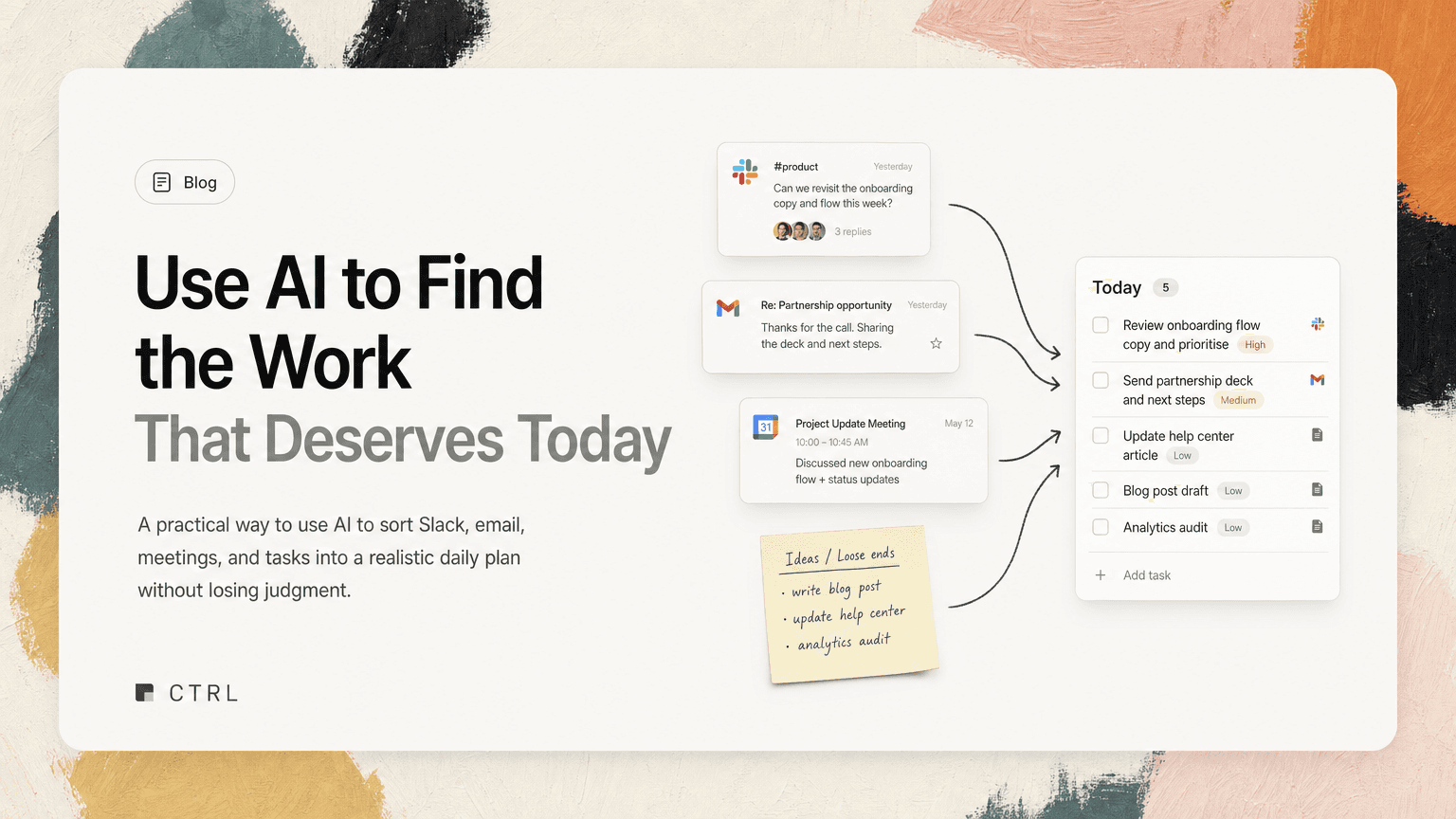
Most people do not start the day with a clean list of work.
They start with Slack threads from yesterday, a few email follow-ups, meetings that created new obligations, tasks they already knew about, and a vague sense that something important is hiding in the noise.
That is why daily prioritization is hard. The problem is not only deciding what matters. The problem is first finding the real work.
AI can help here, but not by replacing your judgment. A useful AI workflow should do three things:
- Pull possible work out of the places where it appears
- Group and clarify it so you can understand it quickly
- Help you choose what deserves attention today
The goal is not an impressive-looking plan. The goal is a short, realistic list you can actually execute.
Start by separating capture from prioritization
Many daily planning systems fail because they mix two different jobs.
Capture means finding all the possible tasks, follow-ups, decisions, and loose ends.
Prioritization means deciding which of those actually matter now.
If you try to prioritize from memory, you will bias toward whatever is loudest or most recent. The Slack message at the top of your inbox feels urgent. The customer email you saw at 8:12 a.m. feels important. The action item from yesterday’s meeting disappears because it is buried in notes.
AI is especially useful for the capture step because work is scattered across tools:
- Slack threads where someone says, “Can you take a look?”
- Gmail conversations that imply a follow-up but never say “task”
- Calendar meetings where decisions create next steps
- Shared notes with owners and deadlines mixed into discussion
- Existing tasks that may be stale, duplicated, or missing context
Before asking, “What should I do today?” ask, “What work is even on the table?”
A good AI-assisted daily plan starts with a wider scan, then narrows.
Build a daily input sweep
You do not need to read every message manually before planning your day. But you do need a repeatable way to inspect the places where work shows up.
A practical input sweep looks like this:
Slack
Look for messages that create ownership, not just messages that mention you.
Examples:
- “Can you confirm the rollout timing?”
- “We need someone to follow up with the customer.”
- “Let’s decide by Friday.”
- “I think this is blocked until Alex reviews the API change.”
AI can help extract likely tasks from threads and summarize the surrounding context. The important part is not just the task text. It is the reason the task exists.
Bad task: “Review API change.”
Better task: “Review API change so Alex can unblock Friday’s rollout decision.”
Gmail
Email often hides work behind polite language.
Examples:
- “Just checking whether you had a chance to review…”
- “Could you send over the updated version?”
- “Let me know if we should move forward.”
- “Following up on the proposal from last week.”
AI can surface these implied follow-ups, especially when the email does not use direct task language. Your job is to confirm whether the follow-up is yours, whether it matters, and when it needs to happen.
Calendar and meetings
Meetings create work even when nobody writes it down cleanly.
Useful signals include:
- Decisions made
- Open questions
- Blockers assigned to someone
- Follow-ups promised verbally
- Dates mentioned in passing
After a meeting-heavy day, your task list may look unchanged while your real workload has grown. AI can help turn meeting notes or transcripts into candidate actions before they go cold.
Existing tasks
Your current task list still matters, but it should not be the only source.
Review:
- Tasks due today
- Tasks blocked by other people
- Tasks waiting for your decision
- Tasks that have been carried over several times
- Tasks that are duplicates of newer Slack or email requests
This is where deduplication matters. If the same work appears as a Slack request, an email follow-up, and a task from last week, it should become one clear item with the relevant context attached.
Turn scattered work into clear candidates
Once AI has helped collect potential work, do not jump straight into a schedule. First, clean the list.
Every candidate task should answer five questions:
- What is the next action?
- Who is waiting on it?
- What outcome does it support?
- When does it matter?
- Where did the context come from?
If a task cannot answer those questions, it is probably not ready for prioritization.
For example, “Customer onboarding” is not a useful daily task. It could mean reviewing notes, sending a contract, fixing a setup issue, or joining a call.
A clearer version might be:
“Send onboarding checklist to Maya before the 2 p.m. customer call so the team can confirm launch requirements.”
That task is easier to prioritize because it contains urgency, owner context, and a concrete next step.
This is where an intelligent work assistant like CTRL can help: it connects to tools such as Slack, Gmail, Google Calendar, meetings, and shared notes, then turns scattered communication into source-linked next actions. The practical benefit is not having a prettier todo list. It is having enough context to decide what belongs in today’s plan.
Use a simple prioritization filter
After capture and cleanup, you need a way to choose. AI can suggest order, but you should apply a clear filter.
Try this four-part test.
1. Is anyone blocked?
Blocked work usually deserves early attention because your delay becomes someone else’s delay.
Examples:
- An engineer needs a product decision before continuing
- A customer-facing teammate needs approval before replying
- A founder needs numbers before an investor update
- A designer needs feedback before finalizing a flow
A five-minute decision can be more valuable than a two-hour solo project if it unblocks three other people.
2. Is there a real deadline today?
Separate real deadlines from ambient urgency.
Real deadline:
- “Send the customer response before their 3 p.m. renewal call.”
- “Approve launch copy before the scheduled publish time.”
- “Submit the security questionnaire by end of day.”
Ambient urgency:
- “This has been sitting for a while.”
- “Someone pinged twice.”
- “It feels bad to leave it unanswered.”
AI can help identify dates and time-sensitive language, but you still need to decide whether the deadline is real.
3. Does this protect an important outcome?
Some work is not urgent but still deserves priority because it protects a bigger goal.
Examples:
- Reviewing a product spec before engineering builds the wrong thing
- Preparing for a high-stakes customer meeting
- Fixing a recurring support issue instead of answering one more one-off question
- Making a hiring decision before candidates lose momentum
These tasks often lose to smaller, louder requests unless you deliberately protect time for them.
4. Is this the right day for it?
Not every important task belongs today.
Ask:
- Do I have the information needed?
- Do I have enough focus time?
- Is someone else waiting before I can move it forward?
- Would doing this tomorrow change the outcome?
This question keeps your daily plan realistic. A task can be important and still not be a good use of today.
Make AI argue for the plan, not just list it
A ranked list is less useful than a list with reasoning.
When using AI to plan your day, ask for explanations like:
- “Which tasks unblock other people?”
- “Which items have time-sensitive context?”
- “Which tasks appear to be duplicates?”
- “Which items are missing enough context to act on?”
- “What should not be done today?”
The last question is especially useful. Most prioritization advice focuses on choosing what to do. But the quality of your day often depends on what you decline, defer, or ignore.
A good AI-assisted plan might group work like this:
Do first
- Approve final pricing note before the customer call at 11 a.m.
- Respond to engineering’s rollout question so the release is not blocked
Do if focus time holds
- Review onboarding flow feedback from yesterday’s product meeting
- Draft the hiring scorecard changes discussed with the team
Defer
- Reorganize internal docs
- Reply to non-urgent vendor check-in
- Explore analytics cleanup idea from Slack thread
That structure is more useful than a flat list of 18 tasks.
Keep the context attached
Prioritization breaks down when the task is separated from the context that made it important.
If your list says “Follow up with Jordan,” you have to reopen Slack, search Gmail, check your calendar, and reconstruct what Jordan needed. That context switching creates friction, and friction makes tasks easier to postpone.
Useful daily tasks should preserve the trail:
- The Slack thread where the request started
- The email that includes the customer’s constraint
- The meeting note where the decision was made
- The calendar event that explains the deadline
This is one reason AI is better applied at the work-context layer than as a generic text generator. Prioritization depends on the source. A task from a casual brainstorm should not carry the same weight as a task tied to a customer commitment.
End with a short daily commitment
After the AI-assisted sweep, cleanup, and ranking, reduce the plan to a commitment you can hold in your head.
A practical format:
Today’s must-do list
Choose three to five items. These are the tasks that would make the day successful if completed.
Waiting on others
List anything blocked by someone else. This prevents you from treating blocked work as personal failure.
Watch list
Keep a small set of items that may become urgent if new information arrives.
Not today
Name the work you are intentionally not doing. This reduces guilt and prevents constant reshuffling.
For example:
Must do
- Send customer renewal response before 3 p.m.
- Decide whether to include the API change in Friday’s release
- Review the candidate scorecard before the hiring debrief
Waiting on
- Finance numbers from Priya
- Design export from Leo
Watch list
- Slack thread about onboarding bug
- Email from vendor about contract timing
Not today
- Docs cleanup
- Dashboard redesign ideas
This is the point of using AI for prioritization: not to create more tasks, but to create a smaller, clearer commitment.
The real value is less mental reconstruction
AI will not know your strategy better than you do. It will not understand every team nuance. It should not make judgment calls you are responsible for.
But it can reduce the amount of mental reconstruction required to start the day.
Instead of asking, “What am I forgetting?” you can review a gathered set of likely work. Instead of searching across Slack, Gmail, meeting notes, and tasks, you can inspect next actions with context. Instead of reacting to the newest message, you can compare it against the work that actually matters.
CTRL is built around that idea: work should be captured from the places it already happens, clarified into next actions, deduplicated, and kept close to its source context.
The best daily plan is not the longest or the most optimized. It is the one that helps you spend your attention on the work that deserves today.


Make today life changing
Move from conversation to actions in seconds
Download the ^ctrl desktop app