By Ctrl Editorial Team · May 20, 2026 · 8 min read
How Operators Can Cut Repeated Follow-Up Work
A practical system for operators to stop chasing the same updates across Slack, Gmail, meetings, and task lists.
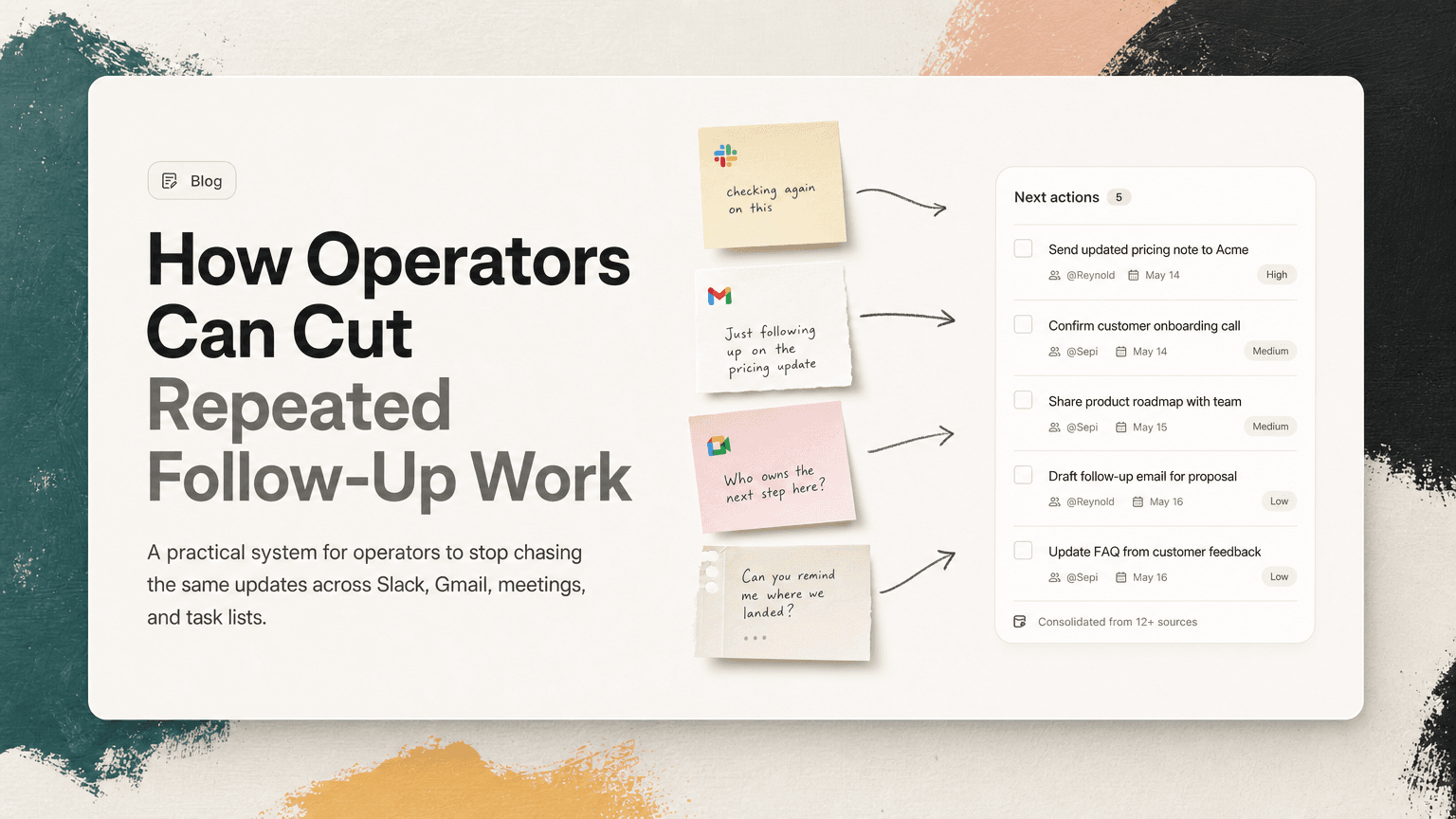
Operators often become the connective tissue of a company. They notice the dropped handoff, the unanswered customer question, the decision that was made but not executed, and the recurring Slack thread that keeps resurfacing because nobody turned it into owned work.
That visibility is useful. It is also exhausting.
Repeated follow-up work usually does not look like one big problem. It looks like ten small loops:
- “Checking again on this.”
- “Did we ever send that?”
- “Who owns the next step?”
- “Can you remind me where we landed?”
- “Just bumping this thread.”
- “Adding this to the agenda again.”
The goal is not to eliminate follow-up. Good operators will always follow up. The goal is to stop following up on the same unresolved item in five different places.
Why follow-up work repeats
Repeated follow-up is rarely caused by laziness. It usually comes from weak capture and unclear ownership.
An action item is mentioned in a meeting, then repeated in Slack, then clarified in Gmail, then discussed again in a 1:1. Each version has a slightly different shape:
- In the meeting: “We should send the updated pricing note to the customer.”
- In Slack: “Can someone make sure Acme gets the new pricing language?”
- In Gmail: “Looping in Sam to confirm the final wording.”
- In the next meeting: “Did Acme ever get the update?”
At this point, the work has not become more important. It has only become more duplicated.
Operators feel this more than most roles because they are often responsible for closing loops across teams. They are not just managing their own tasks; they are monitoring whether the system is moving.
Start by separating follow-up from status checking
A useful first step is to distinguish two types of follow-up.
Status checking
Status checking asks, “Where does this stand?”
Examples:
- “Any update on the vendor contract?”
- “Did the customer approve the timeline?”
- “Are we still blocked on engineering?”
Some status checking is necessary, but too much of it signals that work is not visible. If you need to ask every day, the task probably lacks a clear owner, deadline, or source of truth.
Progress follow-up
Progress follow-up helps work move.
Examples:
- “Sam, can you send the vendor the redlined contract by Thursday?”
- “Maya, please confirm the customer’s timeline in the account thread before the EOD handoff.”
- “Lee, we decided to ship the smaller scope. Can you update the launch checklist?”
This kind of follow-up is specific. It names the person, action, and expected output. Operators should spend more time here and less time asking open-ended status questions.
The practical shift: do not follow up with “Any update?” if the real issue is that the next action was never defined.
Build a follow-up intake, not a bigger task list
Many operators try to solve repeated follow-up by maintaining a longer task list. That can help for a while, but it often creates another place to check.
A better approach is to create a lightweight intake system for possible follow-ups before they become tasks.
Your intake should capture four things:
- Source: Where did this come from? Slack, Gmail, meeting notes, a customer call, a doc comment?
- Owner: Who is expected to move it forward?
- Next action: What exactly needs to happen?
- Trigger: When should you follow up if nothing changes?
For example:
Source: Slack thread in
#customer-escalations
Owner: Priya
Next action: Confirm whether support can offer the workaround to Acme
Trigger: Follow up tomorrow at noon if there is no answer
This is much better than writing “Acme workaround” on a list. The follow-up is attached to context, ownership, and timing.
Deduplicate before you chase
Operators often lose time because the same work appears in multiple forms.
Before sending another message, ask:
- Is this the same action item as something already captured?
- Is this a clarification, or a new task?
- Has the owner changed?
- Has the deadline changed?
- Is there a decision attached that changes the next step?
Consider a product launch example.
On Monday, a meeting note says:
“Update help center article before launch.”
Later, a Slack thread says:
“Can we make sure the docs reflect the new onboarding flow?”
Then a Gmail reply from customer success says:
“We should update the customer-facing setup instructions before announcing this.”
These may be three separate concerns, but they may also be one repeated task: update the help center article to reflect the new onboarding flow before launch.
If you chase each message separately, you create noise. If you merge them into one clear action, you create momentum.
A simple deduplication habit: when a follow-up appears, search your current action list for the customer, project, person, or deadline before creating a new item.
Turn vague reminders into operational prompts
Vague reminders create vague follow-ups. Operators need prompts that make the next move obvious.
Instead of:
“Follow up with Alex.”
Write:
“Ask Alex whether the finance team approved the Q2 hiring budget; if yes, update the headcount plan.”
Instead of:
“Check launch tasks.”
Write:
“Review launch checklist for items still missing owners; assign owners in the project channel.”
Instead of:
“Ping sales about Acme.”
Write:
“Ask sales whether Acme accepted the revised rollout date; update customer timeline if confirmed.”
The more specific the prompt, the less mental effort it takes to act later. This matters because operators are usually picking up these tasks between meetings, escalations, and messages.
Use time windows to reduce constant checking
One reason follow-up work feels endless is that operators check too often. Slack makes this easy. Gmail makes it worse. Every open loop feels like it might need attention now.
Create follow-up windows instead.
For example:
- Morning: review blocked items and time-sensitive follow-ups
- Midday: check customer, vendor, and leadership threads that need same-day movement
- Late afternoon: close loops before handoff, update owners, and schedule tomorrow’s nudges
This prevents follow-up from becoming a background process that interrupts every task.
A useful rule: if a follow-up does not need immediate escalation, assign it to a window. Do not let it live rent-free in your attention all day.
Make ownership visible in the same place as the work
Repeated follow-ups often happen because ownership is implied instead of explicit.
A Slack thread may include five people, but nobody is clearly responsible. A meeting note may say “team to review,” which usually means nobody will. A Gmail thread may ask for input, but not define who gives the final answer.
Operators can reduce future follow-up by forcing ownership into the next action.
Weak:
“We need to get the security review done.”
Better:
“Nina owns sending the security review packet to the vendor by Wednesday.”
Weak:
“Let’s make sure the new process is documented.”
Better:
“Jordan owns updating the onboarding doc with the new approval process before Friday’s manager meeting.”
This does not need to be heavy-handed. You can write it as a confirmation:
“Confirming the next step: Jordan will update the onboarding doc before Friday, and I’ll review it after.”
That one sentence can prevent three future pings.
Keep decisions attached to follow-ups
A follow-up without the original decision often turns into a rediscovery exercise.
You ask someone to update a process, but they do not remember why. You ask engineering for a timeline, but the scope changed in a meeting. You ask customer success to send a note, but the final language was buried in Gmail.
The fix is to attach the “why” to the “what.”
For example:
“Because we decided not to support custom onboarding for the beta, update the customer note to point users to the standard setup guide.”
Or:
“Since the launch moved to Thursday, ask marketing to shift the announcement email and update the calendar hold.”
This makes the follow-up easier to execute and harder to misinterpret.
Create a simple end-of-day follow-up review
Operators benefit from a short daily reset. It does not need to be elaborate. Ten focused minutes can prevent tomorrow from starting with scattered fragments.
Review these questions:
- What did I follow up on today that is still unresolved?
- Which unresolved items have a clear owner?
- Which items are duplicates of the same underlying work?
- What needs a timed follow-up tomorrow?
- What can be dropped because it no longer matters?
The last question is important. Not every open loop deserves another nudge. Some follow-ups repeat because nobody has decided to stop carrying them.
Where AI can help without taking over
The hardest part of follow-up is not writing the reminder. It is noticing the work across Slack, Gmail, meetings, and notes, then connecting repeated mentions into one clear next action.
This is where an intelligent work assistant can be useful. CTRL connects to the tools where work already happens and helps turn scattered communication into clear next actions, with relevant context attached. For an operator, that means fewer manual passes through threads and fewer duplicate reminders for the same underlying task.
The point is not to automate judgment. Operators still decide what matters, what to escalate, and what to ignore. The value is reducing the mechanical work of finding, rewriting, and reconciling follow-ups across tools.
The operating principle: one loop, one owner, one next action
Repeated follow-up work shrinks when every loop has three things:
- One owner responsible for moving it forward
- One next action that is specific enough to execute
- One place to preserve context so people do not have to rediscover the decision
When those pieces are missing, operators become the memory layer for the organization. When those pieces are present, follow-up becomes lighter, sharper, and less repetitive.
The best operators do not chase everything harder. They design follow-up so the same work does not need to be chased again and again.


Make today life changing
Move from conversation to actions in seconds
Download the ^ctrl desktop app