By Ctrl Editorial Team · May 20, 2026 · 9 min read
Source-Linked Tasks Beat Copied Notes Because They Keep the Why
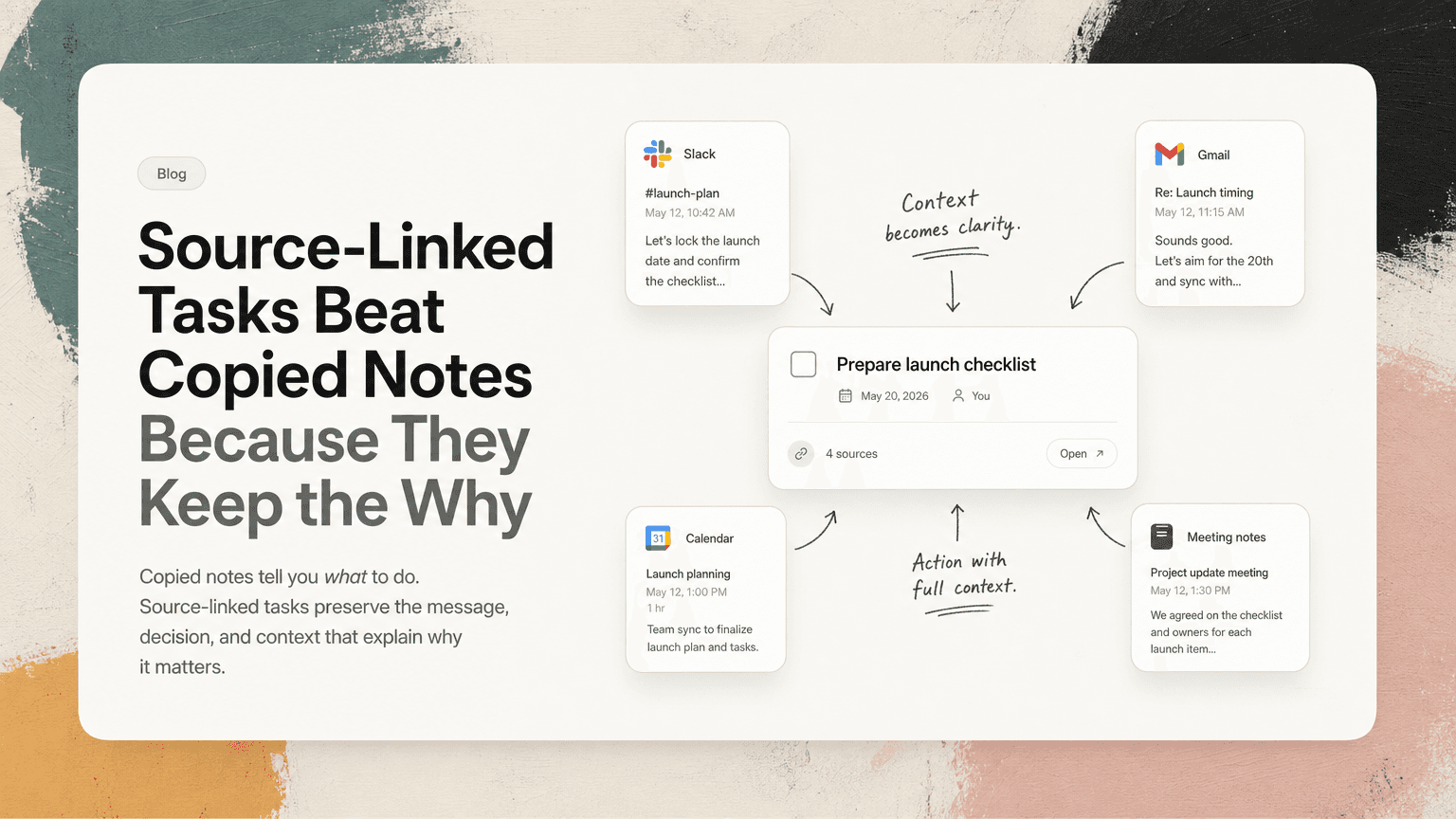
Copied notes tell you what to do. Source-linked tasks preserve the message, decision, and context that explain why it matters.
Most task systems treat work like it starts with a blank checkbox.
It rarely does.
A task usually begins inside something messier: a Slack thread, a Gmail reply, a meeting discussion, a comment in shared notes, or a quick decision made between two calls. By the time that work becomes a task, the original context has often been stripped away.
You copy the action into a list:
- “Follow up with Jordan”
- “Send pricing update”
- “Fix onboarding bug”
- “Prepare launch checklist”
At first, that feels organized. Later, it becomes a problem. You open the task and have to reconstruct what it means. Which Jordan? Which pricing update? What was the customer asking for? What decision did the team make in the meeting?
This is where source-linked tasks are different. They do not just capture the action. They keep the action connected to where it came from.
The problem with copied notes
Copied notes feel productive because they create the appearance of order. You take a messy conversation and turn it into a clean bullet.
But the copying process removes useful information.
A Slack thread might contain:
- the original customer issue
- the person who raised it
- the deadline implied by the conversation
- a decision from a manager
- a concern from engineering
- a link to a related doc
- a follow-up question that changes the scope
When you copy only “Fix onboarding bug” into a task manager, most of that disappears.
The task is shorter, but it is not clearer. It is just thinner.
The same thing happens with meeting notes. You write:
“Alex to update migration plan.”
Two days later, Alex has to remember what changed, which risks were discussed, what version of the plan mattered, and whether the update was for the internal team or a customer-facing timeline.
A copied note captures the noun and verb. It often loses the reason.
What a source-linked task is
A source-linked task is a task that stays connected to the place where the work originated.
Instead of only saying:
“Reply to finance about contract terms.”
It points back to the Gmail thread where finance asked the question.
Instead of only saying:
“Update launch FAQ.”
It links back to the meeting where the product, support, and marketing teams decided what needed to change.
Instead of only saying:
“Check whether API limit applies to Enterprise plan.”
It links back to the Slack thread where a sales engineer, product manager, and account executive discussed the customer’s use case.
The key difference is not that the task has more text. It is that the task has an anchor.
You can still write a short, clean action item. But when you need the background, you can open the source instead of searching across five tools.
Source-linked tasks reduce rework
Rework often starts with a vague task.
Imagine you have this on your list:
“Send update to customer.”
Before you can do it, you need to answer several questions:
- Which customer?
- What update?
- Who promised it?
- Is this about a bug, timeline, renewal, or feature request?
- Was there a specific deadline?
- Has someone already replied?
If the task is linked to the original email thread or Slack conversation, most of that investigation disappears. You can see the request, the latest status, and the people involved.
This matters because knowledge work is full of small restarts. Every restart has a cost. You pause, search, skim, ask someone for context, wait, and then try to rebuild your momentum.
Source-linked tasks make the restart smaller. They let you move from “What was this again?” to “What is the next step?”
They preserve decisions, not just actions
A lot of work depends on decisions that are easy to lose.
For example, a product team discusses a confusing onboarding flow in a meeting. The team decides:
- the first screen should stay unchanged for now
- the empty state copy needs to be rewritten
- engineering will add one event to track drop-off
- support will update the help article after release
The meeting notes might produce three tasks. But the most important part is the decision boundary: what the team chose to change and what it chose not to change.
If those tasks are copied into separate lists with no link to the meeting, each person only sees their slice. Later, someone asks why the first screen was not redesigned. The answer lives in the discussion, not in the task title.
A source-linked task keeps that decision nearby.
This is especially useful for product managers, operators, and customer-facing teams. They do not just need to complete tasks. They need to understand tradeoffs, promises, constraints, and timing.
A good task tells you what to do. A better task also helps you avoid undoing the decision that created it.
They make prioritization easier
Prioritization is harder when tasks are detached from their sources.
Compare these two tasks:
“Review onboarding copy.”
And:
“Review onboarding copy,” linked to a Slack thread where support shared three recent customer questions and the launch owner asked for changes before Friday.
The second task is easier to prioritize because you can see the urgency and impact.
Source context helps answer practical questions:
- Is this blocking someone?
- Did a customer ask for it directly?
- Is there a deadline from a meeting or email?
- Is this a duplicate of another request?
- Who needs to be updated when it is done?
Without source links, you often prioritize based on the wording of the task. That is unreliable. Some important tasks are poorly written. Some low-value tasks sound urgent because they were copied during a hectic moment.
The source gives you the signal behind the task.
They reduce context switching
People often blame task managers for context switching, but the larger issue is that task managers are disconnected from where work happens.
A typical loop looks like this:
- Open your task list.
- See “Follow up on vendor timeline.”
- Search Gmail for the vendor.
- Check Slack to see who mentioned the deadline.
- Open your calendar to find the meeting where the timeline changed.
- Scan notes to confirm what was promised.
- Return to Gmail and write the reply.
The task list did not help you execute. It only reminded you that execution was required.
A source-linked task shortens the loop. The Gmail thread, Slack message, meeting note, or calendar event is connected to the task. You still use judgment, but you do not have to hunt for the starting point.
This is one reason tools like CTRL focus on turning scattered communication into clear next actions while keeping useful context attached. The point is not to create a prettier list. It is to reduce the distance between the reminder and the work.
They help prevent duplicate work
When tasks are copied manually, duplicates are common.
A customer asks about a missing invoice in Gmail. The account manager mentions it in Slack. It comes up again in a meeting. Three people create three versions of the same task:
- “Send invoice to Acme”
- “Follow up on Acme billing issue”
- “Check missing invoice from customer call”
These look different in a task list, but they may refer to the same work.
Source links make duplicates easier to spot because they reveal the underlying conversation. If multiple tasks point back to the same customer thread, meeting, or Slack discussion, you can merge them or choose the clearest owner.
This prevents two bad outcomes: no one does the work because everyone assumes someone else owns it, or multiple people do the same work in slightly different ways.
How to write better source-linked tasks
Source linking is not an excuse for vague task writing. The task itself should still be clear.
A useful pattern is:
Verb + object + outcome + source
For example:
- “Reply to Maya with revised implementation timeline” linked to the Gmail thread
- “Update onboarding FAQ with billing setup steps” linked to the support Slack thread
- “Confirm launch owner for email sequence” linked to the planning meeting notes
- “Send engineering the customer’s API rate-limit example” linked to the sales call notes
The task should be understandable at a glance. The source should answer the deeper questions.
Include the next action, not the whole story
Do not turn the task title into a paragraph. If you need more than one sentence, the source should carry that weight.
Weak:
“Look into the thing Sam mentioned about the analytics issue because the customer seemed confused and there was some discussion about whether it was tracking or documentation.”
Better:
“Diagnose analytics setup issue from customer call” linked to the call notes and Slack thread.
Link to the most useful source
Not every source is equally helpful.
If the task came from a meeting but the real detail is in a follow-up email, link to the email. If the Slack thread contains the decision and the doc only contains the final copy, link to the thread.
Choose the source that will help the doer take action fastest.
Keep ownership explicit
Source context does not replace ownership.
A source-linked task should still answer:
- Who owns it?
- What does done mean?
- When does it matter?
For example:
“Priya to send customer the migration checklist by Thursday” linked to the Gmail thread.
That is much stronger than:
“Migration checklist” linked to an email.
When copied notes are still fine
Copied notes are not useless. They work well for simple, low-context tasks:
- “Buy markers for workshop”
- “Book team lunch”
- “Renew domain”
- “Submit expense report”
These tasks do not need much background. The cost of linking the source may be higher than the value.
But copied notes break down when the work is ambiguous, cross-functional, customer-related, deadline-sensitive, or tied to a decision. That describes a lot of modern knowledge work.
A simple rule helps: if you might need to search later, keep the source attached now.
The real goal: less reconstruction
The best task systems do not just collect obligations. They reduce reconstruction.
When you sit down to work, you should not have to rebuild the history of every checkbox. You should be able to see the action, understand why it matters, and open the source when you need detail.
That is what source-linked tasks do better than copied notes. They preserve the connection between communication and execution.
CTRL is built around this idea: work already lives in Slack, Gmail, meetings, calendars, and notes, so the next action should not be separated from the context that created it.
Copied notes can remind you that something exists. Source-linked tasks help you actually finish it.


Make today life changing
Move from conversation to actions in seconds
Download the ^ctrl desktop app