By Ctrl Editorial Team · May 22, 2026 · 9 min read
How to Turn Slack Messages Into Tasks People Actually Do
A practical system for turning Slack asks, decisions, and follow-ups into clear tasks without living in chat all day.
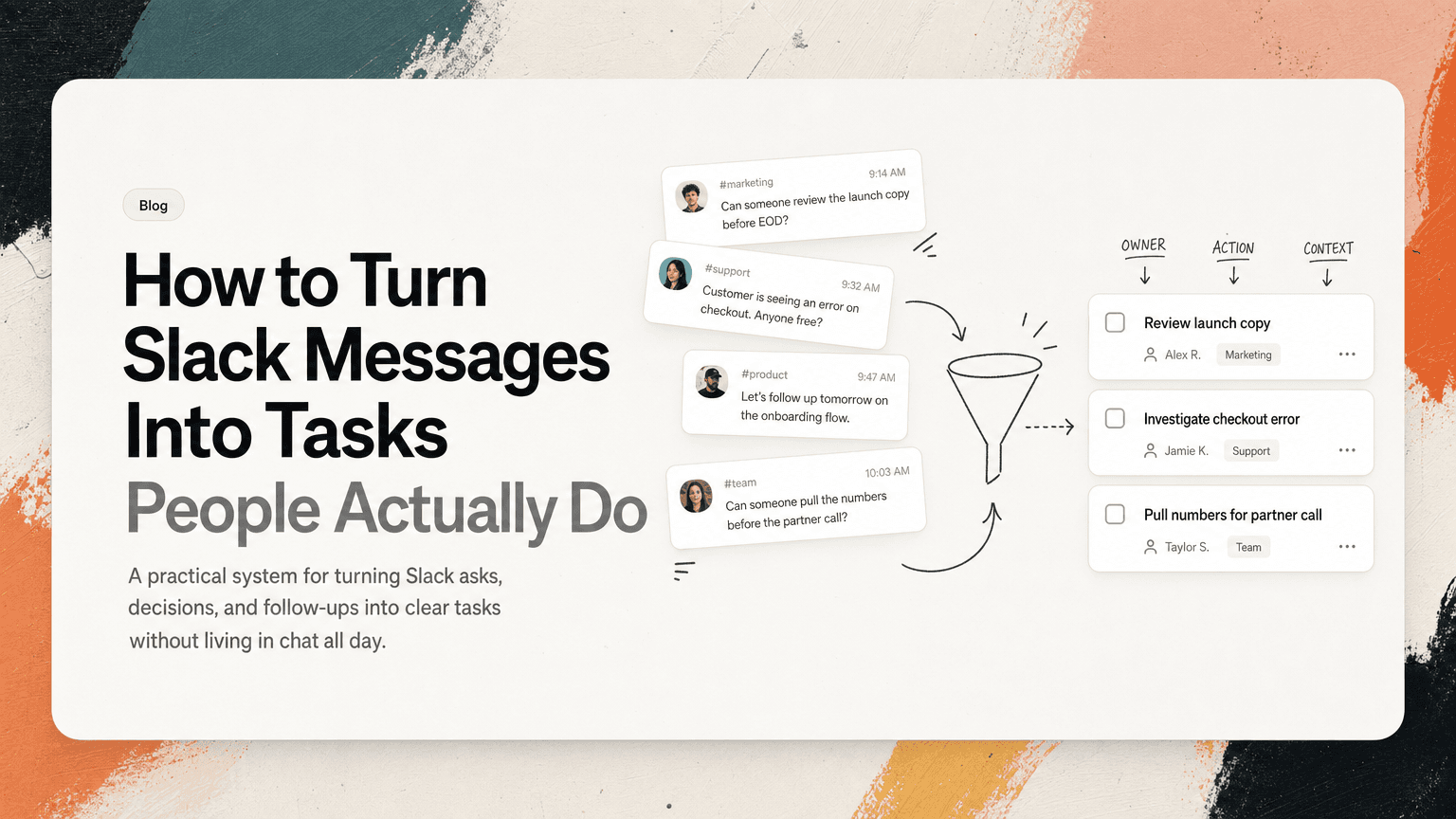
Slack is good at starting work. It is bad at finishing it.
A teammate asks for a quick review in a thread. A customer issue gets dropped into a channel. Someone says, “Let’s follow up tomorrow,” after a decision. A founder posts, “Can someone pull the numbers before the partner call?” None of these look like formal tasks at first. They look like conversation.
That is why they disappear.
Turning Slack messages into real tasks is not about copying every message into a todo app. That creates noise and burns time. The goal is to identify the messages that imply work, convert them into clear next actions, keep the original context attached, and review them outside the constant motion of chat.
Here is a practical way to do it.
Start by knowing what counts as a task
Not every Slack message deserves to become a task. If you capture too much, your task list becomes another inbox. If you capture too little, important work stays buried in threads.
A Slack message should become a task when it contains one of four things.
1. A direct ask
These are the easiest to spot:
- “Can you review the launch copy before EOD?”
- “Please send the revised deck to Maya.”
- “Can someone update the pricing page?”
The task is usually already there. It just needs an owner, a verb, and a due date if one exists.
Bad task: “Launch copy”
Good task: “Review launch copy and leave comments before EOD”
2. A commitment you made
These are more dangerous because they often happen casually:
- “I’ll take a look after lunch.”
- “I can follow up with the vendor.”
- “I’ll send the notes to the team.”
If you typed it, you own it. Convert it immediately or it will rely on memory.
Good task: “Follow up with vendor about contract redlines”
3. A decision that creates follow-up work
Decisions often sound final, but they usually create execution:
- “Let’s move the onboarding email to next week.”
- “We’ll support CSV import in the first release.”
- “Let’s pause paid spend until the tracking issue is fixed.”
Each decision should trigger the obvious next action.
Good task: “Update launch plan to move onboarding email to next week”
Good task: “Create engineering ticket for CSV import scope”
Good task: “Pause paid campaigns until tracking issue is resolved”
4. A blocker or unresolved question
These messages do not always look like work, but they often stall progress:
- “I’m not sure who owns this.”
- “We still need approval from legal.”
- “The dashboard numbers don’t match the export.”
The task is to resolve the ambiguity.
Good task: “Confirm owner for enterprise onboarding checklist”
Good task: “Ask legal to approve updated DPA language”
Good task: “Investigate mismatch between dashboard and export numbers”
Use a simple task format
The most common reason Slack-derived tasks fail is that they are copied too literally. A message is not a task. A thread is not a task. A vague reminder is not a task.
Use this format instead:
Verb + object + outcome + context
For example:
- “Review Q3 forecast and flag risks before finance sync”
- “Send revised implementation plan to customer after Rachel approves scope”
- “Create bug ticket for login redirect issue reported in #support-triage”
- “Summarize launch decision and post it in #product-updates”
This format forces clarity. It answers: what needs to happen, what it applies to, why it matters, and where the task came from.
You do not need a perfect sentence. You need a useful one.
Capture the source, not just the task
A copied task without context becomes stale fast.
Imagine your task list says: “Follow up with Alex.” Two days later, you have no idea which Alex, what follow-up, or what thread started it. You go back to Slack, search names, open channels, skim threads, and lose ten minutes reconstructing the work.
A real task should keep a link or reference to the source message whenever possible. The source gives you:
- the original request
- the people involved
- the decision or constraint behind the task
- any files, screenshots, or links shared in the thread
- the tone and urgency of the conversation
This matters especially for product managers, operators, founders, and customer-facing teams because their tasks often depend on nuance. “Update onboarding flow” means different things depending on whether it came from a customer escalation, a sales objection, or an internal roadmap discussion.
If you manually create the task, paste the Slack link into the notes. If you use a system that can preserve source context automatically, use it. CTRL, for example, is designed to read where work already happens and turn scattered Slack, Gmail, calendar, and meeting context into clearer next actions without treating chat as the final task system.
Separate capture from prioritization
Slack creates urgency, not necessarily priority.
A message that arrives at 9:04 a.m. feels more important than a task from yesterday because it is fresh and visible. That does not mean it deserves your morning.
The best workflow has two separate steps:
- Capture the possible task when you see it.
- Prioritize it later in a calmer review.
Do not fully reorganize your day every time someone tags you. Capture the task, attach context, and return to what you were doing unless it is truly urgent.
A simple review cadence works well:
- Morning: choose the 3 to 5 tasks that matter today.
- Midday: scan for urgent Slack-derived work that has appeared since morning.
- End of day: clean up captured tasks, remove duplicates, and carry forward only what still matters.
This keeps Slack from becoming your command center.
Watch for duplicate asks
Important work often appears more than once.
A customer issue might show up in #support, then get mentioned in #sales, then appear again in a product channel. A founder might ask about the same board deck in a DM and later in a leadership channel. A meeting follow-up might be repeated in Slack after the call.
If each mention becomes a separate task, you create clutter and confusion.
Instead, merge duplicate asks into one task with multiple sources or notes.
Duplicate tasks:
- “Fix export bug from Acme thread”
- “Investigate CSV export issue”
- “Follow up on Acme reporting bug”
Better single task:
- “Investigate Acme CSV export bug and update support with resolution path”
Then attach the relevant Slack thread, customer context, and any meeting notes. The task becomes the shared object of work instead of another fragmented reminder.
Create a lightweight triage habit
You do not need a complex workflow. You need a repeatable one.
Try this Slack triage habit for one week.
When you see an ask
Ask yourself:
- Is there an action here?
- Am I the owner?
- Is the next step clear?
- Does it need a due date?
- Where is the source context?
If the answer is unclear, clarify in the thread before creating the task.
Example:
“I can take this. Just to confirm, the next step is to update the customer-facing FAQ before Thursday, right?”
That one message prevents a vague task from entering your system.
When you are mentioned but not sure you own it
Do not silently capture the task and hope for the best. Confirm ownership.
Example:
“Do you want me to own the follow-up with finance, or should I just provide the usage numbers?”
This protects your task list from becoming a dumping ground for every conversation you are adjacent to.
When a thread contains multiple actions
Split them.
A thread might include:
- engineering needs to investigate a bug
- support needs to update the customer
- product needs to decide whether to change the roadmap
- sales needs a temporary workaround
Do not create one task called “Acme issue.” Create the specific tasks:
- “Investigate root cause of Acme export failure”
- “Send Acme a status update and workaround”
- “Decide whether export reliability work moves into current sprint”
- “Share approved workaround with sales team”
Each task should have one owner and one next action.
Move execution out of Slack
Slack is useful for discussion, clarification, and quick coordination. It is not where most work should be managed to completion.
Once a Slack message becomes a task, it should live somewhere you can review it alongside work from Gmail, meetings, docs, and your calendar. Otherwise, your priorities are split by tool:
- Slack tasks live in saved messages and threads.
- Email follow-ups live in your inbox.
- Meeting actions live in notes.
- Personal reminders live in a todo app.
- Project work lives in a tracker.
That fragmentation is what creates context switching. You spend your day asking, “Where did that thing go?” instead of doing the thing.
A better setup is to let Slack remain the place where work starts, then move the action into a system that can hold the task, source, owner, and priority together. That might be a project management tool, a personal task system, or an intelligent assistant like CTRL when the work is spread across Slack, Gmail, meetings, and calendar events.
A practical before-and-after example
Here is a typical Slack thread:
Maya: “The customer said the onboarding checklist still references the old billing flow.”
Sam: “I thought we updated that last sprint.”
Priya: “Only in the help center. The PDF is still old.”
Maya: “Can someone fix the PDF and send me the updated version before my call Thursday?”
A weak capture would be:
- “Onboarding checklist”
A better capture would be:
- “Update onboarding checklist PDF to reflect new billing flow and send to Maya before Thursday call”
Context to attach:
- link to Slack thread
- current PDF
- help center article that already has the correct version
- deadline: before Thursday customer call
- owner: whoever agreed to fix it
If there is also a broader issue, create a second task:
- “Audit onboarding materials for old billing flow references”
Do not hide both inside one vague reminder. The first task is urgent and customer-facing. The second is cleanup work.
The rule: every captured task should reduce future searching
A good Slack-to-task system does not just help you remember work. It reduces the amount of time you spend re-finding context.
Before you save a task, check whether future-you will know:
- what to do
- why it matters
- who asked
- where the original conversation is
- when it is needed
- what “done” looks like
If not, improve the task before moving on.
The goal is not to process Slack perfectly. The goal is to stop letting real work depend on memory, scrolling, and good luck. Turn the message into a clear action, keep the context attached, review it away from the noise, and give it a real chance of getting done.


Make today life changing
Move from conversation to actions in seconds
Download the ^ctrl desktop app