By Ctrl Editorial Team · May 16, 2026 · 8 min read
Meeting Notes Are Only Useful When They Turn Into Work
A practical guide to turning meeting notes into clear, owned next actions before they disappear into docs and memory.
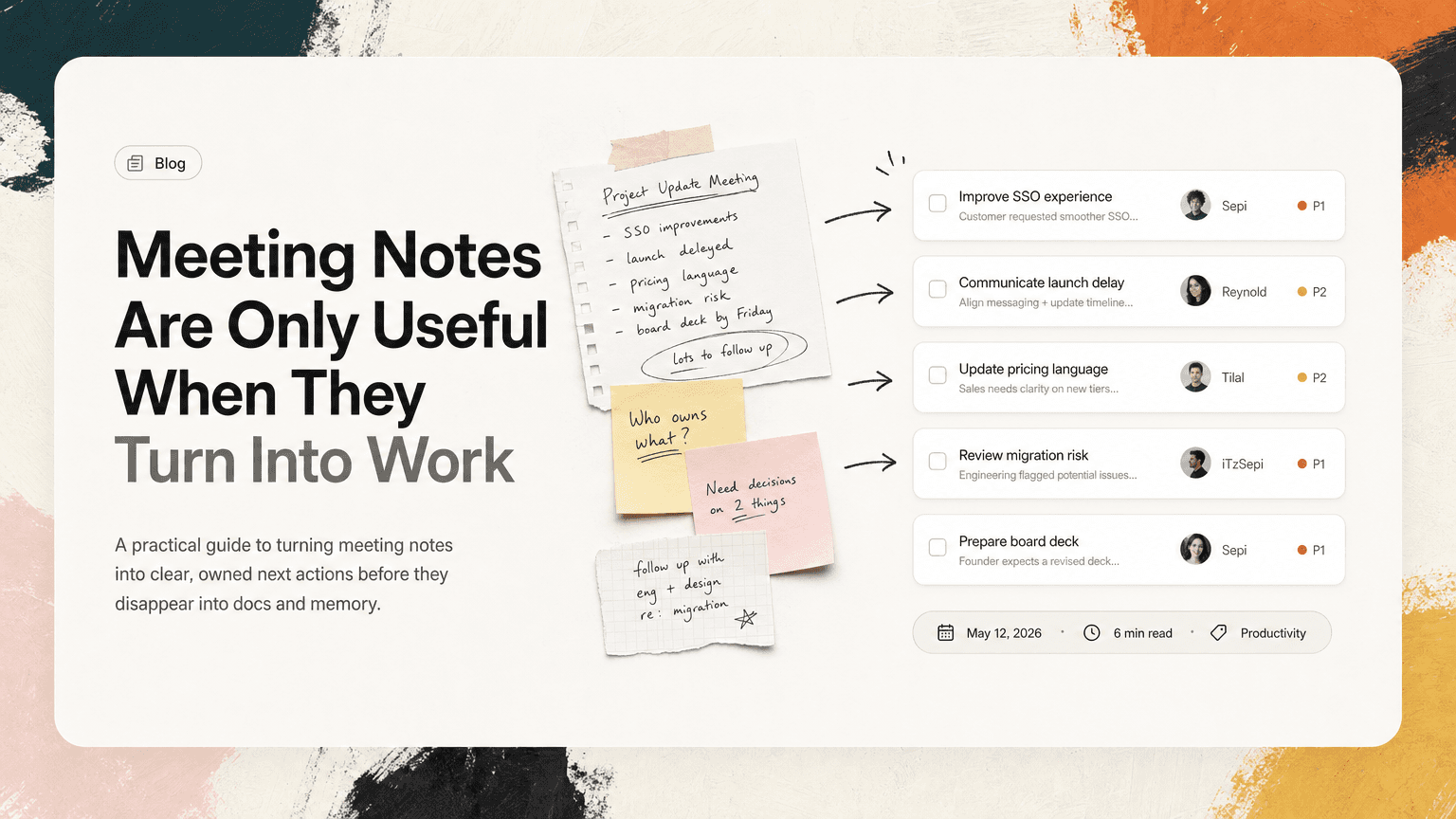
Most meeting notes are written with good intentions and abandoned almost immediately.
Someone captures decisions, open questions, and a few action items. The doc gets shared. People react with a thumbs-up. Then everyone returns to Slack, Gmail, code, customer calls, and the next meeting. By the next day, the notes are technically available but practically invisible.
The problem is not that people are bad at taking notes. The problem is that notes are usually treated as the final output of a meeting.
They are not.
The useful output of a meeting is a set of next actions: what needs to happen, who owns it, when it matters, and what context is needed to do it well.
If your notes do not become next actions, the meeting is not really over. It has only moved the work into a quieter place where it is easier to forget.
Notes preserve the conversation. Actions move it forward.
Meeting notes are good at capturing what happened:
- A customer asked for SSO improvements.
- The product team decided to delay a launch.
- Sales needs updated pricing language.
- Engineering flagged a risk with the migration plan.
- The founder wants a revised board deck by Friday.
That record matters. But a record is not the same as execution.
A note like “Discussed onboarding drop-off” may be useful background. It does not tell anyone what to do next. Compare it with:
Maya to pull activation data for the last 30 days and share the top three drop-off points before Thursday’s product review.
That is work. It has an owner, an action, a scope, and a time boundary.
This is the core shift: write notes so they can be converted into work, not just reread later.
The hidden failure point: action items are mixed with everything else
Most meeting docs combine several types of information in one place:
- Decisions
- Ideas
- Risks
- Questions
- Links
- Follow-ups
- Tasks
- Side comments
- Parking lot items
That is normal during the meeting. It is also why action items get lost after the meeting.
A task buried between discussion notes and background context does not behave like a task. It does not show up when someone plans their day. It does not compete with Slack requests or inbox follow-ups. It does not remind the owner that it exists.
For example, this note looks harmless:
Need to update the launch checklist with legal review timing.
But who is “we”? Does it need to happen today? Is it owned by product, ops, or legal? Is it required before the launch decision, or just a nice cleanup?
A better version:
Jordan to update the launch checklist with the legal review step by end of day Wednesday, so the team can use it in Thursday’s launch readiness meeting.
The second version is not longer for the sake of being longer. It removes ambiguity.
A simple framework: decision, action, owner, context
A practical meeting output should separate four things.
1. Decisions
Decisions are commitments the group made.
Examples:
- We will launch the beta to 20 customers, not the full waitlist.
- The support team will keep the current escalation process for another month.
- The pricing page will not mention enterprise discounts.
A decision should be written clearly enough that someone who missed the meeting can understand what changed.
Bad:
Talked about beta rollout.
Better:
Decision: Limit beta rollout to 20 customers until onboarding completion improves.
Decisions often create actions, but they are not actions themselves.
2. Actions
Actions are the next physical or digital steps someone must take.
Examples:
- Draft the customer email.
- Create the migration checklist.
- Send the invoice correction.
- Review the contract redlines.
- Ask design for the updated empty state.
A useful action starts with a verb. If you cannot phrase it as something someone can do, it may still be an idea, question, or decision.
Bad:
Customer email.
Better:
Priya to draft the beta customer email and share it in Slack for review by Tuesday afternoon.
3. Owners
Every action needs one owner.
Not a team. Not “engineering.” Not “sales.” One person.
That does not mean the person must do all the work alone. It means they are responsible for moving the item forward and making the next handoff obvious.
Bad:
Team to finalize Q3 priorities.
Better:
Sam to consolidate Q3 priority feedback and send a proposed final list to the leadership channel by Friday.
When no owner is named, the action item becomes a hope.
4. Context
Context is the information that helps the owner complete the task without re-opening five tabs or asking three people what was meant.
Good context might include:
- The reason the task matters
- The decision that created it
- A relevant customer quote
- A link to the doc, email, ticket, or Slack thread
- The deadline it supports
- The constraint discussed in the meeting
Example:
Lena to update the onboarding checklist before Thursday’s customer call. Context: Acme was confused about admin setup and asked for a step-by-step version during today’s implementation meeting.
Context prevents the classic “what was this about again?” problem.
Convert notes before the meeting ends
The best time to turn notes into actions is not later. It is in the last five minutes of the meeting.
Later, everyone’s memory starts to blur. People jump into another call. Slack fills up. The person who took notes gets pulled into something urgent.
Use the end of the meeting to ask three questions:
- What did we decide?
- What are the next actions?
- Who owns each one?
This does not need to be ceremonial. It can be quick:
“Before we drop, I’m going to read back the actions: Maya owns the data pull by Thursday, Alex owns the customer email by Friday morning, and Jordan will update the launch checklist today. Anything missing?”
That read-back catches misunderstandings while everyone is still present.
It also makes ownership explicit. People are much more likely to follow through when they hear their name attached to a clear action in the meeting, not discover it buried in notes later.
Use verbs that create motion
Weak action items often use nouns. Strong action items use verbs.
Instead of:
- “Pricing update”
- “Customer follow-up”
- “Migration plan”
- “Bug triage”
- “Board deck”
Write:
- “Update the pricing page FAQ with the new refund language.”
- “Email Harper at Acme with the revised implementation timeline.”
- “Draft the migration plan and call out unresolved risks.”
- “Triage the five checkout bugs and mark blockers before standup.”
- “Revise the board deck narrative for retention and runway.”
A verb forces clarity. It answers: what will actually happen?
Attach actions to where work will continue
A meeting note is often not where the work will happen next.
The follow-up may happen in Slack. The source material may be in Gmail. The deadline may live on Google Calendar. The task may belong in an engineering tracker or a personal planning system.
If the action stays only in the notes doc, it is disconnected from the places people actually work.
For each action, ask:
- Where will the owner see this when planning their day?
- Where is the relevant context?
- Where will updates happen?
- What channel or thread should be linked?
Example:
Action: Nina to respond to the procurement email with the updated security language by 3 PM.
Context: Mentioned during the customer risk review. Source is the Gmail thread from Tuesday with the subject “Security questionnaire follow-up.” Updates should go in the #acme-renewal Slack channel.
That is far more useful than:
Nina to follow up with procurement.
The difference is not complexity. It is recoverability.
Do not create ten tasks from one vague discussion
Some meetings produce too many action items because every comment gets treated as work.
That creates noise. If everything becomes a task, people stop trusting the list.
Be selective. A next action should meet at least one of these conditions:
- Someone must do it for a decision to move forward.
- It blocks another person or team.
- It has a time-sensitive consequence.
- It was explicitly requested by a customer, executive, or teammate.
- It resolves an open question that affects execution.
If an item is just an idea, label it as an idea. If it is a concern, label it as a risk. If it is worth revisiting later, put it in a parking lot.
Clarity is not just about capturing more. It is about separating what matters now from what was merely said.
A practical meeting closeout template
Use this at the bottom of your meeting notes:
## Decisions
- Decision:

## Next actions
- [Owner] to [verb + outcome] by [date/time]. Context: [why this matters or source link].

## Open questions
- Question:
- Owner to resolve:

## Risks / blockers
- Risk:
- Next step:
Example:
## Decisions
- Decision: Keep the beta limited to 20 customers until onboarding completion improves.

## Next actions
- Maya to pull the last 30 days of activation data and share the top three drop-off points by Thursday morning. Context: Needed for the product review.
- Alex to draft the beta customer update email by Friday at 10 AM. Context: Customers need revised timing before the weekend.
- Jordan to add legal review timing to the launch checklist today. Context: Required for Thursday’s launch readiness meeting.

## Open questions
- Do we need a separate onboarding flow for admins?
- Maya to bring data to Thursday’s review.

## Risks / blockers
- Risk: Legal review may push launch timing if contract language changes.
- Next step: Jordan to confirm review SLA with legal.
This format makes the notes scannable and action-oriented without turning the document into a bloated project plan.
Where AI can help without taking over
The hard part is not knowing that action items matter. The hard part is extracting them consistently while work is moving fast.
In a normal week, next actions are scattered across meeting transcripts, Slack threads, Gmail follow-ups, and shared notes. The same action may be mentioned three different ways. One person remembers it from the meeting, another sees it in a channel, and a third only has it in their inbox.
This is where an assistant can help, as long as it stays grounded in the actual work. CTRL connects to tools like meetings, Slack, Gmail, Google Calendar, and shared notes so scattered discussion can become clearer next actions with the surrounding context attached.
The goal is not to replace judgment. You still decide what matters. The useful part is reducing the manual work of finding, deduplicating, and carrying action items from one tool to another.
The meeting is finished when the work is clear
A meeting without notes can create confusion. But notes without next actions create a different problem: the illusion that work has been handled because it has been written down.
Before you leave the meeting, make sure the output answers four questions:
- What did we decide?
- What happens next?
- Who owns it?
- What context do they need?
If those answers are clear, your notes become more than a record. They become a bridge from discussion to execution.
That is the point of taking them in the first place.


Make today life changing
Move from conversation to actions in seconds
Download the ^ctrl desktop app