By Ctrl Editorial Team · May 31, 2026 · 8 min read
The Hidden Drag of Switching Between Slack, Gmail, Meetings, and Tasks
Context switching slows teams because decisions, tasks, and context live in different places. Here’s how to reduce the drag.
Most teams do not slow down because people are lazy or unfocused.
They slow down because the work is split across too many surfaces.
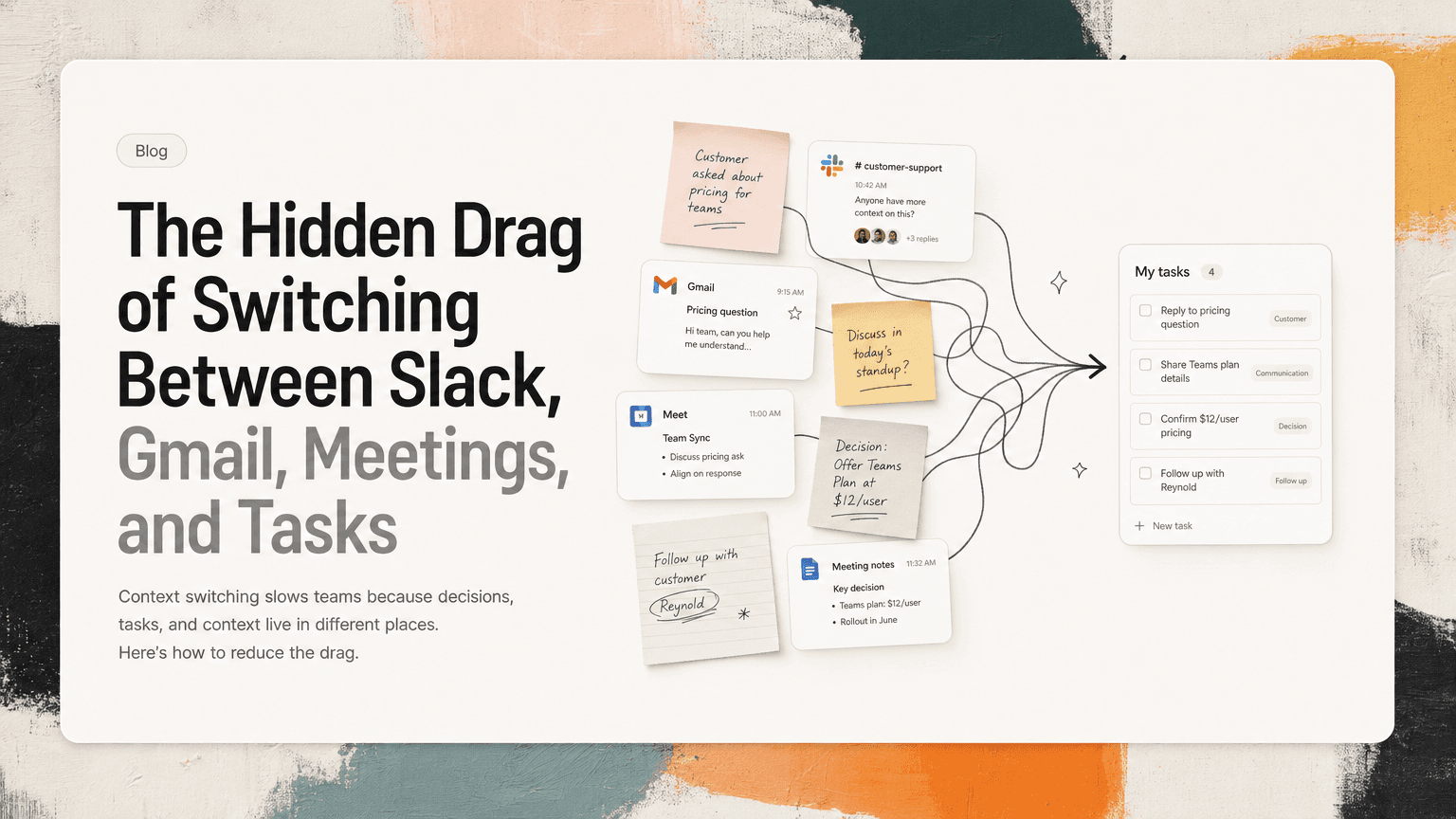
A customer question starts in Gmail. The answer gets debated in Slack. The decision happens in a meeting. The follow-up lives in someone’s notes. The task, if it becomes a task at all, is copied into a project tool with half the context missing.
No single switch feels expensive. Opening Slack after email takes a second. Checking your calendar before replying to a thread feels normal. Searching meeting notes for the decision from Tuesday feels like part of the job.
But the cost adds up in a way teams often underestimate: every switch forces someone to rebuild the state of the work.
What was decided? Who owns it? Was this already handled? Is the latest answer in the thread, the doc, the meeting notes, or the task description?
That reconstruction is the hidden drag.
Context switching is not just changing apps
When people talk about context switching, they often picture a person jumping between browser tabs. That is only the visible part.
The deeper switch is mental:
- From reading to deciding
- From responding to planning
- From execution to searching
- From remembering the work to doing the work
- From one team’s vocabulary to another team’s priority
A product manager might start the morning in Gmail responding to a customer escalation, jump to Slack to ask engineering a question, enter a roadmap meeting, then open a task manager to update priorities. By lunch, they have “worked” across four tools, but much of that time was spent rebuilding context.
The problem is not that Slack, Gmail, calendar, notes, and task tools exist. Each one has a purpose. The problem is that the work crosses those boundaries more often than the context does.
The most expensive switches are the ones that lose the “why”
A task without context creates more work later.
Compare these two tasks:
- “Follow up with Sam”
- “Follow up with Sam about the enterprise renewal concern from the Gmail thread; customer is blocked on security review, and Alex suggested sending the updated SOC 2 packet before Friday.”
The first task is technically a reminder. The second is executable.
The difference is not length. The difference is preserved context.
Teams lose speed when next actions are separated from the reason they exist. Someone sees a task and has to ask:
- Which Sam?
- Follow up about what?
- Is this urgent?
- Did we already answer it in Slack?
- Was there a decision in the meeting?
Every missing detail creates a small investigation. Multiply that across a team and the day fills with preventable clarification.
Where context switching shows up in daily work
Context switching is easiest to spot in the small moments people treat as unavoidable.
Slack threads that become unofficial project plans
Slack is useful because it is fast. It is also messy because important work appears inside casual conversation.
A thread might include:
- A customer bug report
- A proposed workaround
- A decision from engineering
- A founder asking for a same-day update
- Three people agreeing on the next step
Then nothing happens because no one turned the thread into owned work.
Or worse, someone does create a task, but the task says “look into login bug” and the actual reproduction steps are buried 27 messages deep.
Now the next person has to switch back to Slack, find the right thread, read the conversation, identify what still matters, and guess whether the decision is current.
Gmail follow-ups that never become commitments
Email creates a different kind of drag. It often contains external obligations: customer asks, investor requests, partner follow-ups, vendor deadlines, candidate responses.
The inbox makes everything look urgent while it is open and easy to forget once it is closed.
A common pattern:
- You read an email that requires action.
- You think, “I’ll handle this after the meeting.”
- The meeting creates three more action items.
- Slack pulls you into a decision.
- The email is now buried under newer messages.
The work did not disappear. It just failed to cross from communication into execution.
Meetings that create notes instead of movement
Meetings are supposed to reduce ambiguity. Often, they create a new artifact that still requires interpretation.
A meeting note might say:
- “Align on launch timing”
- “Need updated pricing language”
- “Engineering to confirm feasibility”
That may be enough for the person who wrote it five minutes ago. It is rarely enough two days later.
Useful meeting output should answer:
- What changed?
- What needs to happen next?
- Who owns it?
- By when?
- What source context should stay attached?
If a meeting produces notes but not clear next actions, the team has postponed the real work.
Task lists that show only the clean version of work
Traditional task lists are good at displaying commitments. They are less good at showing where those commitments came from.
That matters because real work is not clean. Priorities shift when a customer escalates, a founder comments in Slack, or a meeting changes the plan.
If the task list is not connected to those inputs, it becomes stale. People still check it, but they do not fully trust it. So they also check Slack, Gmail, calendar, docs, and memory.
That is context switching disguised as being thorough.
A practical way to reduce switching: capture, attach, decide
You cannot eliminate every tool. You can reduce the number of times people have to reconstruct work.
A simple operating rule helps:
When work appears, capture the action, attach the source, and decide its priority.
1. Capture the action where it appears
Do not wait for the end of the day to process everything. By then, small but important details are gone.
When a Slack message implies work, turn it into a task while the thread is still fresh.
Examples:
- “Can someone send the updated deck to finance?” becomes “Send updated deck to finance.”
- “We need to confirm whether this affects SSO customers” becomes “Confirm whether login issue affects SSO customers.”
- “Let’s revisit onboarding copy before launch” becomes “Review onboarding copy before launch.”
The key is to capture the actual next action, not a vague reminder.
2. Attach the source context
The task should point back to the Slack thread, email, meeting note, or document that created it.
This prevents the task from becoming an orphan.
A source-linked task lets someone answer:
- Why does this matter?
- Who asked for it?
- What has already been discussed?
- What decision led to this?
This is especially useful for cross-functional work. An engineer should not have to search Slack to understand why a bug suddenly matters. A customer-facing teammate should not have to ask three people whether a promised follow-up has already happened.
3. Decide priority before it becomes noise
Captured tasks can still create clutter if everything is treated equally.
Before adding a task to the pile, assign a rough priority based on practical questions:
- Is someone blocked?
- Is there an external deadline?
- Does this affect a customer, launch, revenue, reliability, or hiring?
- Is this a duplicate of something already captured?
- Can this wait until the weekly planning cycle?
This does not require a complicated framework. It requires making the task’s importance explicit while the context is available.
Watch for duplicate work
One reason context switching slows teams is that the same action appears in multiple places.
A customer mentions an issue by email. A support lead posts it in Slack. A product manager notes it during a meeting. An engineer creates a task after seeing the thread.
Now the team has four references to one piece of work.
Duplicates create confusion:
- Which task is the real one?
- Did someone already reply?
- Are two people working on the same thing?
- Which thread has the latest context?
Deduplication is not just cleanup. It is a speed mechanism. When repeated action items collapse into one clear commitment, the team can move without re-checking every surface.
A useful habit is to ask, “Is this new work, or another mention of existing work?” before creating another task.
Build a daily review around context, not just tasks
A daily task review often becomes a list-cleaning exercise. That helps, but it does not fully address context switching.
A better review asks:
- What new work appeared in Slack, Gmail, and meetings?
- Which of those items became real tasks?
- Which tasks are missing source context?
- Which items are duplicates?
- What matters today because timing or priority changed?
This review can be short. The goal is not to create a perfect system. The goal is to prevent important work from living only in messages, memory, or meeting notes.
For a founder, that might mean catching investor follow-ups that never left Gmail. For an operator, it might mean turning a Slack thread into three assigned next actions. For a product manager, it might mean connecting a roadmap task back to the customer conversation that changed its priority.
Where an intelligent work assistant helps
The manual version of this system works, but it requires discipline at exactly the moments people are busiest.
That is where an app like CTRL can help: it connects to the places work already happens, such as Slack, Gmail, Google Calendar, meetings, and shared notes, then helps turn scattered communication into clear next actions.
The useful part is not “another todo list.” It is reducing the gap between communication and execution: capturing tasks from messages and meetings, deduplicating repeated action items, and keeping relevant context attached to the work.
The goal is fewer reconstruction loops
Teams do not need one magical workspace. They need fewer moments where people stop doing the work in order to rediscover what the work is.
That means:
- Slack threads should not be the only place important actions live.
- Gmail follow-ups should not depend on memory.
- Meeting notes should produce owned next steps.
- Tasks should retain the source context that explains them.
- Duplicate action items should be merged before they split attention.
Context switching will always exist in modern work. The practical goal is to make each switch less destructive.
When context travels with the task, people spend less time searching, clarifying, and re-reading. They can make the next decision faster because the previous decision is still attached.
That is how teams get quicker: not by adding more urgency, but by losing less context between the tools they already use.


Make today life changing
Move from conversation to actions in seconds
Download the ^ctrl desktop app