By Ctrl Editorial Team · May 23, 2026 · 10 min read
The Work Your Todo List Never Sees
A practical way to find, capture, and prioritize the hidden work buried in Slack, Gmail, meetings, and scattered decisions.
Most todo lists are honest. They show the work you remembered to put there.
That is the problem.
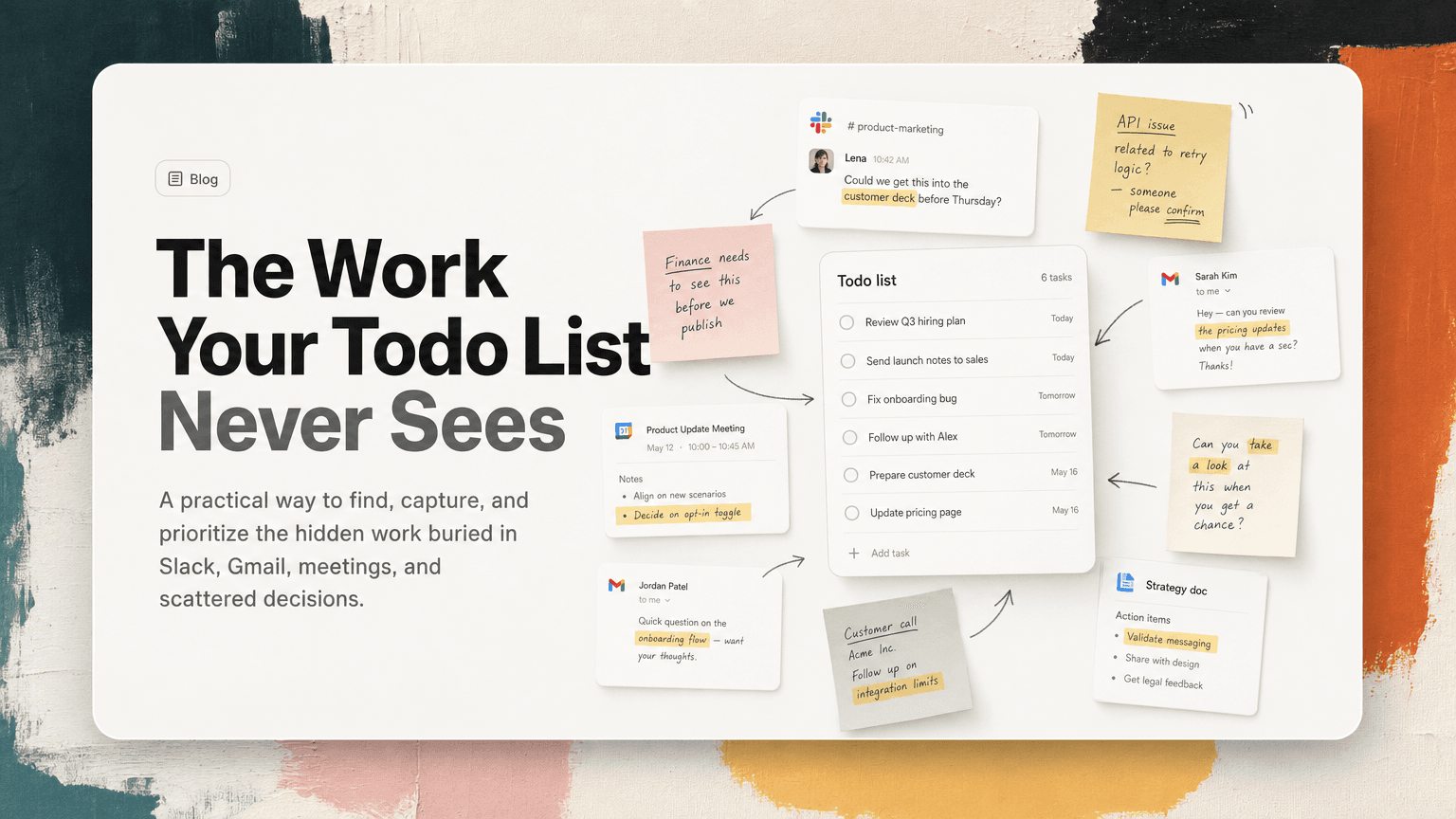
A modern workday does not begin inside a task manager. It begins in Slack threads, Gmail replies, calendar invites, meeting notes, shared docs, customer calls, and quick “can you take a look?” messages. By the time you open your todo list, half the work has already appeared somewhere else.
So the list looks manageable while your day feels chaotic. You have six tasks written down, but fifteen unresolved commitments floating around your tools.
This is not a discipline problem. It is a capture problem.
The todo list only captures declared work
A todo list is good at holding work that has already been converted into a task:
- “Send launch notes to sales”
- “Review Q3 hiring plan”
- “Fix onboarding bug”
- “Follow up with Alex about contract redlines”
These are explicit. They have a verb, an owner, and some implied outcome.
But much of the work you are responsible for does not arrive that cleanly. It arrives as fragments:
- “Could we get this into the customer deck before Thursday?”
- “I think the API issue is related to the retry logic — can someone confirm?”
- “Let’s make sure finance sees this before we commit.”
- “Good point, we should update the rollout plan.”
- “Following up here in case this got buried.”
Each fragment may contain work. Some of it matters. Some of it is noise. Some of it duplicates something already assigned elsewhere. Your todo list cannot know that unless the task is manually extracted and rewritten.
That manual extraction is where things break.
Hidden work usually lives in five places
If your list feels incomplete, do not start by reorganizing it. Start by looking at where work actually enters your day.
1. Slack threads
Slack is full of soft commitments. They rarely look like formal assignments.
A product manager asks, “Can we sanity-check the edge case before tomorrow’s review?” An engineer replies with context. Someone adds a decision. Then the thread moves on.
The actual task might be: “Confirm edge-case behavior before roadmap review.”
But unless someone captures it, it remains a memory test.
Slack also creates repeated work. A customer-facing teammate may ask about a bug in one channel while an engineer discusses the same issue in another. Your list might end up with two tasks that are really one task, or no task at all because everyone assumed someone else had it.
2. Gmail follow-ups
Email hides work behind politeness.
“Just checking whether you had a chance to review this.”
“Looping you in for visibility.”
“Could you send over the final numbers when ready?”
The sender may not use the word “task,” but there is a next action. If you rely on starring, marking unread, or leaving the tab open, your inbox becomes a fragile task system.
The problem is not that Gmail is bad. It is that email is optimized for communication, not execution.
3. Meetings
Meetings produce decisions, dependencies, and next steps. But after the meeting, the work often remains trapped in notes.
A note like “pricing page needs update before launch” is not yet an executable task. Who owns it? What exactly needs to change? What is the deadline? What decision led to it?
If the answer lives in someone’s memory, the task is vulnerable.
4. Calendar context
Your calendar does not just show meetings. It predicts work.
If you have a customer call at 2 p.m., there may be prep work. If you have a leadership review tomorrow, there may be follow-up from last week’s review. If you have a planning meeting, there may be decisions that need to be gathered before the room can make progress.
Most todo lists ignore this context. They treat tasks as isolated objects, not as work connected to upcoming events.
5. Shared docs and notes
Docs often contain buried action items because they are where thinking happens.
A strategy doc might include “Need input from legal.” A launch checklist might include a comment asking whether support macros are ready. A meeting note might say “Eng to confirm feasibility.”
These are tasks in disguise. If they stay in the doc, they are easy to miss. If they are copied into a list without context, they become vague.
Why manual capture fails
Manual capture sounds simple: when you see a task, write it down.
In practice, this requires you to do several things while you are already busy:
- Notice that a message contains work.
- Decide whether the work belongs to you.
- Rewrite it as a clear next action.
- Add enough context so future-you understands it.
- Check whether it duplicates something already on your list.
- Decide when it matters.
- Put it in the right place.
That is a lot to ask while you are scanning Slack between meetings or triaging email before dinner.
Manual capture fails because it depends on perfect attention at the exact moment your attention is most fragmented.
The symptoms of an incomplete list
You can usually tell when your todo list is missing work. Look for these patterns.
You use “unread” as a task manager
If you keep Slack messages unread so you remember to respond later, those messages are functioning as tasks. The same is true for emails you mark unread after reading.
Unread is a reminder, not a plan.
You rely on open tabs
An open Gmail thread, Google Doc, or dashboard tab often means, “There is something here I need to do.” But tabs do not tell you what the action is. They just create ambient pressure.
You reread conversations to reconstruct decisions
If you often search Slack to remember why a task exists, your list has lost its source context. The task may be present, but the reasoning is missing.
You start the day by hunting
A healthy planning routine should be about choosing priorities. If your morning starts with checking Slack, Gmail, notes, calendar, and docs to figure out what you owe people, you are doing delayed capture.
You have duplicate reminders
A Slack save, a calendar reminder, an email star, and a todo item may all point to the same obligation. Duplication makes prioritization harder because the same work appears larger than it is.
A better system: capture where work appears
The fix is not to abandon todo lists. The fix is to stop expecting the list to be the place where work begins.
A better system has three layers:
- Capture from the source — Slack, Gmail, meetings, notes, and calendar context.
- Convert into clear next actions — not copied fragments, but executable tasks.
- Prioritize with context — what matters now, what can wait, and what is blocked.
Here is a practical way to build that system, even if you are doing it manually.
Step 1: Create a daily capture pass
Set two short capture windows: one late morning and one late afternoon. Do not try to capture perfectly all day. That increases context switching.
During each pass, scan only for commitments:
- Did I say I would do something?
- Did someone ask me for a decision, review, or response?
- Did a meeting create a next step?
- Is there a deadline implied by an upcoming meeting or customer need?
- Is someone blocked on me?
Turn each commitment into a task with a verb.
Bad: “Pricing page”
Better: “Review pricing page copy before launch review”
Best: “Review pricing page copy before Thursday launch review; confirm enterprise FAQ language”
The goal is not to capture every message. It is to capture every meaningful obligation.
Step 2: Attach the source
A task without context becomes harder every time you defer it.
When you create a task from Slack, include the thread link. From Gmail, include the email. From a meeting, include the notes or recording summary if you have one. From a doc, include the comment or section.
This prevents a common failure mode: you finally get time to do the task, then spend ten minutes reconstructing what it meant.
A good task should answer:
- What needs to happen?
- Why does it matter?
- Where did the request or decision come from?
- Who is waiting on it?
You do not need a long description. You need enough context to restart quickly.
Step 3: Deduplicate before prioritizing
Before you decide what matters, remove repeated versions of the same work.
Example:
- Slack: “Can you look into the onboarding drop-off?”
- Gmail: “Following up on onboarding funnel numbers”
- Meeting note: “Investigate activation issue before growth review”
These may be one task:
“Investigate onboarding drop-off before growth review; share activation findings with team.”
If you prioritize before deduplicating, your day gets distorted. One issue appears three times and crowds out other work.
Step 4: Separate urgency from importance
Hidden work often feels urgent because it comes from fresh messages. But the newest request is not always the most important one.
When reviewing captured tasks, sort them into four groups:
Do today
Work that blocks someone, affects an imminent meeting, or has a real deadline.
Example: “Send revised contract language before customer call at 3 p.m.”
Schedule
Important work that needs protected time.
Example: “Draft launch risk assessment before Friday planning.”
Waiting
Work where the next move belongs to someone else.
Example: “Waiting for finance approval before sending vendor response.”
Drop or decline
Requests that are outdated, duplicated, or no longer worth doing.
This category matters. A complete task system should help you decide what not to do.
Step 5: Review around meetings, not just mornings
Morning planning is useful, but meetings change the shape of the day.
After any meeting likely to create work, take two minutes to write the actual next actions. Do it before switching back to Slack.
Ask:
- What did we decide?
- What changed because of that decision?
- Who owns the next step?
- What needs to happen before the next meeting?
This tiny review prevents meeting notes from becoming a storage unit for forgotten execution.
Where AI can help without taking over
The most useful role for AI in task management is not inventing priorities for you. It is watching the places where work already happens and helping turn scattered communication into a cleaner set of next actions.
That is the idea behind CTRL: it connects to tools like Slack, Gmail, Google Calendar, meetings, and shared notes so tasks can be captured from their source, deduplicated, and kept with useful context.
The point is not to replace judgment. You still decide what matters. The advantage is that your decision starts from a more complete picture of the work, not just the tasks you remembered to type.
A simple checklist for a more complete todo list
Use this at the end of the day or before planning tomorrow:
- Did Slack contain any direct asks, unresolved threads, or decisions that imply action?
- Did Gmail contain follow-ups that need a response, review, or handoff?
- Did today’s meetings create owners and next steps?
- Do tomorrow’s meetings require prep?
- Are any tasks duplicated across tools?
- Does each important task include enough context to act without searching?
- Is anything marked unread only because it is secretly a task?
- Is there work you should explicitly decline or drop?
If you answer these honestly, your list will get shorter in some places and more complete in others. That is a good sign.
The goal is not a perfect list
A perfect todo list is impossible because work keeps moving. People ask questions, meetings change direction, customers respond, bugs appear, priorities shift.
The goal is a trustworthy list.
A trustworthy list does not contain everything anyone mentioned. It contains the work you are actually responsible for, written as clear next actions, connected to the context that explains why it matters.
When your todo list misses half your work, the answer is not to try harder to remember. It is to build capture closer to where work begins.
For most teams, that means treating Slack, Gmail, meetings, and notes as inputs to execution — not as separate places where obligations go to hide.


Make today life changing
Move from conversation to actions in seconds
Download the ^ctrl desktop app