By Ctrl Editorial Team · May 23, 2026 · 9 min read
Why Your Todo List Only Shows the Obvious Work
Most work starts in messages, meetings, and email before it ever becomes a task. Here’s how to catch what your list misses.
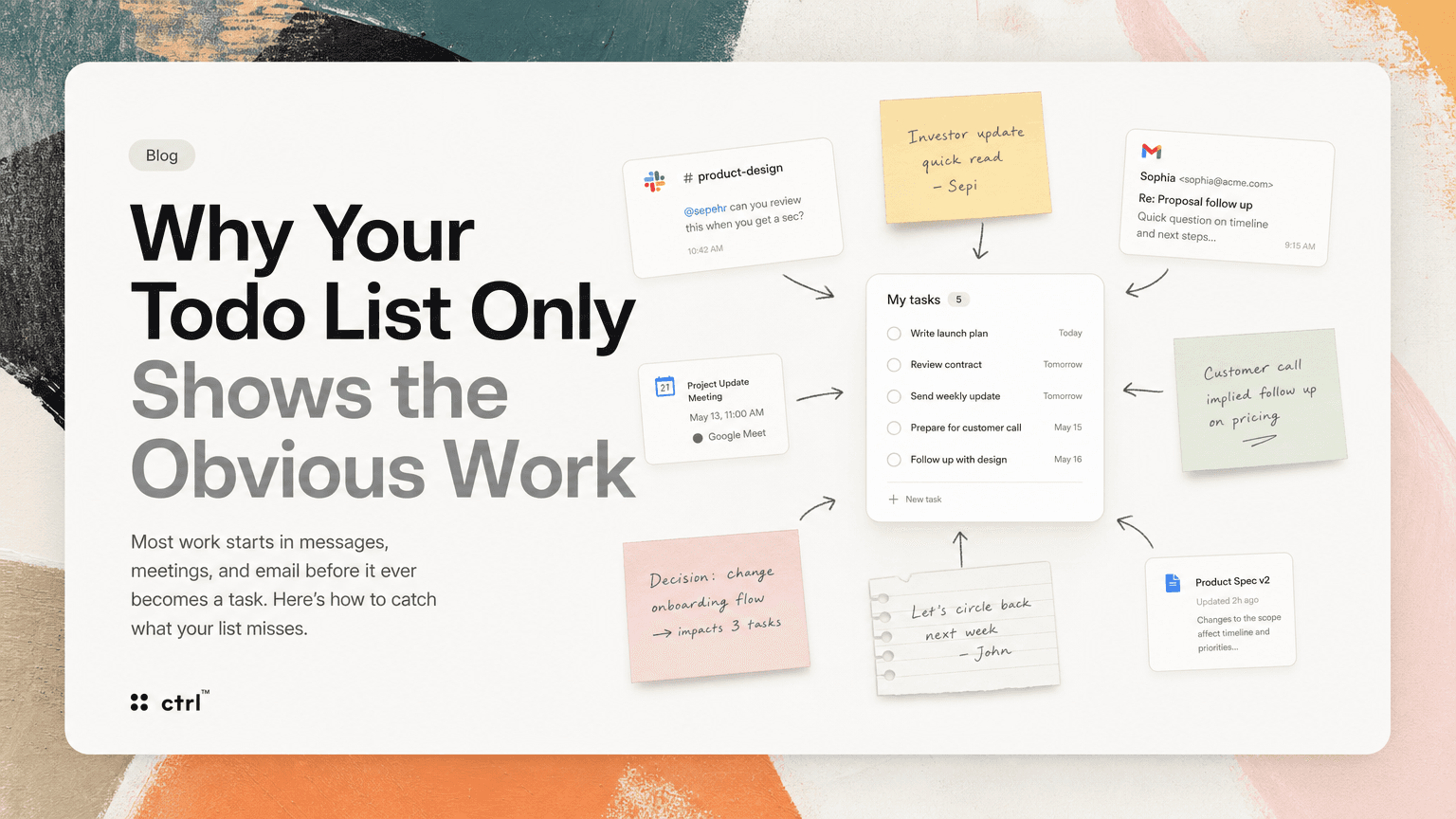
Your todo list probably looks more organized than your work actually is.
It has the obvious items: write the launch plan, review the contract, send the weekly update, prepare for the customer call. These are real tasks. They matter.
But they are not the whole job.
The rest is scattered across Slack threads, Gmail replies, meeting notes, calendar invites, shared docs, and half-finished decisions. Someone asks for a quick review in a channel. A customer email implies a follow-up. A meeting ends with “let’s circle back next week,” but nobody writes down who owns it. A product decision changes the priority of three tasks, but your list still shows the old version.
That is why todo lists often feel both full and incomplete. They capture what you remembered to enter. They miss the work that arrived while you were busy doing something else.
The problem is not discipline. It is where work begins.
Most task systems assume work starts when you create a task.
Modern work does not behave that way.
Work starts when:
- a teammate tags you in Slack
- a founder asks for a quick read on an investor update
- a customer sends a follow-up question in Gmail
- a meeting ends with three implied owners
- an engineer mentions a blocker in a thread
- a product manager says “we should check this before launch”
- someone shares a doc and asks for comments by Friday
None of these are tasks yet. They are signals. Some are small. Some are urgent. Some are noise. Some become important only after another conversation gives them context.
A todo list only sees the work you manually translate into tasks. That translation step is where things disappear.
The four kinds of work your todo list misses
1. Implied follow-ups
Implied follow-ups are the easiest to miss because nobody says, “This is a task.”
Example:
“Can we make sure legal has seen this before we send it?”
That might mean:
- ask legal to review the draft
- confirm who owns the review
- wait for approval
- update the send date if review takes longer than expected
But if the message stays in Slack, it remains a concern, not an action.
The same thing happens in Gmail:
“Looping in Priya here — she may have more context.”
Now you probably need to follow up with Priya, but your todo list will not know that unless you stop, interpret the email, and create the task yourself.
2. Decisions that change existing work
A todo list can tell you what you planned to do. It often fails to show what changed.
Say your list includes:
- Draft onboarding email sequence
- Finalize pricing page copy
- Prepare launch checklist
Then a meeting decision changes the launch audience from self-serve users to enterprise prospects. Your tasks still exist, but the context is different. The onboarding emails need a different angle. The pricing page needs different objections handled. The launch checklist needs sales enablement added.
If the decision lives in meeting notes and the tasks live somewhere else, you now have two versions of reality.
3. Duplicate asks in different places
Repeated requests create fake complexity.
A customer asks about a bug in Gmail. A support teammate mentions the same issue in Slack. An engineer adds a note in a meeting. A product manager creates a task called “Investigate export issue.”
Are these four separate tasks? Probably not. But if they are captured separately, they compete for attention as if they are unrelated.
This is how busy teams create bloated task lists: not by having too much work, but by counting the same work multiple times.
4. Small tasks with real consequences
Some tasks are too small to feel worth entering, but too important to forget.
For example:
- reply to a candidate with available times
- send the revised deck before a meeting
- confirm whether the customer call is recorded
- ask design for the latest mockup
- update a ticket after a Slack clarification
- check whether a teammate is blocked
These tasks often live in your head because creating a formal task feels heavier than just doing them. But if you are switching between meetings, Slack, Gmail, and docs all day, “I’ll remember” is not a system.
A better question: where did this work originate?
Instead of asking, “What is on my todo list?” ask:
“Where did work enter my day?”
For most knowledge workers, the answer is not one place. It is a stream:
- Slack for fast requests and clarifications
- Gmail for external commitments
- Calendar for meetings and deadlines
- meeting notes for decisions and owners
- docs for collaborative work
- project tools for formal execution
Your task system needs to account for that stream. Otherwise, it becomes a polished version of only the work you remembered to write down.
How to catch the hidden half of your work
You do not need a more complicated productivity method. You need a better capture habit.
Here is a practical way to start.
Step 1: Do a twice-daily sweep of work sources
Pick two times: once before lunch, once near the end of the day.
Do not try to process everything in real time. That creates constant context switching. Instead, sweep the main places where work appears.
Check:
- Slack mentions and threads you participated in
- Gmail messages that require a reply, decision, or handoff
- today’s meetings and notes
- calendar events coming up tomorrow
- shared docs where you were tagged
For each item, ask one question:
“Is there a next action here?”
If yes, capture it. If no, leave it.
The goal is not inbox zero. The goal is action clarity.
Step 2: Write tasks as outcomes, not fragments
Bad task:
“Legal”
Better task:
“Ask legal to review the customer terms before Friday’s send”
Bad task:
“Follow up”
Better task:
“Follow up with Maya on whether the analytics bug blocks the launch checklist”
A useful task should usually contain:
- the verb
- the object
- the person or team involved
- the timing, if it matters
- the reason, if the context is not obvious
This takes a few extra seconds, but it prevents future-you from reopening five tabs just to understand what you meant.
Step 3: Attach the source whenever possible
A task without context becomes weaker every hour.
If a task came from Slack, keep the link to the thread. If it came from Gmail, keep the email. If it came from a meeting, keep the note or transcript reference. If it came from a doc comment, keep the doc link.
This matters because most tasks are not just actions. They are responses to a situation.
“Send revised proposal” is less useful than:
“Send revised proposal to Acme with the updated implementation timeline from Tuesday’s call.”
The source tells you why the task exists and what changed.
Step 4: Deduplicate before you prioritize
Before deciding what matters today, clean up repeats.
Look for tasks that are really the same underlying work:
- “Reply to customer about export issue”
- “Ask engineering about CSV bug”
- “Update support on export fix”
- “Check launch blocker from Acme thread”
These may all belong under one outcome:
“Resolve Acme export issue and communicate status to customer/support.”
Deduplication gives you a more honest workload. It also helps you avoid spending mental energy comparing tasks that should be grouped together.
Step 5: Prioritize by consequence, not recency
Hidden work often wins because it is recent. A Slack message from five minutes ago feels louder than a strategic task from yesterday.
When reviewing your list, ask:
- What blocks someone else?
- What has an external deadline?
- What affects a customer, candidate, investor, or partner?
- What reduces future rework?
- What becomes more expensive if delayed?
This turns prioritization from a mood into a decision.
A useful daily list might have three sections:
- Must happen today: deadline, blocker, or external commitment
- Move forward: important work that needs progress
- Waiting / watch: delegated items, open questions, pending replies
That structure is simple, but it prevents your day from becoming a reaction to whichever app is loudest.
Why manual capture breaks down
Manual task capture can work when your workload is small and predictable. It breaks when work arrives continuously.
The failure mode is not that you never capture tasks. It is that you capture them unevenly.
You add the big project work. You miss the small follow-ups. You capture tasks from meetings where you were taking notes. You miss the action items buried in Slack while you were on another call. You add the request from your manager. You forget the customer email that needed a same-day reply.
Over time, your todo list becomes biased toward the work that was easiest to enter, not the work that most needs attention.
This is where an intelligent work assistant can help. CTRL connects to places like Slack, Gmail, Google Calendar, meetings, and shared notes so scattered communication can be turned into clearer next actions with context attached. The point is not to replace judgment. It is to reduce the amount of work that depends on you noticing, copying, rewriting, and remembering every commitment manually.
A simple end-of-day reset
If your todo list feels incomplete, use this 10-minute reset at the end of the day.
1. Scan today’s meetings
For each meeting, write down:
- decisions made
- owners named
- follow-ups implied
- deadlines mentioned
If there were no next actions, note that too. It prevents you from carrying vague anxiety into tomorrow.
2. Scan Slack for commitments
Check:
- direct mentions
- threads where you replied
- messages you saved or reacted to
- channels tied to active projects
Turn only the actionable items into tasks. Do not convert every interesting message into work.
3. Scan Gmail for external loops
Look for emails where someone expects a response or where silence creates risk.
Common examples:
- customer questions
- candidate scheduling
- vendor approvals
- investor follow-ups
- partner requests
- contract comments
Capture the next action, not just “reply to email.”
4. Merge duplicates
If three items point to the same outcome, combine them.
Keep the important context. Remove the extra noise.
5. Pick tomorrow’s first three
Before you stop working, choose the first three things you will handle tomorrow.
They should not simply be the newest tasks. They should be the ones with the clearest consequence.
The real job of a todo list
A todo list is not supposed to be a museum of everything you might do. It is supposed to help you decide what to do next.
To do that, it needs three things:
- coverage: it reflects the places work actually starts
- context: it keeps the why attached to the what
- clarity: it separates real priorities from repeated noise
If your list is missing half your work, adding more categories will not fix it. Neither will color-coding, stricter labels, or a new weekly ritual.
Start by looking upstream. Find the messages, meetings, and emails where work first appears. Capture the next action while the context is still fresh. Deduplicate before prioritizing. Keep source links close enough that you do not have to reconstruct the story later.
Your todo list does not need to become bigger. It needs to become truer.


Make today life changing
Move from conversation to actions in seconds
Download the ^ctrl desktop app