By Ctrl Editorial Team · May 29, 2026 · 8 min read
Turn Meeting Notes Into Next Actions Before They Go Cold
A practical system for turning meeting notes into clear, owned, prioritized next actions before work disappears.
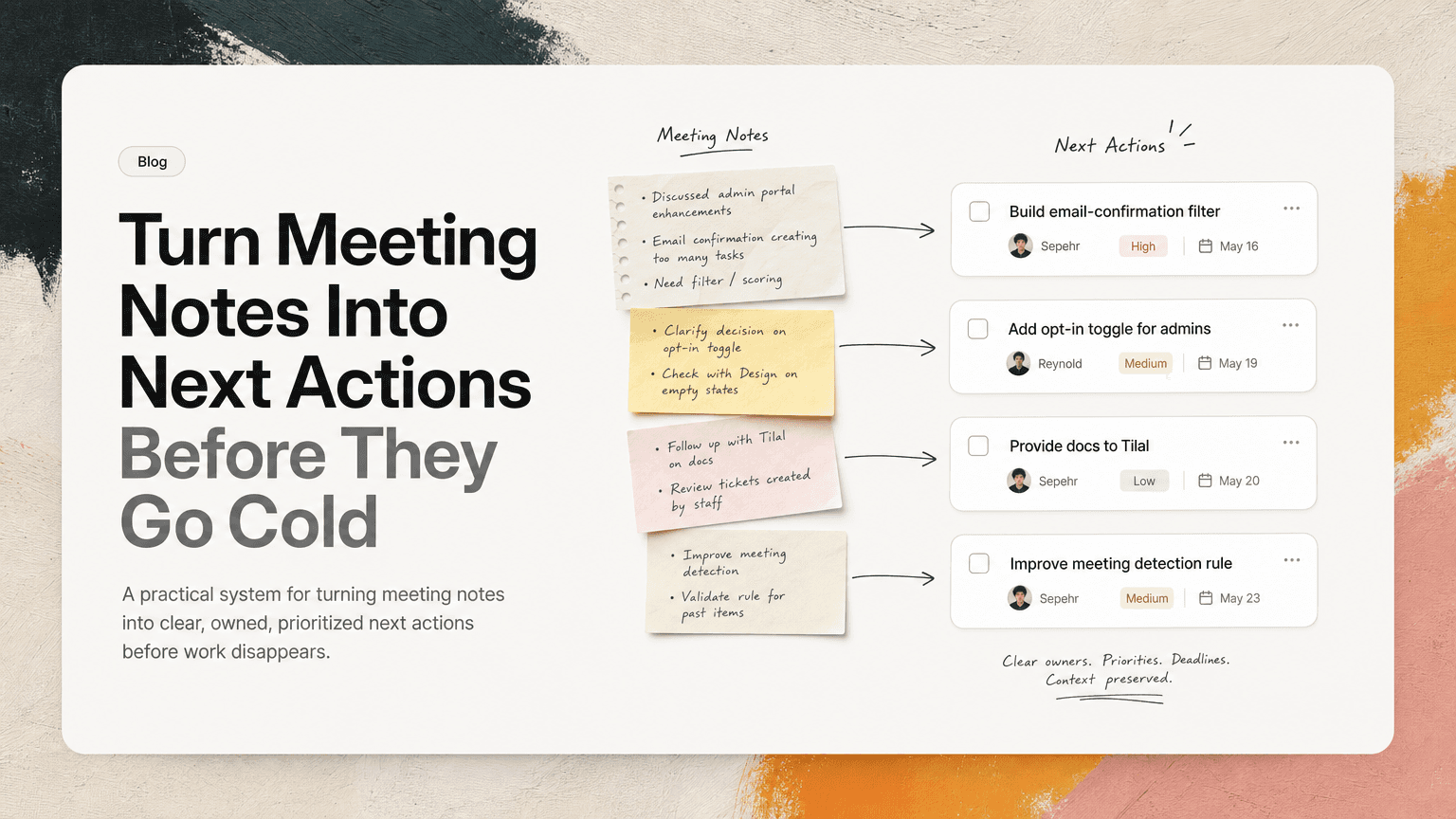
Meetings create a lot of apparent clarity.
People align on a decision. Someone says they will follow up. A customer issue gets discussed. A product question gets parked for later. Everyone leaves feeling like the path is obvious.
Then the week happens.
Slack fills up. Gmail pulls attention sideways. Another meeting rewrites the priority list. The notes sit in a doc, technically available but practically invisible. By Friday, the team is asking: “Who owned that?” or “Did we decide to do this now?”
The problem is not that people fail to take notes. The problem is that notes are usually written as a record, not as an execution system.
If you want meetings to lead to work, the output cannot be “notes.” The output has to be clear next actions.
Notes preserve information. Actions create movement.
Meeting notes are useful for memory. They capture what was discussed, what changed, and why a decision was made.
But notes do not automatically answer the questions that drive execution:
- What needs to happen next?
- Who owns it?
- By when?
- What context does the owner need?
- Is this more important than the other work already in progress?
- Is this a new task or a duplicate of something already assigned?
A note like this feels useful:
Discussed onboarding friction for new workspace admins. Need to improve setup checklist and follow up with design.
But it is not yet executable.
An action looks more like this:
Priya: Draft revised workspace admin setup checklist using the three issues from today’s onboarding discussion. Share with Design by Thursday.
That version has an owner, a specific deliverable, a source of context, and a time expectation. It can be prioritized. It can be tracked. It can be done.
The practical move is to treat every meeting as unfinished until the notes have been converted into actions.
The five-minute conversion pass
You do not need a complex meeting operating system. You need a short habit at the end of each meaningful meeting or immediately after it.
Call it the five-minute conversion pass.
During this pass, scan the notes and extract only the work. Ignore background discussion unless it explains why the work matters.
Look for phrases like:
- “We should…”
- “Can someone…”
- “Let’s follow up…”
- “I’ll check…”
- “We need to decide…”
- “Not urgent, but…”
- “After launch…”
- “Customer asked…”
These are often tasks hiding in conversational language.
For each one, write a next action using this structure:
Owner + verb + object + context + timing
Examples:
- “Maya to send the revised pricing language to Legal with the customer objection from today’s call by Wednesday.”
- “Eli to confirm whether the analytics event is already tracked before the growth review tomorrow.”
- “Nora to post the launch dependency list in Slack and tag Engineering and Support by end of day.”
- “Sam to reply to the Gmail thread with the implementation timeline after checking with Infrastructure.”
The goal is not beautiful documentation. The goal is to remove ambiguity before everyone switches context.
Separate decisions from actions
One common reason meeting notes get messy is that decisions and tasks are mixed together.
They are related, but they serve different purposes.
A decision explains the direction:
We will keep the beta invite flow manual for the next two weeks.
An action moves that decision forward:
Alex to update the beta onboarding doc to reflect the manual invite flow and share it in the launch Slack channel today.
If you only capture the decision, people may agree in principle but still miss the work required to implement it. If you only capture the action, the owner may forget why the task matters or what tradeoff was made.
A simple meeting output should include both:
Decision
What did we decide?
Next action
What happens because of that decision?
Context
What note, thread, email, customer comment, or prior discussion explains it?
This is especially important for product managers, operators, and customer-facing teams. A decision without context turns into a debate later. An action without context turns into rework.
Assign one owner, not a group
“Engineering to investigate” is not an owner.
“Customer Success to follow up” is not an owner.
“Someone from Ops” is not an owner.
Group ownership creates polite uncertainty. Everyone assumes someone else will pick it up, or the work becomes a Slack thread where people discuss responsibility instead of doing the task.
A next action should have one directly responsible person. Other people can contribute, review, or approve, but only one person should be accountable for moving it forward.
Weak:
Team to look into the billing issue.
Better:
Jordan to reproduce the billing issue from Acme’s email and post findings in the support escalation channel by 3 p.m.
That does not mean Jordan has to solve the entire billing problem alone. It means Jordan owns the next step.
If ownership is unclear in the meeting, do not hide that in the notes. Write the action as a follow-up:
Lena to assign an owner for the billing investigation by end of day.
That is still better than pretending ownership exists.
Capture the smallest useful next step
Meeting notes often produce tasks that are too large:
- “Fix onboarding”
- “Improve reporting”
- “Review enterprise plan”
- “Clean up launch comms”
These are not next actions. They are projects, themes, or wishes.
A good next action should be small enough that the owner knows how to start without reopening the meeting.
Instead of:
Improve onboarding.
Try:
Review the last five onboarding support tickets and list the top three setup blockers.
Instead of:
Fix launch comms.
Try:
Draft the customer-facing launch email using the approved positioning doc and send to Marketing for review.
Instead of:
Review enterprise plan.
Try:
Compare the current enterprise checklist against the two open security requests in Gmail and flag missing items.
Small actions reduce friction. They also make prioritization easier because the task is concrete enough to compare against other work.
Prioritize before the actions scatter
Not every action from a meeting deserves immediate attention.
Some tasks are urgent. Some are important but can wait. Some are only useful if another dependency clears. Some should be deleted once the team says them out loud.
If you skip prioritization, meeting-generated tasks compete badly with everything else. The loudest Slack thread wins. The most recent email feels most urgent. People execute based on proximity, not importance.
After extracting actions, quickly mark each one:
- Now: must move today or blocks other work
- Next: should move this week
- Later: useful, but not currently blocking
- Waiting: depends on someone or something else
- Drop: not worth doing after review
This is not a perfect planning ritual. It is a guardrail against accidental work.
For example, a product review might produce six possible follow-ups. Only one blocks the release. Two matter this week. One depends on customer confirmation. Two sounded useful in the meeting but do not deserve capacity now.
That distinction should happen before tasks disappear into different tools.
Keep the source attached
A next action without its source loses meaning fast.
Consider this task:
Update onboarding checklist.
A day later, the owner may wonder:
- Which checklist?
- Based on whose feedback?
- What problem are we solving?
- Was this from the customer call or the internal review?
- Did we agree to a full rewrite or a small edit?
The fix is simple: keep the action connected to the original context.
That context might be:
- the meeting note section where the decision was made
- the Slack thread where the issue started
- the Gmail conversation with the customer
- the calendar event and transcript summary
- the shared doc containing the agreed requirements
You do not need to paste everything into the task. In fact, long copied notes often make tasks harder to read. The useful pattern is a concise action plus a link or reference back to the source.
Example:
Dana to update the onboarding checklist with the two admin setup blockers from today’s customer call. Source: May 14 Acme onboarding review notes.
This keeps the task clean while preserving the why.
Watch for duplicate actions
Meetings often repeat work that already exists elsewhere.
A customer asks for an update in Gmail. The same topic appears in a Slack thread. Then it comes up in a meeting, and someone writes a new task. Now there are three versions of the same follow-up.
Duplicate actions create confusion:
- two people may work on the same thing
- one task gets completed while another stays open
- the team debates status because each tool shows a different version
- follow-up messages continue even though the work is already owned
Before creating a new action, ask:
Is this already captured somewhere?
If yes, update the existing task with the new context instead of creating another one.
For example, if a Gmail follow-up already exists for “send implementation timeline to Acme,” and the meeting adds a new dependency from Engineering, do not create a second task. Add the dependency to the existing action.
This keeps the work visible without multiplying it.
A simple meeting output template
Use this at the bottom of any meeting doc:
Decisions
- [Decision made] — context/source

Next actions
- [Owner] to [specific action] by [timeframe]. Context: [source]

Waiting on
- [Owner/team/vendor/customer] — [what is needed] — [date to check]

Dropped or deferred
- [Item] — [reason]
Example:
Decisions
- Keep beta invites manual for two weeks to avoid adding engineering scope before launch.

Next actions
- Alex to update the beta onboarding doc with the manual invite process by EOD. Context: launch planning meeting.
- Priya to post the invite process in #launch-team and tag Support by tomorrow morning.

Waiting on
- Engineering — confirmation that invite limits can be adjusted manually — check Wednesday.

Dropped or deferred
- Automated invite flow — defer until after launch unless manual process breaks.
This format is boring in the best way. It makes work visible.
Where AI can help without taking over
The hard part is not knowing that meeting notes should become tasks. The hard part is doing it every time while work is already moving across Slack, Gmail, Calendar, and shared docs.
This is where an intelligent work assistant can help. CTRL connects to the places where work already happens and can help turn scattered communication into clear next actions, deduplicate repeated action items, and keep useful context attached to the work it affects.
The important point is not to outsource judgment. You still decide what matters. You still choose priorities. You still know whether an action is real work or just meeting noise.
The useful role for AI is to catch the work earlier, structure it more clearly, and reduce the manual copying that causes tasks to vanish.
The rule: no meeting is done until the work is clear
A meeting is not finished when the calendar block ends.
It is finished when:
- decisions are separated from discussion
- next actions have owners
- each task is small enough to start
- priority is clear enough for today or this week
- duplicate tasks have been avoided
- source context is attached
That does not require heavier process. It requires a better handoff from conversation to execution.
Notes help people remember what happened. Next actions help teams make something happen.


Make today life changing
Move from conversation to actions in seconds
Download the ^ctrl desktop app