By Ctrl Editorial Team · May 17, 2026 · 8 min read
Why Context Switching Makes Teams Slower
Context switching is not just a personal focus problem. It slows teams by scattering decisions, tasks, and priorities across tools.
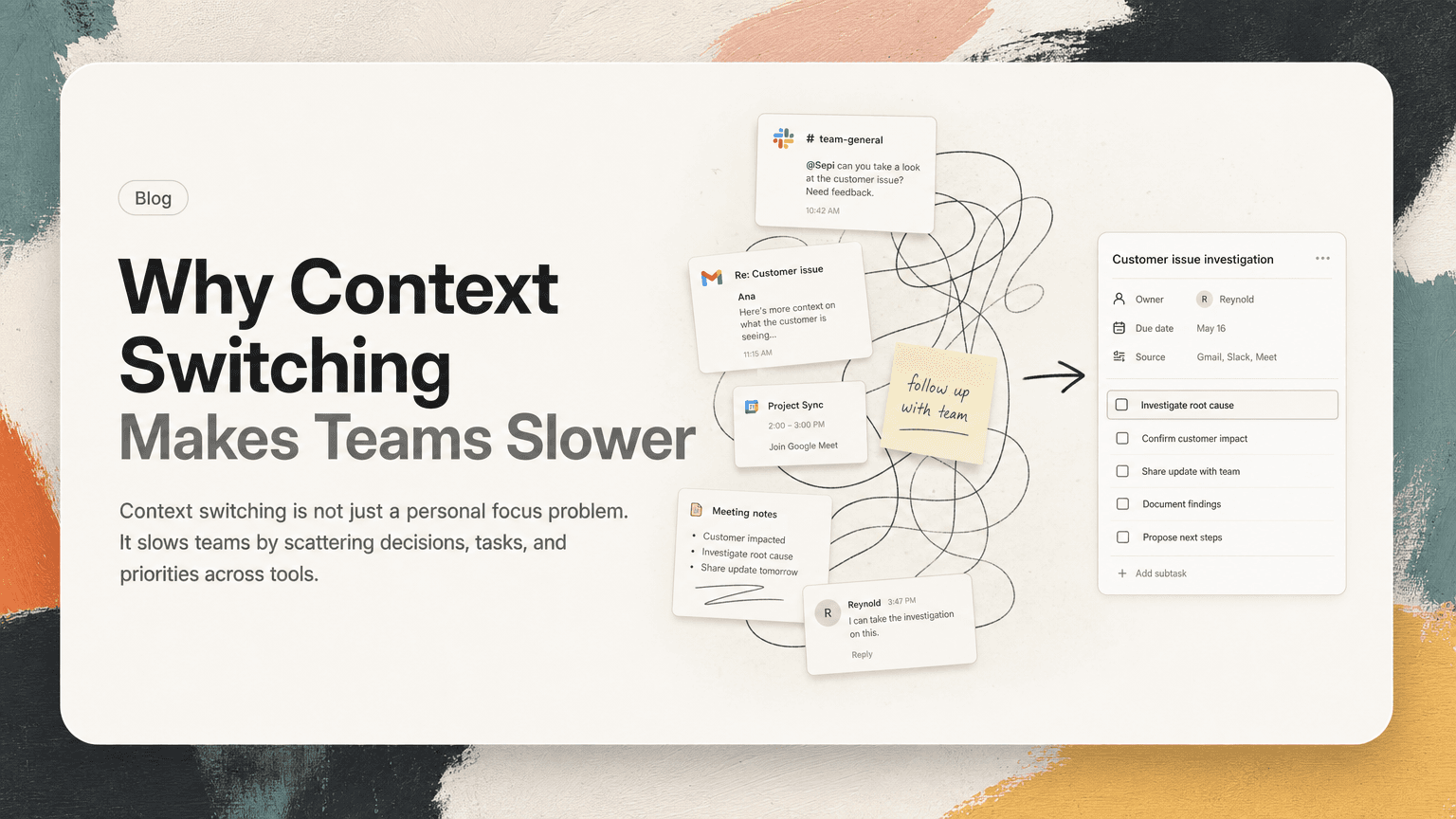
Context switching is usually described as an individual problem: you open Slack, answer an email, glance at your calendar, check a doc, then try to remember what you were doing.
That is real. But on teams, context switching creates a bigger problem: work stops having a clear home.
A customer request starts in Gmail. The decision happens in Slack. The follow-up is mentioned in a meeting. The owner is named in a comment. The deadline lives in someone’s head. By the time the task reaches a project board, half the useful context has already been stripped away.
The team is not slow because people are lazy. The team is slow because everyone is constantly reconstructing the same picture from different fragments.
Context switching is really context rebuilding
Switching tools is not the expensive part by itself. Opening Slack after Gmail takes a second.
The real cost is rebuilding context:
- What was decided?
- Who owns the next step?
- Is this still important?
- Did someone already handle it?
- Where is the source conversation?
- What changed since I last looked?
Every time a person moves from one tool to another, they have to reload the story. That story may be spread across Slack threads, email chains, calendar invites, meeting notes, docs, tickets, and personal todo lists.
This is why teams can feel busy all day and still end the day unsure what actually moved forward.
The work exists. The activity exists. The missing piece is continuity.
The common places where context gets lost
Most teams do not lose context in one dramatic failure. They lose it in small handoffs.
Slack threads
Slack is excellent for fast discussion. It is also where work can become invisible.
A typical thread might include:
- a customer issue
- three possible fixes
- a decision from a PM
- a note from engineering
- a request for someone to follow up tomorrow
If nobody turns that into a clear action, the thread becomes a fragile memory. Someone may star it, save it, or say “I’ll handle this,” but the actual commitment is now dependent on that person remembering it later.
The issue is not Slack. The issue is treating a conversation as if it were an execution system.
Gmail follow-ups
Email hides work differently. Important asks often arrive as part of longer messages:
“Also, can you send over the updated timeline before Thursday?”
That line may be buried under context, greetings, forwarded replies, and attachments. If it does not become a task, it becomes another tab someone hopes to revisit.
The more email you receive, the less reliable your inbox becomes as a memory system.
Meetings
Meetings often create the clearest decisions and the weakest follow-through.
A team leaves a planning meeting with five action items. Some are in the notes. Some were spoken aloud. Some were implied by the decision. Some are obvious only to the person who was deeply involved in the discussion.
By the next day, people may remember the general direction but not the exact owner, deadline, or dependency.
This is where context switching becomes a team problem. The meeting produced alignment, but the system did not preserve it.
Personal task lists
Personal todo lists help individuals stay organized, but they can fragment team execution.
If a PM copies one Slack follow-up into Apple Reminders, an engineer puts another into Linear, and a founder writes a third into a notebook, the team no longer has one shared understanding of what is happening.
Everyone may be organized locally while the team is disorganized globally.
Why switching slows prioritization
Prioritization depends on comparison. You need to see the work in relation to other work.
That is hard when tasks are scattered.
A founder might have:
- three investor follow-ups in Gmail
- two hiring decisions in Slack
- one customer escalation from a call
- a product review in the calendar
- an overdue contract note in a doc
If those items stay in separate places, prioritization becomes reactive. The loudest app wins. The newest message wins. The person who pings again wins.
That is not prioritization. That is notification management.
Good prioritization requires a current list of real commitments, not just a stream of recent inputs.
The hidden duplication problem
Context switching also creates duplicate work.
A task may appear in several forms:
- “Follow up with Acme about pricing” in Gmail
- “Can someone reply to Acme?” in Slack
- “Acme pricing response” in meeting notes
- “Send enterprise pricing clarification” on a personal list
These might be the same task. Or they might be related tasks. Without source context, someone has to inspect each one and decide.
This creates two bad outcomes:
- Multiple people do the same work.
- Everyone assumes someone else is doing it.
Both are symptoms of the same issue: the team does not have a clean way to turn repeated signals into one clear next action.
A practical way to reduce team context switching
You do not need to ban tools or force every conversation into a project management system. That usually fails because teams communicate in many places for good reasons.
Instead, focus on building a simple operating habit: separate where work starts from where work is executed.
Work can start anywhere:
- Slack
- Gmail
- meetings
- customer calls
- docs
- shared notes
But once it becomes a commitment, it needs a clearer shape.
1. Capture the action, not the entire conversation
A useful task is not a transcript. It should answer:
- What needs to happen?
- Who owns it?
- When does it matter?
- Where did it come from?
For example, do not create a task called:
“Acme thread”
Create:
“Send Acme the updated onboarding timeline by Thursday”
Then attach or link the source Slack thread, email, or meeting note.
The goal is to make the next action obvious without deleting the context that explains it.
2. Preserve the source
Source context prevents rework.
If a task says “Update pricing page,” the owner may have to ask five follow-up questions. If the task links to the Slack thread where the decision was made, they can see the reasoning, constraints, and stakeholders.
This is especially important for product and engineering teams. A small task often carries hidden context:
- a customer complaint
- a sales promise
- a technical constraint
- a leadership decision
- a launch deadline
When that context is detached, execution gets slower and riskier.
3. Deduplicate before assigning
Before creating a new task from a message or meeting note, ask:
- Does this already exist somewhere?
- Is this a new action or a reminder about an old one?
- Are two people describing the same outcome in different words?
This does not need to be a long process. Even a quick scan prevents clutter.
Duplicate tasks make teams distrust their systems. Once people believe the task list is noisy, they go back to Slack pings and personal reminders. Then the switching cycle starts again.
4. Review priorities from one place
A daily or weekly review works best when it pulls from the real places work appears.
For an operator, that might mean reviewing:
- urgent Slack requests
- unresolved email follow-ups
- meeting action items
- blocked tasks
- deadlines from the calendar
The point is not to make a perfect list. The point is to stop using five separate inboxes as five separate priority systems.
A good review should produce a short answer to one question:
What matters now?
If the answer requires opening ten tabs and rereading yesterday’s conversations, the system is still too dependent on memory.
What better looks like in a normal day
Imagine a product manager starting the day.
They have a Slack thread from engineering about a release blocker, a Gmail follow-up from a customer, two meeting notes from yesterday, and a calendar full of calls.
In a high-switching workflow, they bounce between tools:
- Read Slack.
- Remember the customer email.
- Open Gmail.
- Search for the thread.
- Check meeting notes.
- Find an action item.
- Realize it overlaps with the Slack thread.
- Message engineering for context.
- Reopen the task board.
- Try to decide what comes first.
Nothing about that is unusual. It is also exhausting.
In a lower-switching workflow, the same inputs become a smaller set of clear actions:
- “Confirm release blocker owner before 11 a.m.”
- “Reply to customer with updated timeline today.”
- “Turn yesterday’s launch decision into engineering tasks.”
Each action has the source conversation attached. Duplicates are merged. The PM can prioritize the work instead of reconstructing it.
That is the practical goal: fewer moments where people ask, “Wait, where did we discuss this?”
Where AI can help without taking over
The hard part of context switching is not clicking between apps. It is noticing the work inside communication and keeping the useful context attached.
This is a good fit for AI when it is applied narrowly:
- identify likely action items in Slack, Gmail, and meetings
- summarize the next step clearly
- connect repeated mentions of the same work
- keep the source link close to the task
- help surface what needs attention now
That is different from asking AI to run your whole day. The best use is more practical: reduce the manual effort required to capture and organize work that already exists.
CTRL is built around that idea. It connects to the tools where work already happens and helps turn scattered communication into clear next actions, with context preserved.
The team habit that matters most
Reducing context switching is not about achieving perfect focus. Modern work will always involve Slack, email, meetings, calendars, docs, and task systems.
The better question is:
When work appears, how quickly does it become clear, owned, and actionable?
If the answer is “only after someone remembers to copy it somewhere,” the team will keep losing time to reconstruction.
A slower team does not always need more process. Sometimes it needs less scavenger hunting.
Start with one rule: important work should not live only inside the place it was mentioned.
A Slack thread can start the work. An email can clarify it. A meeting can decide it. But execution needs a clear next action, a visible owner, and the context required to move without asking everyone to repeat the conversation.
That is how teams reduce switching without pretending they can eliminate it.


Make today life changing
Move from conversation to actions in seconds
Download the ^ctrl desktop app