By Ctrl Editorial Team · May 28, 2026 · 9 min read
Why Founders Lose Action Items—and How to Catch Them Earlier
A practical operating system for capturing founder action items before they disappear across Slack, Gmail, meetings, and memory.
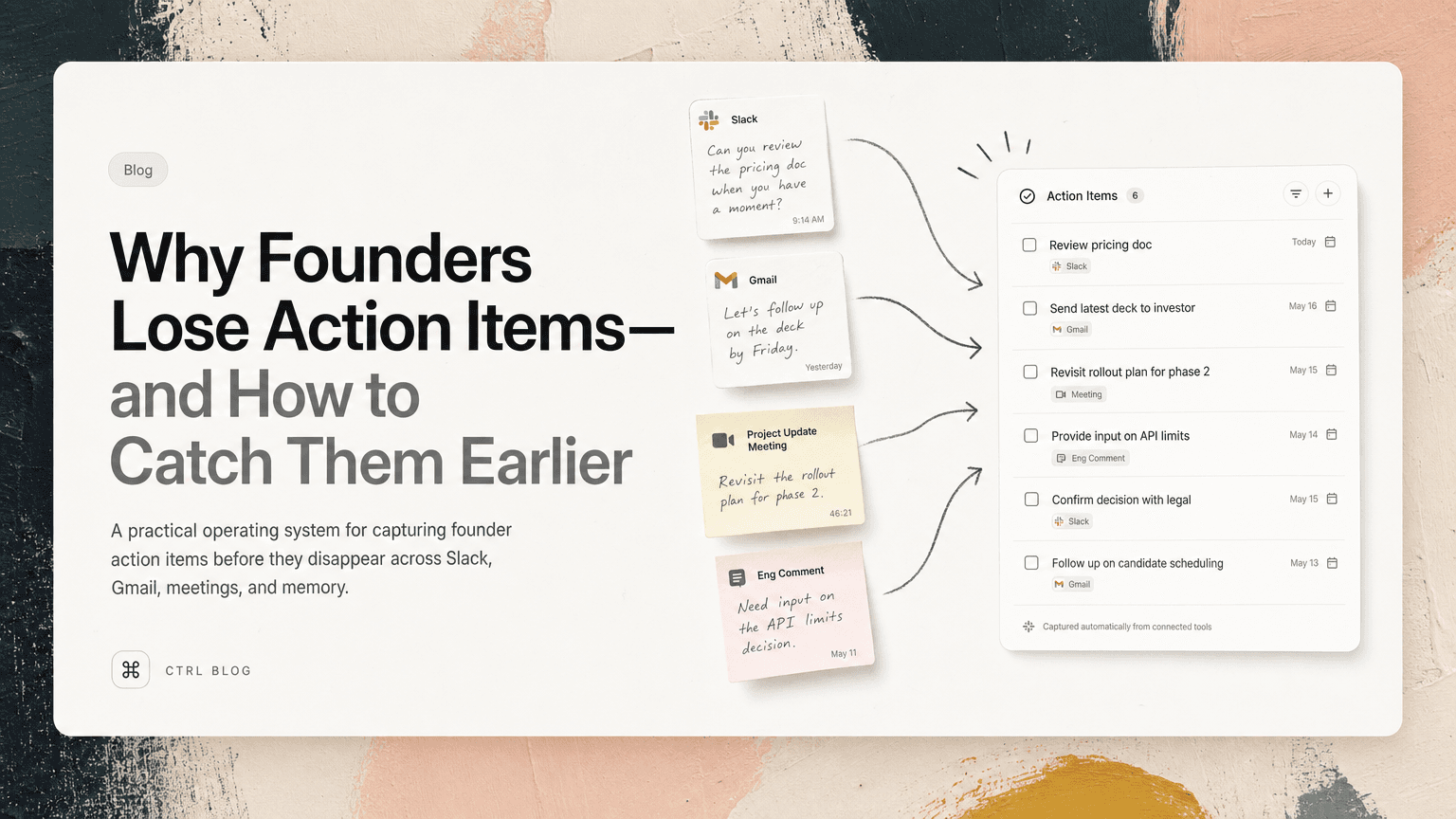
Founders do not usually lose action items because they are careless. They lose them because the work arrives in too many places, at too many speeds, with too much implied context.
A customer asks for a follow-up in Gmail. An investor sends a Slack message after a board prep thread. A candidate mentions a scheduling issue at the end of a call. An engineer flags a decision that needs your input in a comment. None of these look like formal tasks at the moment they appear. They look like conversation.
That is the trap.
If your system only captures work after you manually decide, “This is a task,” you will miss the work that arrives while you are switching contexts, making decisions, or trying to keep a meeting moving.
The goal is not to become more obsessive about task management. The goal is to build a capture system that matches how founder work actually appears.
The real reason action items disappear
Most founder action items are not born as clean checklist items.
They show up as fragments:
- “Can you send me the latest deck?”
- “Let’s revisit pricing before Friday.”
- “I think we still owe them an answer.”
- “Can someone confirm whether this shipped?”
- “Worth checking with legal before we reply.”
- “I’ll take a look after the customer call.”
Some are explicit. Many are implied. Some belong to you. Some need delegation. Some are not urgent but become expensive if ignored.
The problem gets worse because founder work moves across different surfaces:
- Slack for fast internal coordination
- Gmail for external follow-ups
- Calendar for meetings and deadlines
- Notes docs for decisions and discussion
- Task tools for work that has already been formalized
- Your memory for everything else
Memory is usually where the system breaks.
You might leave a meeting knowing there were three follow-ups. Then you open Slack, see a customer escalation, answer two emails, jump into a hiring call, and by the end of the day only one of those follow-ups made it into a task list.
The missing work was not invisible. It was just never converted into a durable next action.
Treat capture as a workflow, not a personality trait
Many founders respond to missed action items by trying to be “more disciplined.” They promise to update tasks after every meeting, clean up Slack at the end of the day, or review email more carefully.
That can help for a week. Then the company gets busy again.
A better approach is to design a workflow with three layers:
- Capture: notice possible action items wherever they appear.
- Clarify: turn vague fragments into concrete next actions.
- Commit: decide what matters now, what can wait, and what belongs to someone else.
When these steps blur together, tasks get lost. For example, you might see a Slack message that says, “We should follow up with Acme before renewal.” If you do not clarify it, the message remains a concern, not an action.
A clarified version would be:
Email Jordan at Acme about renewal concerns and ask whether the security review is still blocking procurement.
That is much harder to ignore because it includes the verb, recipient, topic, and reason.
Start with the places where founder work actually starts
Do not begin by reorganizing your task app. Begin by identifying the places where action items originate.
For most founders, the main sources are Slack, Gmail, meetings, and ad hoc notes.
Slack: capture commitments hiding in threads
Slack creates a false sense of completion. You answer a message, react with an emoji, or say “will do,” and the thread moves on. But the work may still be open.
Look for these patterns:
- You wrote “I’ll” or “I can”
- Someone asked “can you” or “could we”
- A decision was made but no owner was assigned
- A teammate is blocked on your input
- A customer issue was discussed without a next step
- A thread ended with “let’s follow up”
A practical habit: when you scan Slack, do not ask, “Did I reply?” Ask, “Did this create work?”
Example:
Slack message: “Can you review the enterprise pricing note before I send it to Stripe?”
Weak capture:
Review pricing note
Better capture:
Review Maya’s enterprise pricing note before it goes to Stripe; check discount language and implementation timeline.
The second version preserves the context that makes the task executable later.
Gmail: separate replies from follow-ups
Email is especially dangerous because replying feels like finishing. But many emails create a second action after the reply.
For example:
- You tell an investor, “I’ll send the updated metrics tomorrow.”
- You tell a customer, “Let me check with the team and come back to you.”
- You tell a candidate, “We’ll get scheduling options over shortly.”
- You tell a vendor, “I’ll review the contract changes.”
Each reply creates a future obligation.
A useful rule: whenever you send an email containing “I’ll,” “we’ll,” “let me,” or “I’ll check,” create or confirm the follow-up before moving on.
Do not rely on sent mail as your task list. Sent mail is an archive of promises, not a system for keeping them.
Meetings: capture decisions and owners before the call ends
Meetings are where founders often agree to work while trying to facilitate the conversation. That makes action items easy to miss.
At the end of important meetings, reserve two minutes for a simple closeout:
- What did we decide?
- What still needs an answer?
- Who owns each next action?
- By when does it matter?
This does not need to be formal. It can be as simple as saying:
“Before we drop, I have three next steps: I’ll send the revised hiring plan, Priya will confirm the launch date, and Sam will check the customer migration risk. Anything missing?”
That short recap turns conversation into commitments.
The key is to capture the action while the context is fresh. If you wait until later, your notes may say “hiring plan” and nothing else.
Use a standard shape for every action item
Scattered work becomes easier to manage when each action item has the same basic structure.
Use this format:
Verb + object + context + owner + timing
Examples:
- Send updated seed deck to Alex before Thursday’s partner meeting.
- Review Q3 hiring plan and flag roles that depend on enterprise pipeline.
- Ask Erin whether the onboarding bug is still blocking the Acme rollout.
- Confirm with finance whether the contractor agreement needs a new approval.
- Decide whether to move the launch date after reviewing support readiness.
This format forces clarity. It also exposes fake tasks.
For instance, “pricing” is not a task. Neither is “customer issue” or “board follow-up.” Those are labels for mental load.
A real task says what has to happen next.
Deduplicate before you prioritize
Founders often see the same action item in multiple places.
A customer asks about a missing feature in email. The account lead mentions it in Slack. The product manager raises it in a meeting. By the end of the day, you might have three versions of the same follow-up.
If you do not deduplicate, two bad things happen:
- Your task list looks larger than it is.
- You waste time re-processing the same issue.
Before prioritizing your day, group repeated action items together.
Example duplicates:
- “Reply to Acme about SSO timeline”
- “Check with product on Acme SSO ask”
- “Follow up with Jordan re enterprise blocker”
Combined action:
Confirm SSO timeline with product, then reply to Jordan at Acme about whether it affects renewal timing.
Now you have one complete action instead of three partial reminders.
This is one place where an intelligent work assistant can help. CTRL connects to tools like Slack, Gmail, Calendar, meetings, and notes, then helps turn scattered communication into clear next actions while reducing repeated task fragments.
Keep the source attached to the task
A task without context creates more work later.
If your list says “Follow up with Jordan,” you still have to search Gmail, Slack, notes, or your calendar to remember who Jordan is, what the follow-up is about, and why it matters.
Whenever possible, keep a link or reference back to the source:
- the Slack thread where the decision happened
- the email that contains the customer request
- the meeting note where the owner was assigned
- the doc section where the tradeoff was discussed
This matters because founder tasks are rarely isolated. They usually sit inside a relationship, a decision, or a deadline.
A source-linked task lets you re-enter the work quickly. Instead of reconstructing the situation, you can act.
Build a daily action review that takes ten minutes
A founder’s capture system is only useful if it feeds a daily decision.
Once a day, review newly captured items and sort them into four groups:
1. Do today
These are actions that unblock people, protect important relationships, or affect near-term decisions.
Examples:
- Reply to a customer before their procurement meeting.
- Give an engineer a decision needed for release scope.
- Send the investor update before tomorrow’s call.
2. Schedule
These are real tasks, but not today’s work.
Examples:
- Review vendor agreement by Friday.
- Draft board narrative next week.
- Revisit onboarding metrics after the new dashboard ships.
3. Delegate
Founders lose time when they hold tasks that should move to someone else.
Examples:
- Ask operations to coordinate candidate scheduling.
- Have product send the customer feature clarification.
- Ask finance to confirm invoice status.
Delegation still needs clarity. “Can you handle this?” is weaker than “Can you confirm invoice status with Stripe by Wednesday and tell me if there is any renewal risk?”
4. Drop
Not every captured item deserves action.
Some were ideas. Some were stale. Some were already resolved. Some sounded important in the moment but do not matter now.
Dropping work deliberately is different from losing it accidentally.
Do not turn your system into another inbox
The danger with any capture process is that it becomes a pile. A large, unreviewed task list is just another inbox with better formatting.
Keep the system lightweight:
- Capture from the source of work.
- Clarify the next action.
- Deduplicate repeated items.
- Preserve the source context.
- Review daily.
- Commit only to what matters.
If a task is not clear enough to act on, rewrite it. If it has no owner, assign one. If it has no reason to exist, delete it.
The point is not to track everything. The point is to stop important work from depending on memory.
A simple founder checklist
Use this at the end of each day:
- Did any Slack thread create a commitment for me?
- Did I send any email that promised a follow-up?
- Did today’s meetings end with clear owners and next steps?
- Are repeated tasks actually the same underlying issue?
- Do my top tasks include enough context to act without searching?
- What must happen tomorrow to unblock other people?
- What can be delegated or dropped?
Founders do not need a more elaborate productivity ritual. They need a reliable way to convert scattered communication into execution.
CTRL can support that by reading the places where work already happens and helping identify the next actions that would otherwise stay buried. But the principle matters either way: action items should be captured where they appear, clarified before they fade, and reviewed before the day decides for you.


Make today life changing
Move from conversation to actions in seconds
Download the ^ctrl desktop app