By Ctrl Editorial Team · May 24, 2026 · 9 min read
Why Manual Task Capture Breaks Under Real Work
Manual task capture fails when work is scattered. Build a system that catches actions where they appear and keeps context attached.
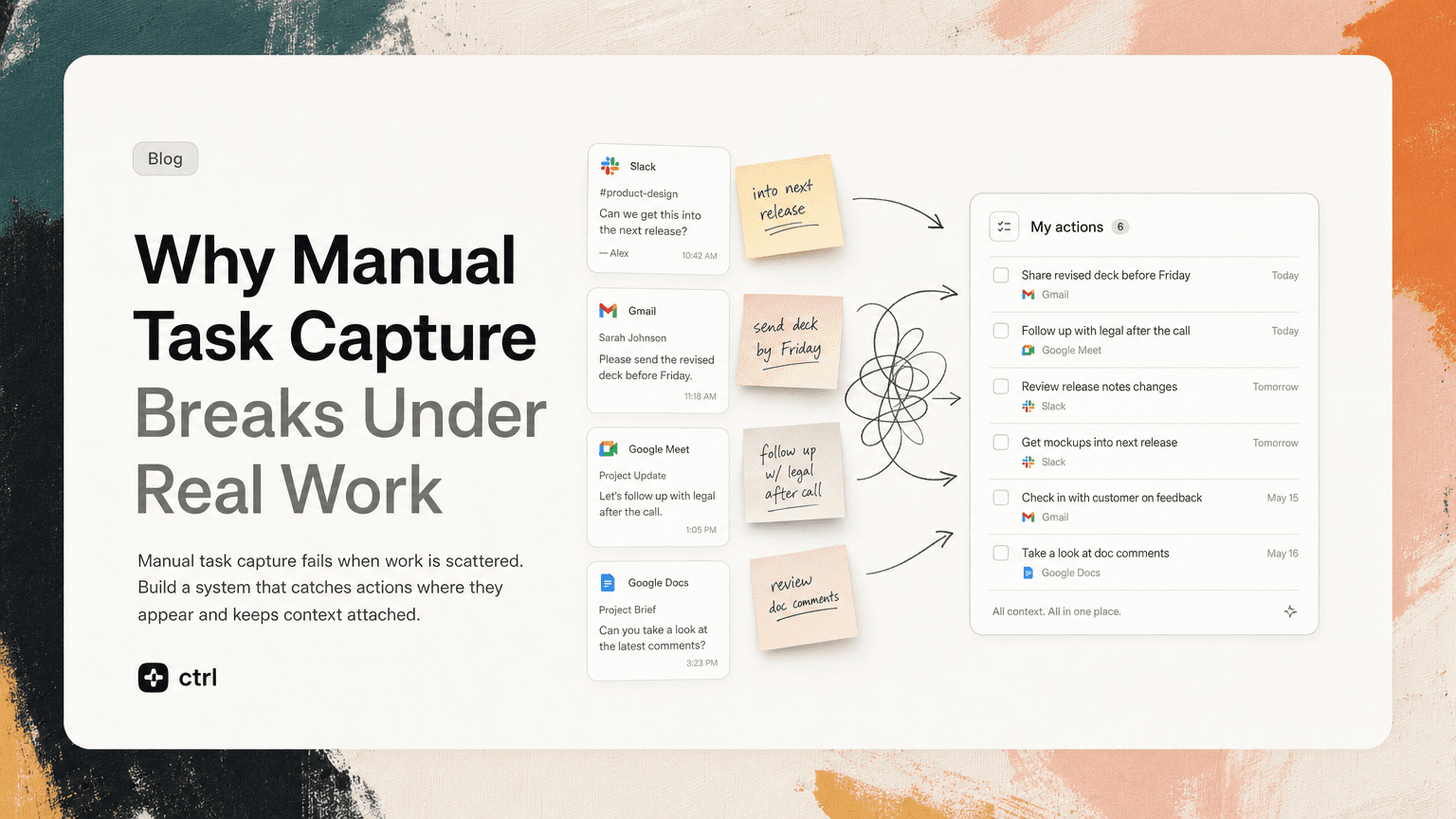
Manual task capture sounds simple: when something becomes your responsibility, write it down.
In practice, it breaks constantly.
A customer asks for a follow-up in Gmail. A teammate tags you in a Slack thread. A decision is made in a meeting. Someone adds “can you take a look?” at the bottom of a doc comment. None of these moments feel like formal task creation. They are just work happening.
The problem is not that people are careless. The problem is that modern work creates tasks in places that were not designed to manage them.
A manual capture system asks you to notice every obligation, translate it into a task, add the right context, choose a priority, and put it in the right place. It asks you to do this while you are already reading, replying, deciding, debugging, planning, or switching between tools.
That is too much friction for a system that needs to work dozens of times a day.
Manual capture fails at the moment of creation
Most task systems assume work starts when you create a task.
Real work starts earlier.
It starts when someone writes:
- “Can we get this into the next release?”
- “Please send the revised deck before Friday.”
- “Let’s follow up with legal after the call.”
- “I think we agreed to remove this from scope.”
- “Can someone check whether this customer is affected?”
These are not always phrased as tasks. They are often buried inside conversation.
Manual capture requires you to recognize the action while it is still mixed with context, discussion, and uncertainty. That is hard because the message may not arrive when you are ready to plan. It may arrive while you are answering another thread, walking into a meeting, or clearing email from your phone.
The capture moment is fragile. If you miss it, the task often disappears until someone follows up.
The hidden cost is not forgetting. It is re-reading.
When a task is not captured clearly the first time, you pay for it later.
You go back into Slack and search for the thread. You open Gmail and try to remember the subject line. You scan meeting notes for the decision. You ask a teammate, “What did we decide here again?”
The cost is not only the risk of dropping work. It is the repeated effort of reconstructing the work.
For example, imagine a product manager leaving a planning meeting with this note:
Follow up on onboarding copy.
That seems fine until tomorrow, when they need to act on it. Which copy? What was the issue? Who raised it? Was the next step to write new copy, ask design, or check with customer support?
A better captured task would be:
Review onboarding step 3 copy before Thursday’s design review. Context: support mentioned users are confused by the “workspace setup” language. Decision: test clearer wording before implementation.
The second version is not just a task. It preserves the reason the task exists.
Manual capture usually loses that reason because people are trying to move quickly. They write shorthand to avoid interrupting the meeting or conversation. Later, the shorthand becomes another source of work.
Your task list only reflects what you had time to write down
A manual task list can look organized while still being incomplete.
It contains the tasks you remembered to capture, not necessarily the tasks that matter.
This creates a false sense of control. You open your list in the morning and see tidy items:
- Update roadmap
- Review candidate packet
- Send customer follow-up
- Prep for leadership meeting
But important work may still be sitting elsewhere:
- A Slack thread where an engineer asked for a prioritization decision
- A Gmail reply where a customer asked for timing
- A calendar invite with a prep request buried in the description
- A meeting note where you agreed to unblock another team
Manual capture favors obvious work. It misses quiet obligations.
This is especially painful for founders, operators, product managers, and customer-facing teams because much of their work is connective. They are not just completing assigned tickets. They are noticing ambiguity, making decisions, following up, and keeping momentum across people and tools.
That kind of work rarely arrives as a clean task.
The copy-paste problem
Many people try to solve manual capture with a stricter habit:
When something important appears, copy it into the task manager.
This is better than relying on memory, but it still has problems.
Copying strips away context
A Slack message copied into a task may lose the surrounding discussion. An email subject line may not explain what was promised. A meeting note may not include who objected, what changed, or why the deadline matters.
The task becomes detached from its source.
When it is time to do the work, you have to reopen the original tool anyway.
Copying creates duplicates
The same action often appears multiple times:
- A customer mentions it in email
- The account lead repeats it in Slack
- It comes up again in a meeting
- Someone adds it to a shared note
If each mention becomes a separate task, your list gets noisy. If none of them do, the work may disappear. Manual capture makes deduplication your responsibility.
Copying interrupts the work you were already doing
Every manual capture step is a context switch.
You read a Slack message, open your task tool, create an item, decide where it belongs, paste the context, set a date, then return to Slack. That may take less than a minute, but the interruption matters. It breaks the flow of reading, deciding, and responding.
The more complete your capture system is, the more it asks you to stop working in order to organize work.
A better standard: capture should happen where work appears
A practical task system should not depend entirely on perfect human discipline.
It should assume that work appears in messy places:
- Slack threads
- Gmail conversations
- meeting transcripts or notes
- calendar descriptions
- shared docs
- quick decisions made in passing
The goal is not to turn every message into a task. That would create a different problem. The goal is to identify actual next actions and preserve enough context to make them usable later.
A useful captured task should answer five questions.
1. What needs to happen?
The task should be written as an action, not a vague topic.
Weak:
Pricing page
Better:
Send revised pricing page copy to design for review
If the task does not start with a clear verb, it may not be ready for execution.
2. Who owns it?
Many dropped tasks are really dropped ownership decisions.
A meeting ends with “we should follow up,” but nobody owns the follow-up. A Slack thread says “someone should check this,” but no one is named.
If ownership is unclear, the next action may be to assign ownership, not do the work itself.
3. When does it matter?
Not every task needs a hard due date. But every task benefits from timing context.
Is this blocking a launch? Needed before a customer call? Relevant this week, or someday?
Manual task lists often overuse due dates because they lack better prioritization signals. Everything becomes due today, which makes the list easier to ignore.
4. Why does it matter?
The “why” keeps the task from becoming stale.
For example:
Confirm whether the billing bug affects annual customers before the support update.
This is better than:
Check billing bug.
The first version tells you what decision or communication depends on the work.
5. Where did it come from?
A source link is underrated.
If a task came from a Slack thread, link the thread. If it came from Gmail, link the email. If it came from a meeting, keep the relevant note or transcript attached.
Source context reduces re-reading and prevents debates about what was actually agreed.
How to make manual capture less brittle today
Even before changing tools, you can improve your system by lowering the number of decisions required at capture time.
Use a single inbox for uncertain work
Do not force yourself to categorize everything immediately.
Create one place called “Inbox” or “Triage.” When you see a possible task, capture it there quickly. Later, during a dedicated review, decide whether it is real, assign priority, and add details.
This is useful because capture and prioritization are different modes. Trying to do both at once slows you down.
Capture the source, not just the summary
When you create a task manually, include a link to the Slack thread, Gmail message, calendar event, or meeting note.
If you only have time to add one thing, add the source. You can rewrite the task later, but you cannot always recover the exact context quickly.
Rewrite vague tasks during review
At the start or end of each day, scan your captured items and rewrite vague ones.
Turn:
Legal follow-up
Into:
Ask legal whether the new vendor terms need security review before Friday procurement sync
This habit turns captured fragments into executable work.
Separate “waiting for” from “I need to do”
Manual systems often mix your tasks with other people’s follow-ups.
That creates confusion. If you are waiting on design, engineering, legal, or a customer, mark it clearly as “waiting for.” Otherwise, it will keep resurfacing as if it is yours to complete.
Delete duplicates aggressively
If the same task appears from Slack, Gmail, and a meeting note, merge it into one item with multiple sources if needed.
Duplicates make a list feel larger than it is. They also create the risk that one copy is updated while another stays stale.
Where AI can help without taking over
The right use of AI here is not to invent priorities or manage your day like a black box.
It is to reduce the manual labor around capture.
An assistant can scan the places where work already happens, notice likely action items, group repeated mentions, and keep the original context attached. You still decide what matters. But you are no longer relying on memory and copy-paste as the backbone of your system.
This is the practical idea behind CTRL: work should not have to be manually rescued from Slack, Gmail, meetings, and notes before it can be managed.
The best task system is not the one with the most fields. It is the one that reflects reality: work is scattered, context matters, and humans are not built to perfectly transcribe obligations all day.
The real fix is designing for messy inputs
Manual task capture breaks because it expects clean behavior in a messy environment.
It expects every task to be noticed, summarized, categorized, prioritized, and linked at the exact moment it appears. That is not how busy teams operate.
A stronger system accepts the mess:
- tasks may start as comments, not assignments
- decisions may happen in meetings, not project tools
- follow-ups may live in email threads
- priority may depend on context spread across multiple places
- the same action may appear more than once
Once you design for that reality, task management becomes less about maintaining a perfect list and more about keeping a trustworthy picture of what needs attention.
That is the standard to aim for: not more manual discipline, but fewer chances for important work to fall through the cracks.


Make today life changing
Move from conversation to actions in seconds
Download the ^ctrl desktop app